1-6 Setting Up
1 —
2 —
3 —
4 —
5 —
6 —
7 —
8 —
?
!
9 —
CONTENTS
Index
6
3
1
1
2
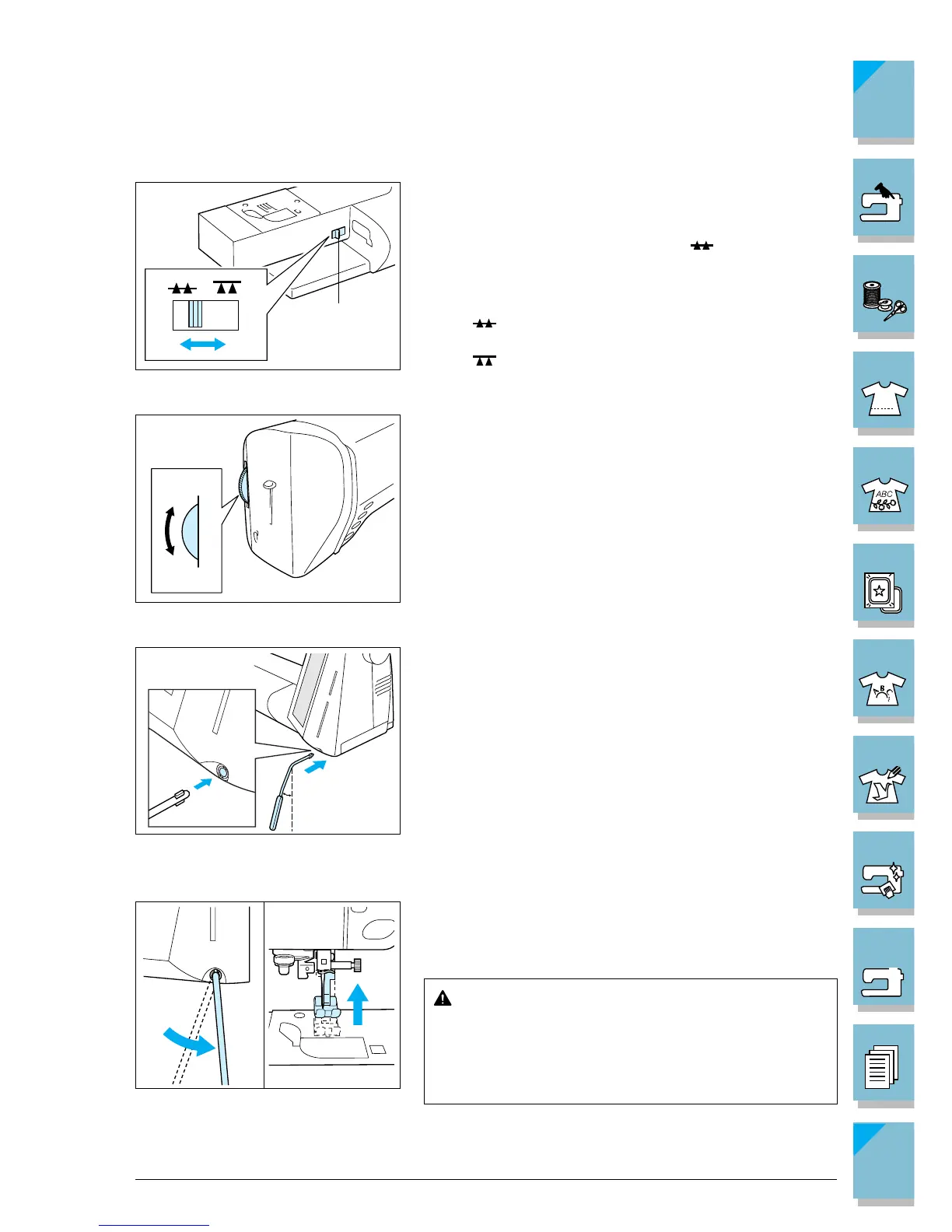
■ Feed Dog Position Switch
Use this switch when attaching buttons (see page 3-61) or
for other similar projects. Remove the flat bed attachment
and raise the presser foot lever to operate the feed dog
position switch. Set the lever in the position for nor-
mal sewing
1 Feed dog position switch
..... The feed dogs are up and will help guide
the fabric.
..... The feed dogs are down and will not help
guide the fabric.
■ Presser Foot Dial
Turn the presser foot dial in order to adjust the pressure
applied by the presser foot. The higher the number, the
stronger the pressure will be. The presser foot dial has set-
tings from 1 (weakest) to 4 (strongest). Use setting “3” for
normal sewing. Lower the presser foot lever before turn-
ing the presser foot dial. If you adjust the setting, be sure
to return it to “3” after sewing.
1 Weak
2 Strong
■ Knee Lifter
You can use the knee lifter to raise and lower the presser
foot without using your hands, so it is convenient for quilt-
ing and other similar projects.
To attach, angle the knee lifter about 20 degrees to the left
and insert it into the mounting slot as far as possible.
CAUTION
If the knee lifter is not pushed into the mounting slot as
far as possible, it may come out during use.
Use your knee to move the knee lifter to the right in order
to raise the presser foot. Release to the left for the presser
foot to lower.
CAUTION
Be sure to keep your knee away from the knee
lifter during sewing. If the machine is operated
while the knee lifter is pushed, the needle may
break or the thread tension may loosen.
20°














 To Next Page