Getting Ready to Sew 2-15
1 —
2 —
3 —
4 —
5 —
6 —
7 —
8 —
?
!
9 —
CONTENTS
Index
6
5
6
5
1
1
Using the Automatic Thread Cutter
After selecting a stitch pattern, turn on the automatic thread cutting function before sewing, and
the machine will automatically sew reinforcement stitches (or reverse stitches, depending on the
stitch pattern) at the beginning and end of sewing, and trim the threads at the end of sewing. This
function is useful when sewing buttonholes and bar tacks.
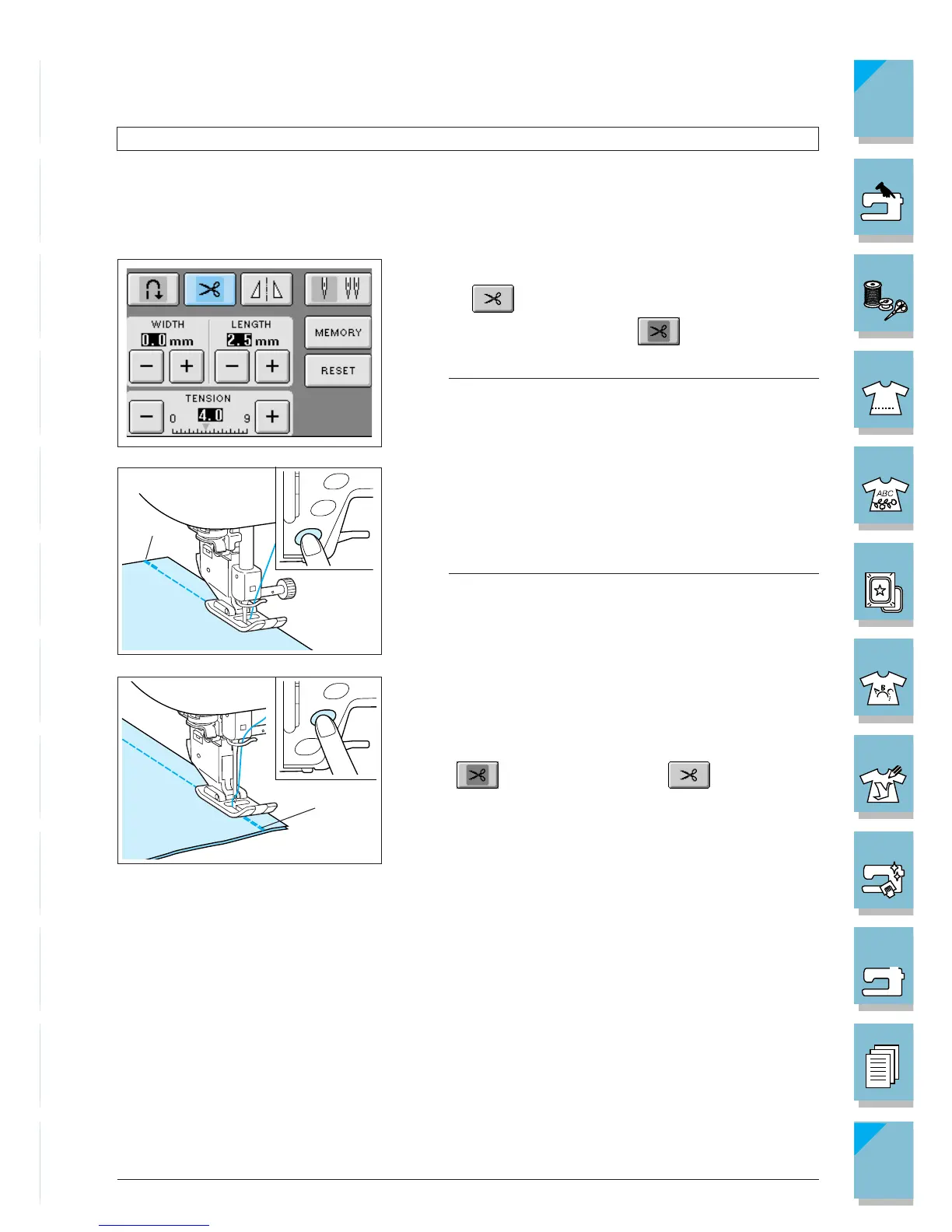
1. Select a stitch pattern.
2. Press to set the automatic thread cutting func-
tion. The key will display as .
Note
This function is set automatically when sewing embroi-
dery.
3. Set the fabric in the start position and start sewing. The
machine will automatically sew reverse stitches (or
reinforcement stitches) and then continue sewing.
1 Reverse stitches (or reinforcement stitches)
Note
If you use the “Start/Stop” button to pause sewing, press
the same button again to continue. The beginning reverse/
reinforcement stitches will not be sewn again.
4. Press the “Reverse/Reinforcement Stitching” button. The
machine will sew reverse stitches (or reinforcement
stitches), then trim the thread.
To turn off the automatic thread cutting function, press
the again, so it appears as .
1 Sews reverse stitches (or reinforcement stitches) and
automatically trims the thread.














 To Next Page