1-18 Setting Up
1 —
2 —
3 —
4 —
5 —
6 —
7 —
8 —
?
!
9 —
CONTENTS
Index
1
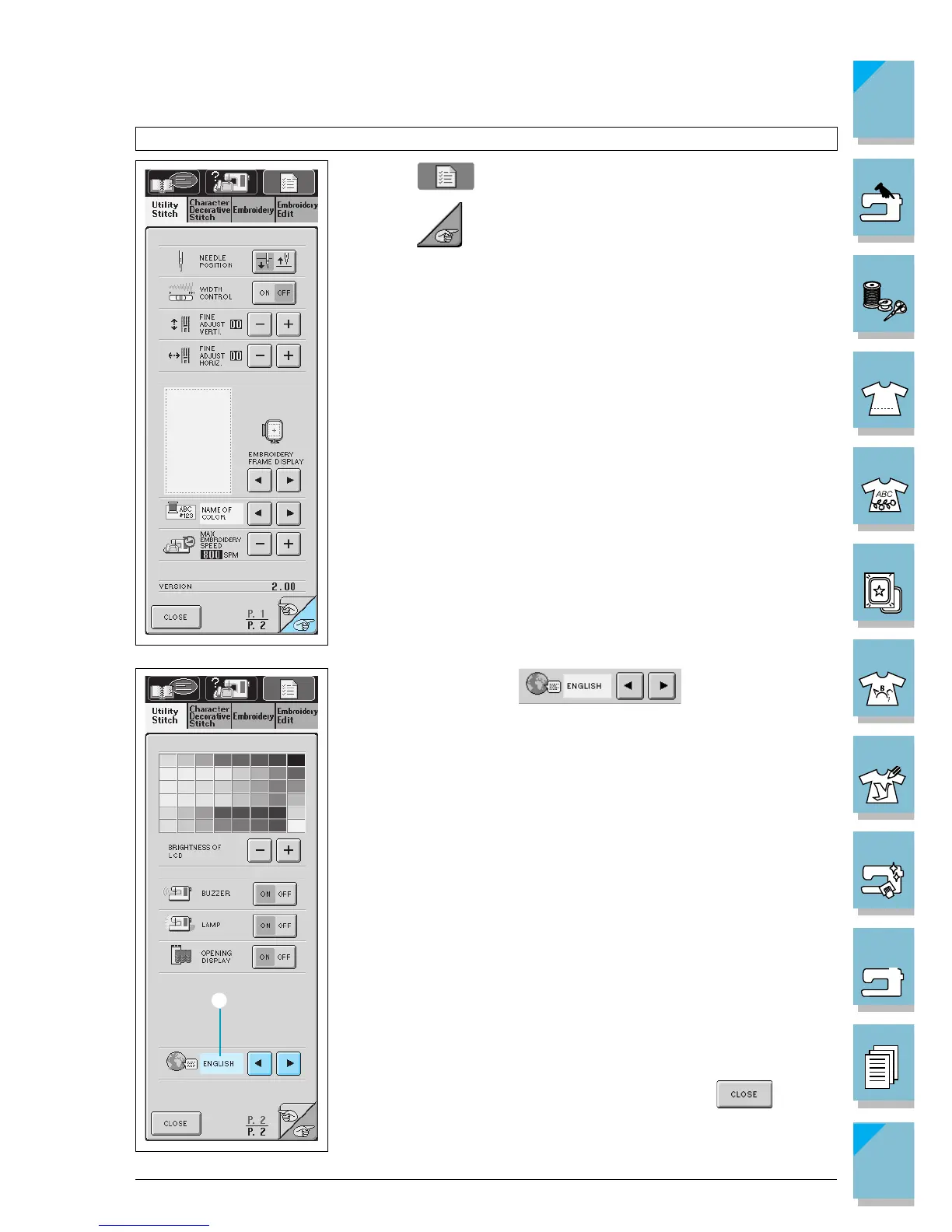
Choosing the Display Language
1. Press to open the screen at left.
2. Press to go to the next screen.
3. When you see this display, press the ar-
row keys to choose the display language.
* Choose from the following languages: ENGLISH
GERMAN
FRENCH
ITALIAN
DUTCH
SPANISH
DANISH
NORWEGIAN
FINNISH
SWEDISH
PORTUGUESE
JAPANESE
1 Shows the selected display language
4. When the desired language is displayed, press .














 To Next Page