3-12 Sewing Utility Stitches
1 —
2 —
3 —
4 —
5 —
6 —
7 —
8 —
?
!
9 —
CONTENTS
Index
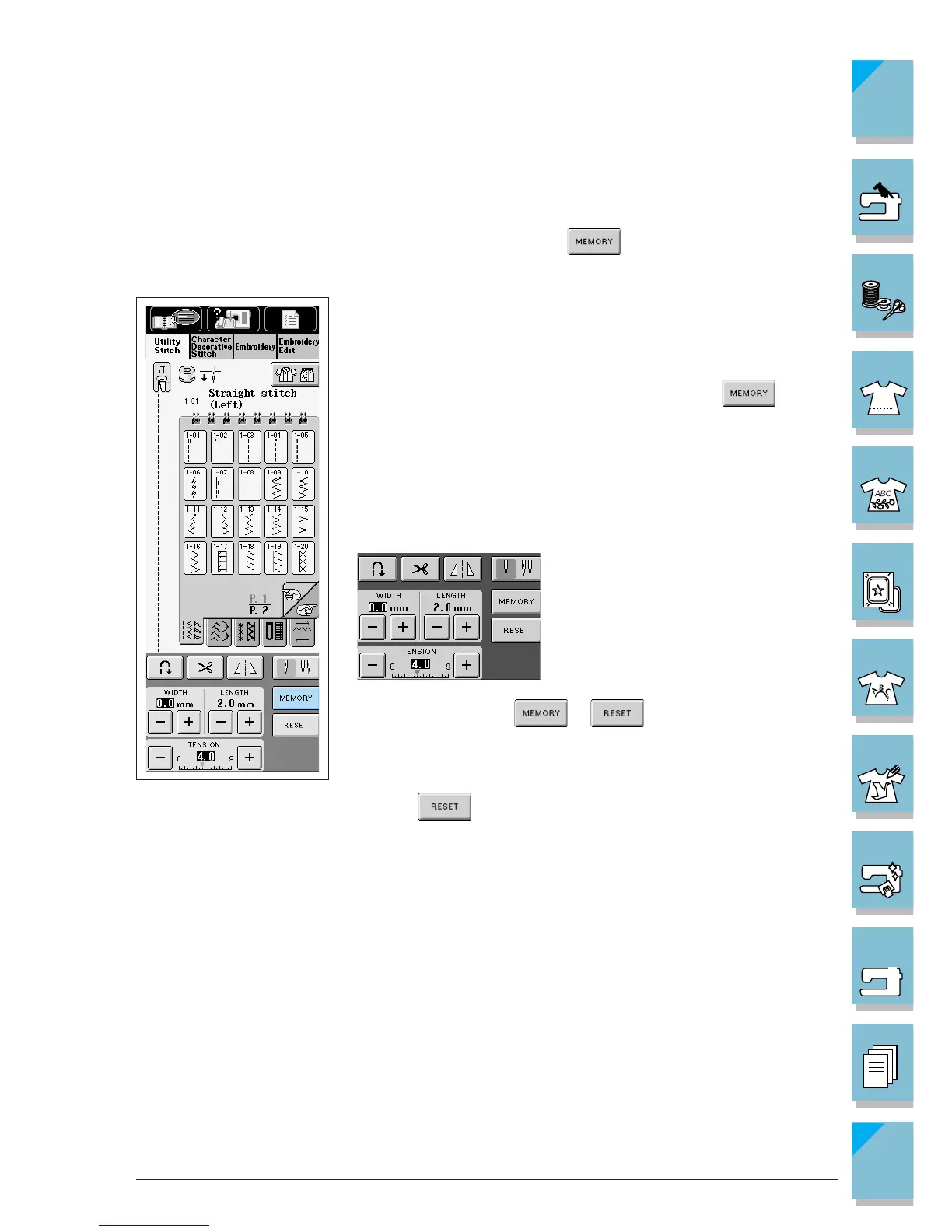
■ Saving Your Preferred Stitch Settings
The settings for zigzag stitch width, stitch length, thread tension, automatic thread cutting or auto-
matic reinforcement stitching, etc., are preset by the computer for each stitch pattern. If you want
to change those settings, input the new settings and press for each pattern you want to
change. The new settings will replace the computer settings.
Example: You always use a length setting of
2.0 mm (1/16 inch) for a straight stitch
1. Select the straight stitch.
2. Set the length to 2.0 mm (1/16 inch), and press .
3. Go back to the original screen, or turn off the machine. The next
time you select the same straight stitch, the stitch length setting
should be 2.0 mm, as you saved it.
CAUTION
• You can change any of the settings on the
screen in the same manner.
• If you do not press or after saving the new stitch
settings, the new stitch settings will be displayed whenever you
select that stitch, even after turning off the power.
* Press to return to the original machine settings.














 To Next Page