5-42 Embroidery
1 —
2 —
3 —
4 —
5 —
6 —
7 —
8 —
?
!
9 —
CONTENTS
Index
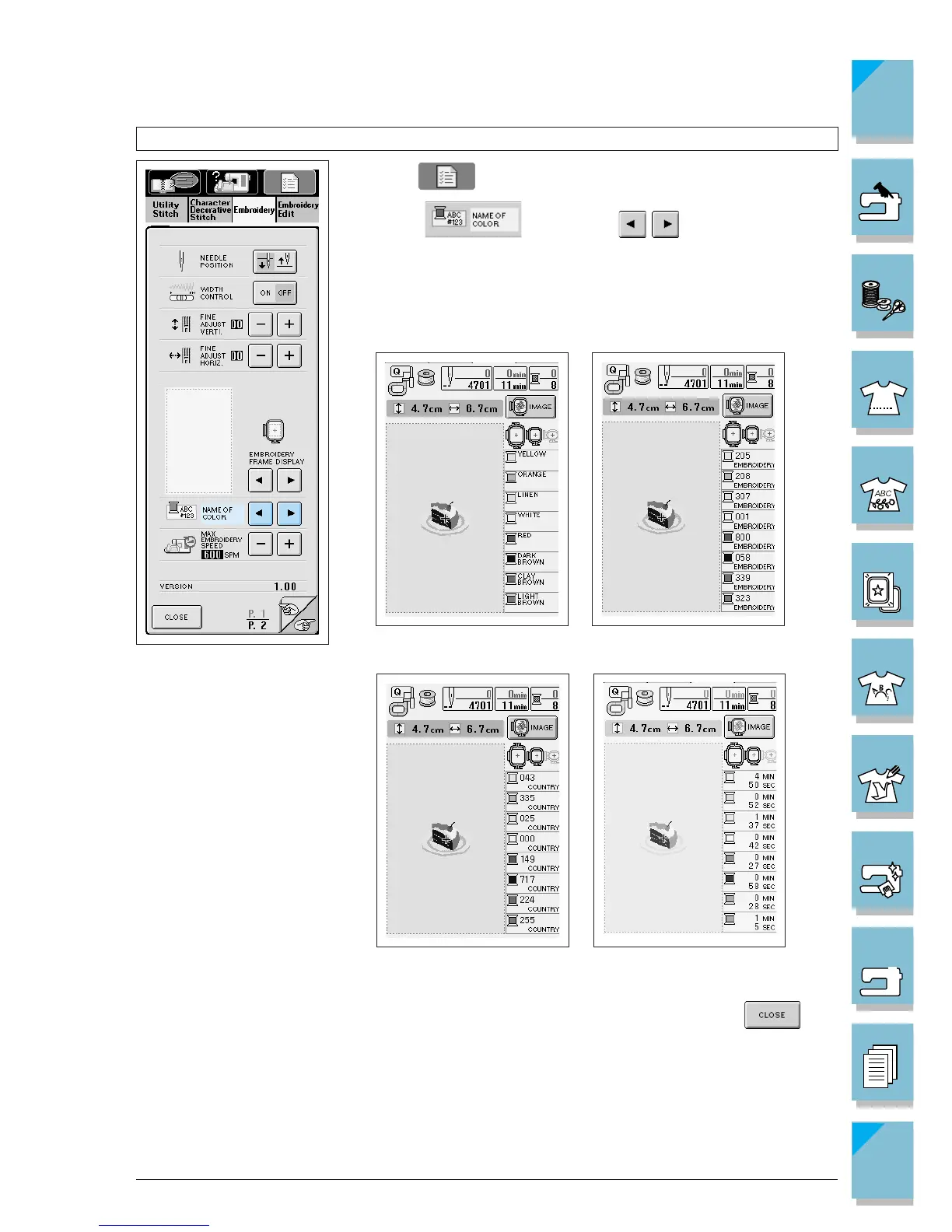
NAME OF COLOR EMBROIDERY THREAD#
COUNTRY THREAD#
TIME
Changing the Thread Color Display
1. Press .
2. In the display, use to change the thread
color display. You can display the name of the thread color, the
embroidery thread number, or the country embroidery thread
number, or the time allotted for the embroidery of that thread
color.
3. When you have selected the type of display, press .





 To Next Page