1-32 Setting Up
1 —
2 —
3 —
4 —
5 —
6 —
7 —
8 —
?
!
9 —
CONTENTS
Index
2
1
3
5
4
7
12
10
9
8
6
11
1
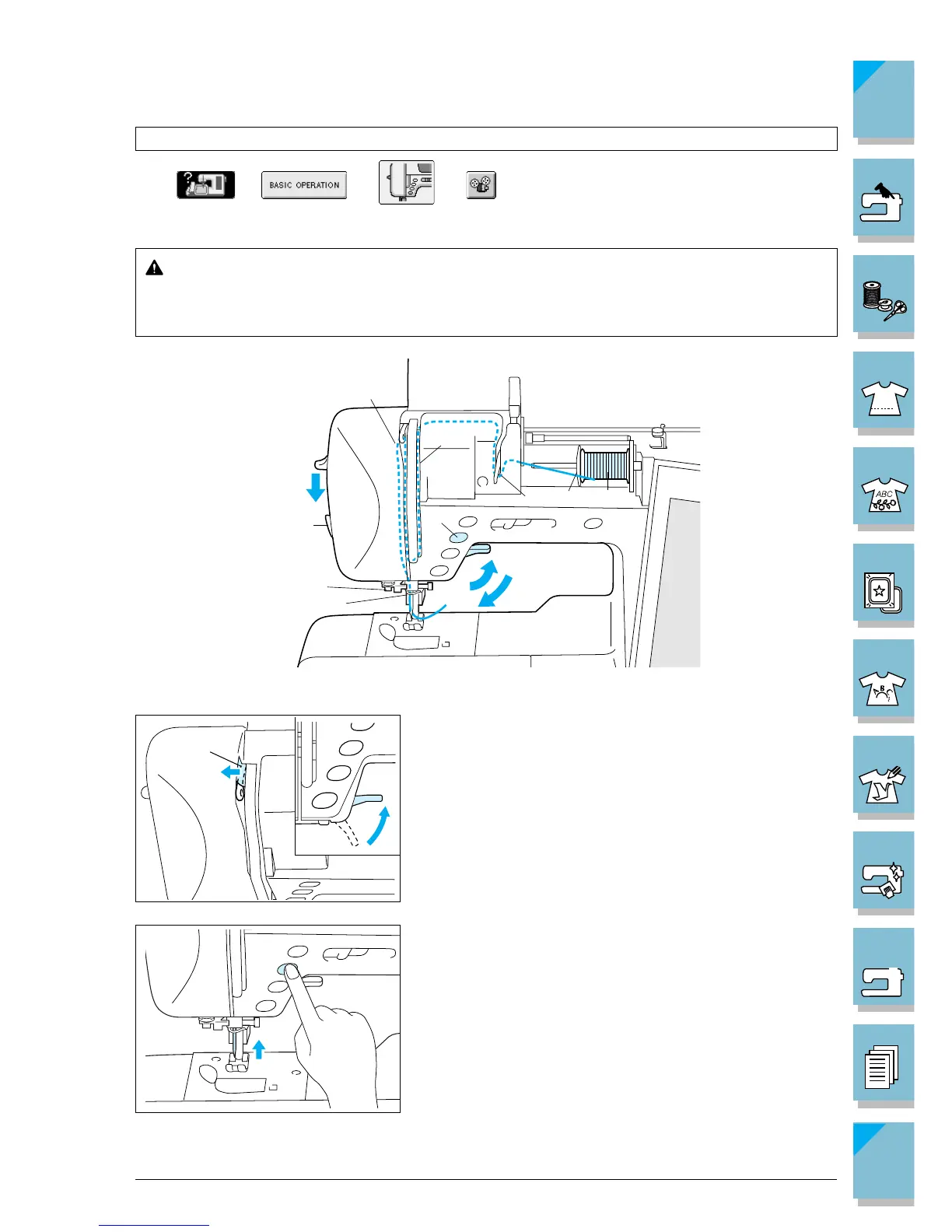
Upper Threading
Press ➜ ➜ ➜ in that order to display a video example of the
operation on the LCD (see page 1-21). Follow the steps explained below to complete the operation.
CAUTION
Be sure to thread the machine properly. Improper threading can cause the thread to
tangle and break the needle, leading to injury.
1. Raise the presser foot lever.
CAUTION
The machine has an upper threading shutter to insure
proper threading. The upper threading shutter opens
when the presser foot is raised. Upper threading can
not take place if the presser foot is not raised.
1 Upper threading shutter
2. Press the “Needle Position” button to set the needle in
the up position.
This step moves the thread take-up lever to a position
in which it can be threaded. Be sure to do this step
before continuing.














 To Next Page