Embroidery Edit Functions 6-11
1 —
2 —
3 —
4 —
5 —
6 —
7 —
8 —
?
!
9 —
CONTENTS
Index
1
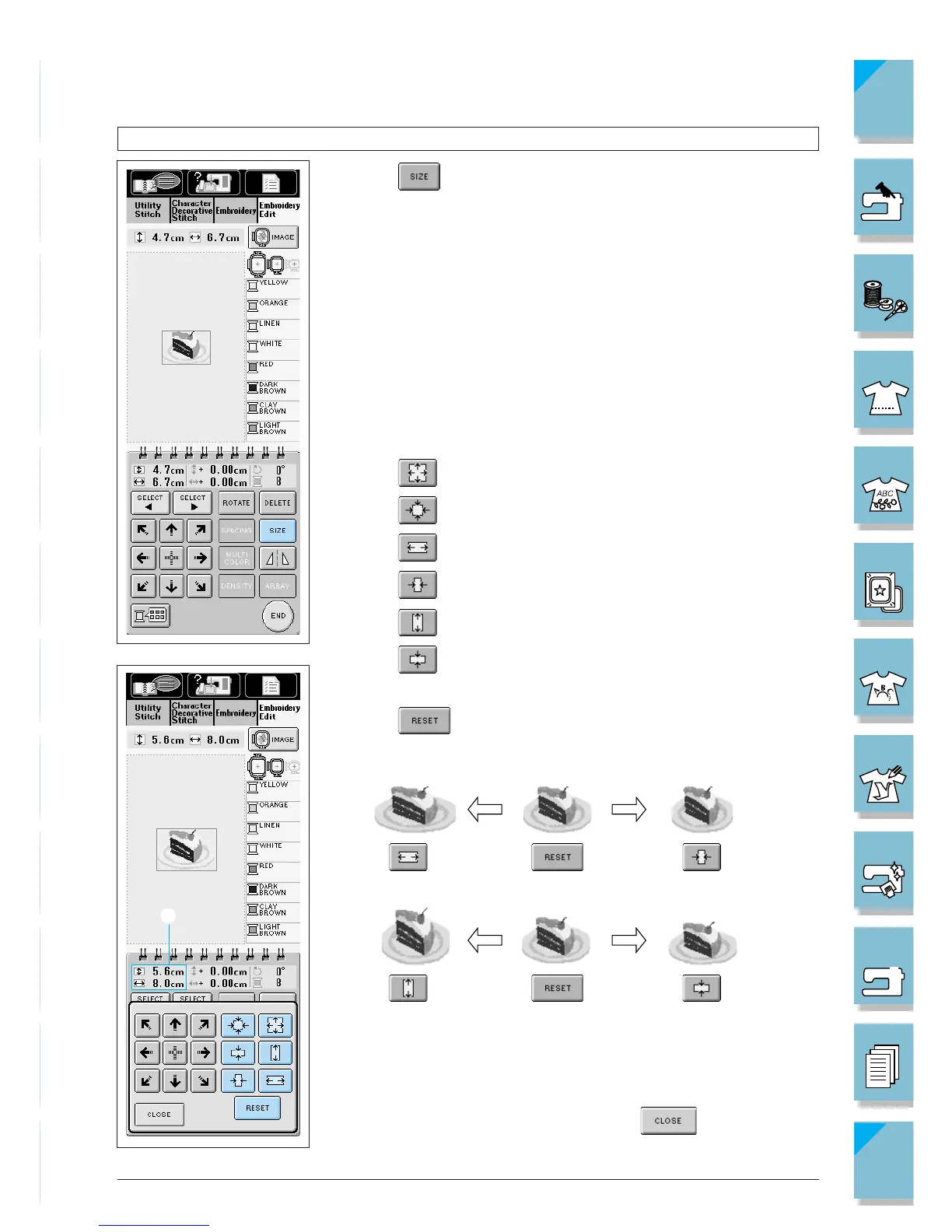
Changing the Size of the Pattern
1. Press .
2. Press to enlarge the pattern.
Press to shrink the pattern.
Press to stretch the pattern horizontally.
Press to compact the pattern horizontally.
Press to stretch the pattern vertically.
Press to compact the pattern vertically.
Press to return the pattern to its original appearance.
1 Shows the size of the pattern being edited.
3. After changing the pattern’s size, press .














 To Next Page