1-28 Setting Up
1 —
2 —
3 —
4 —
5 —
6 —
7 —
8 —
?
!
9 —
CONTENTS
Index
1
1
2
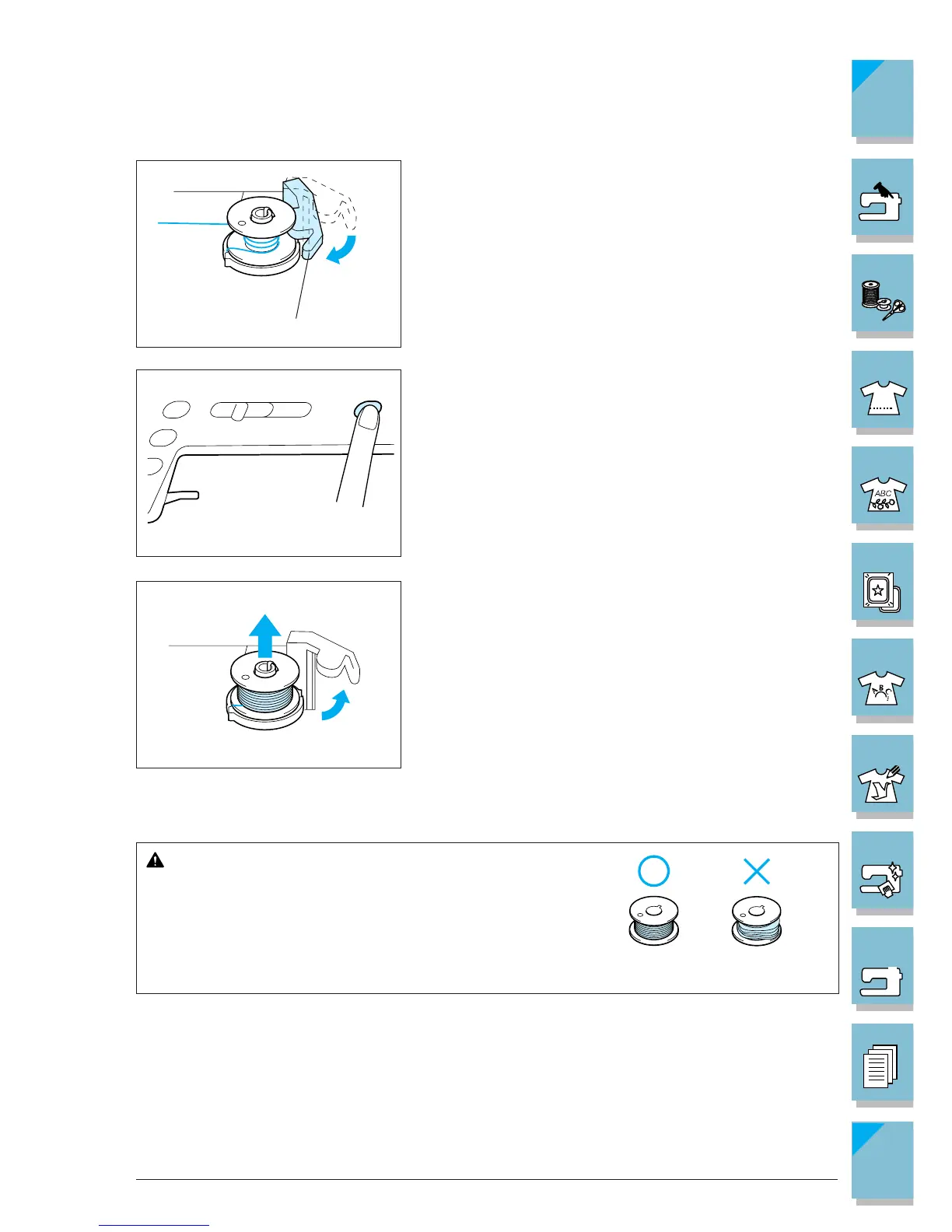
11.Set the bobbin holder to the left, until it clicks into
place.
1 Bobbin holder
12.Press the “Bobbin Winder” button to start winding the
bobbin.
13.The bobbin will stop rotating automatically when it is
done winding, and the bobbin holder will return to the
original position.
14.Remove the bobbin.
CAUTION
When removing the bobbin, do not pull on the bobbin
winder seat. Doing so could loosen or remove the bob-
bin winder seat, resulting in damage to the machine.
CAUTION
Setting the bobbin improperly may cause the thread tension
to loosen, breaking the needle and resulting in injury.
1 Wound evenly
2 Wound poorly














 To Next Page