1-30 Setting Up
1 —
2 —
3 —
4 —
5 —
6 —
7 —
8 —
?
!
9 —
CONTENTS
Index
1
2
1
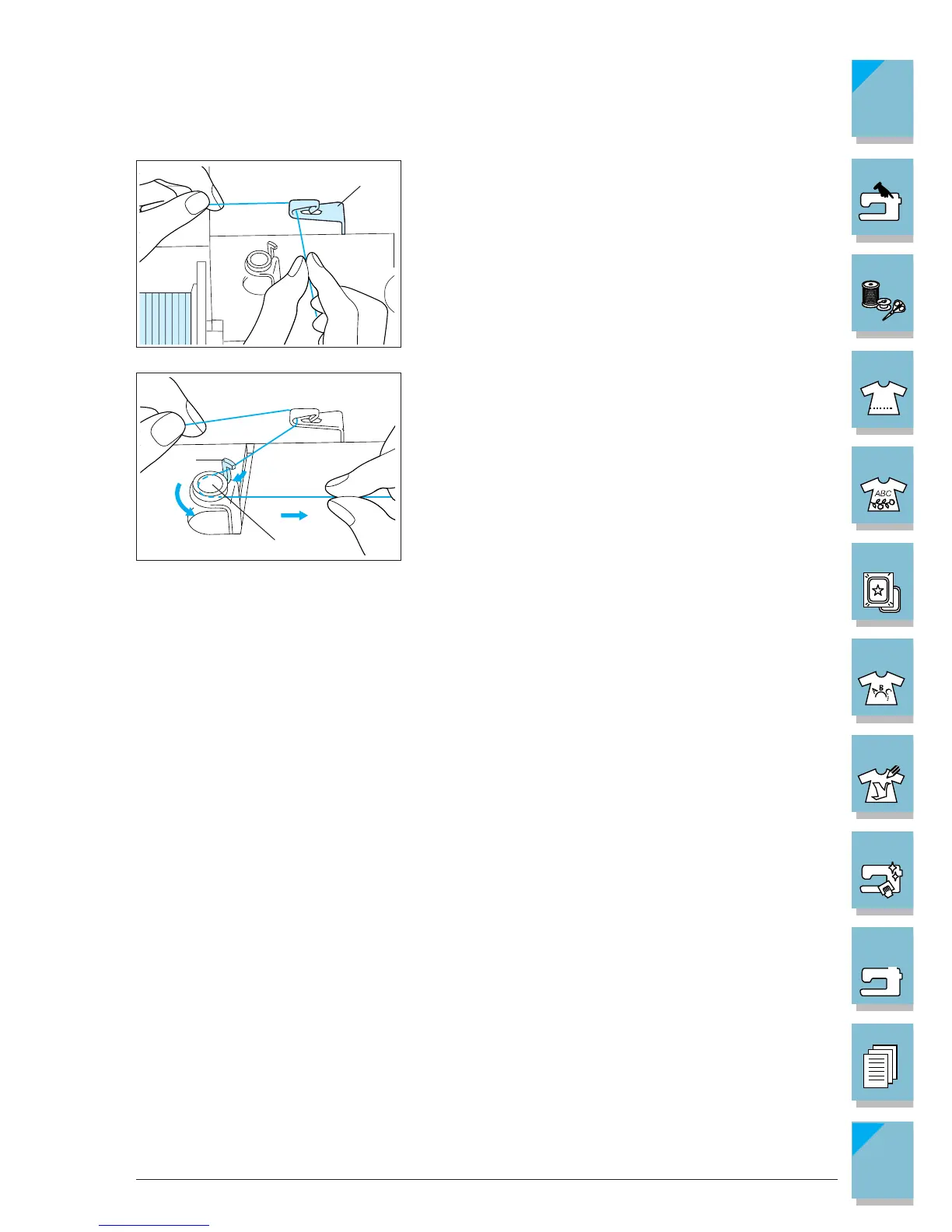
4. With your left hand, hold the thread near the thread
spool. With your right hand, hold the end of the thread,
and use both hands to set the thread around the thread
guides.
1 Projection in the thread guides
5. Pass the thread around the projection in the thread
guides, then pass the thread under the pretension disk.
Make sure to set the thread securely under the preten-
sion disk.
1 Thread guide shaft
2 Pretension disk
6. Follow steps 9 - 14 from the previous section (see pages
1-27, 1-28 ).














 To Next Page