1-34 Setting Up
1 —
2 —
3 —
4 —
5 —
6 —
7 —
8 —
?
!
9 —
CONTENTS
Index
1
▼
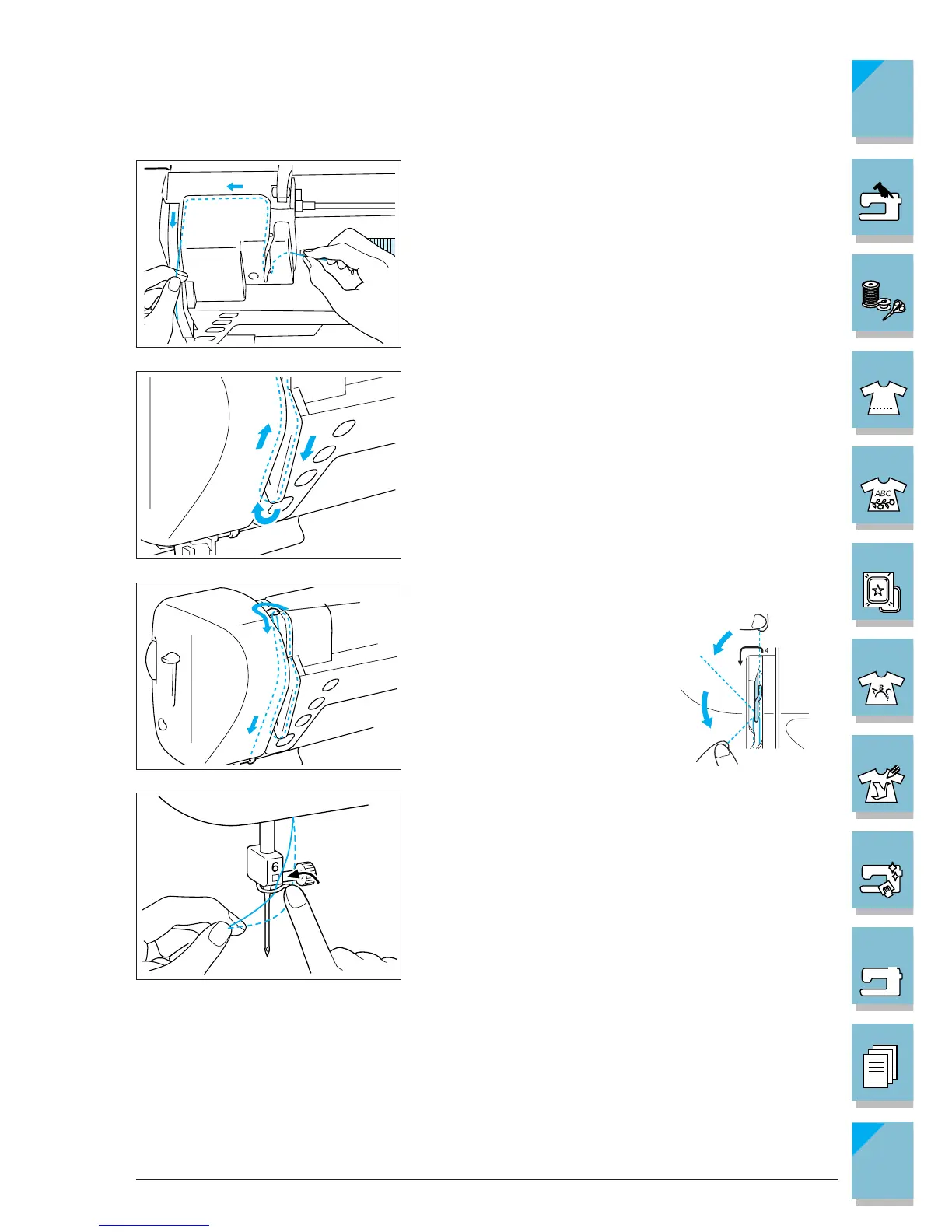
6. Pass the thread through the groove according to the
threading sequence (numbers) indicated on the ma-
chine.
7. To thread the take-up lever, pass the thread from the
back right side to the front left side.
1 Threading the take-up lever
8. Set the thread behind the needle clamp thread guide
on the needle bar. To set the thread easily, hold the
end of the thread with your left hand, and use your
right hand to guide the thread behind the needle clamp
thread guide.














 To Next Page