Using your LinkStation
LinkStation User Manual 110
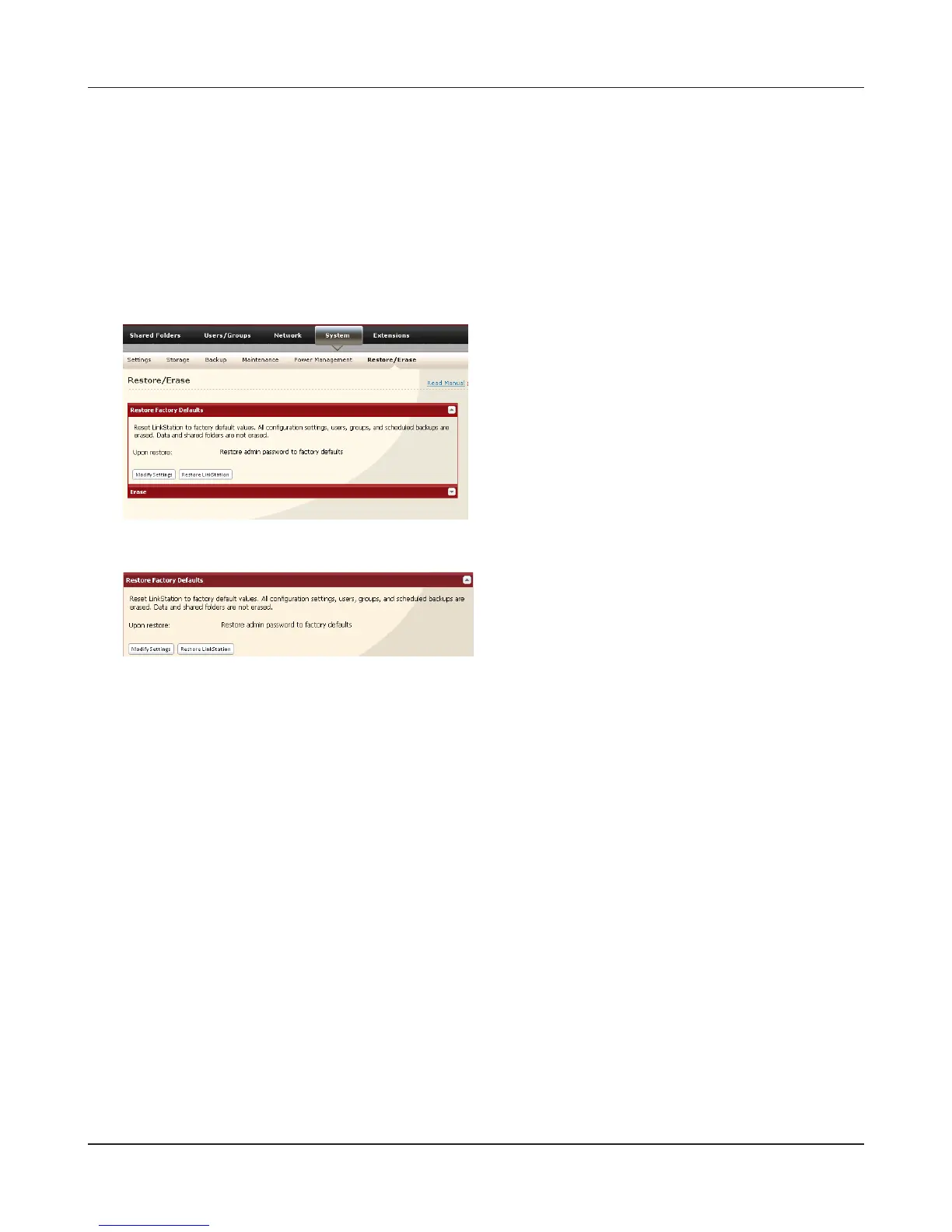
Initialization from the Web Admin interface
You can initialize the following settings from the Web Admin interface: LinkStation name,
Description, NTP settings, Workgroup settings, Shared service settings, access restrictions of the
shared folder, User settings, Groups, mail notication settings, UPS synchronization settings, Backup
Settings, Admin Username and password, Print server settings, WebAccess, Language settings,
SleepTimer, Media server settings, BitTorrent settings, Time Machine conguration, Web Server,
MySQL Server, Network Services, Network-USB Server, Eye-Fi connected, and Flickr Support.
1
2
3
4
Click [Restore LinkStation].
In the Web Admin interface, navigate to [System]
- [Restore/Erase].
Follow the instructions displayed on the screen.
The [Conrm Operation] screen will appear. Enter the number shown in the [Conrmation
Number] eld within 60 seconds, and click [Apply].
Your LinkStation has been initialized.











 To Next Page