Using your LinkStation
LinkStation User Manual 72
Format a Drive
• A format deletes all data from a hard drive. Be careful! Back up any important data on a drive
before formatting it. It will take several minutes to format a hard drive.
• Shared folders cannot be accessed during formatting.
• Do not turn o the power switch or disconnect power while formatting a hard drive.
• If the Power Mode Switch is set to AUTO, then the LinkStation will turn o when the format is
nished.
• To erase all data on a disk, choose [Disk Management] - [Erase Disk].
3
1
2
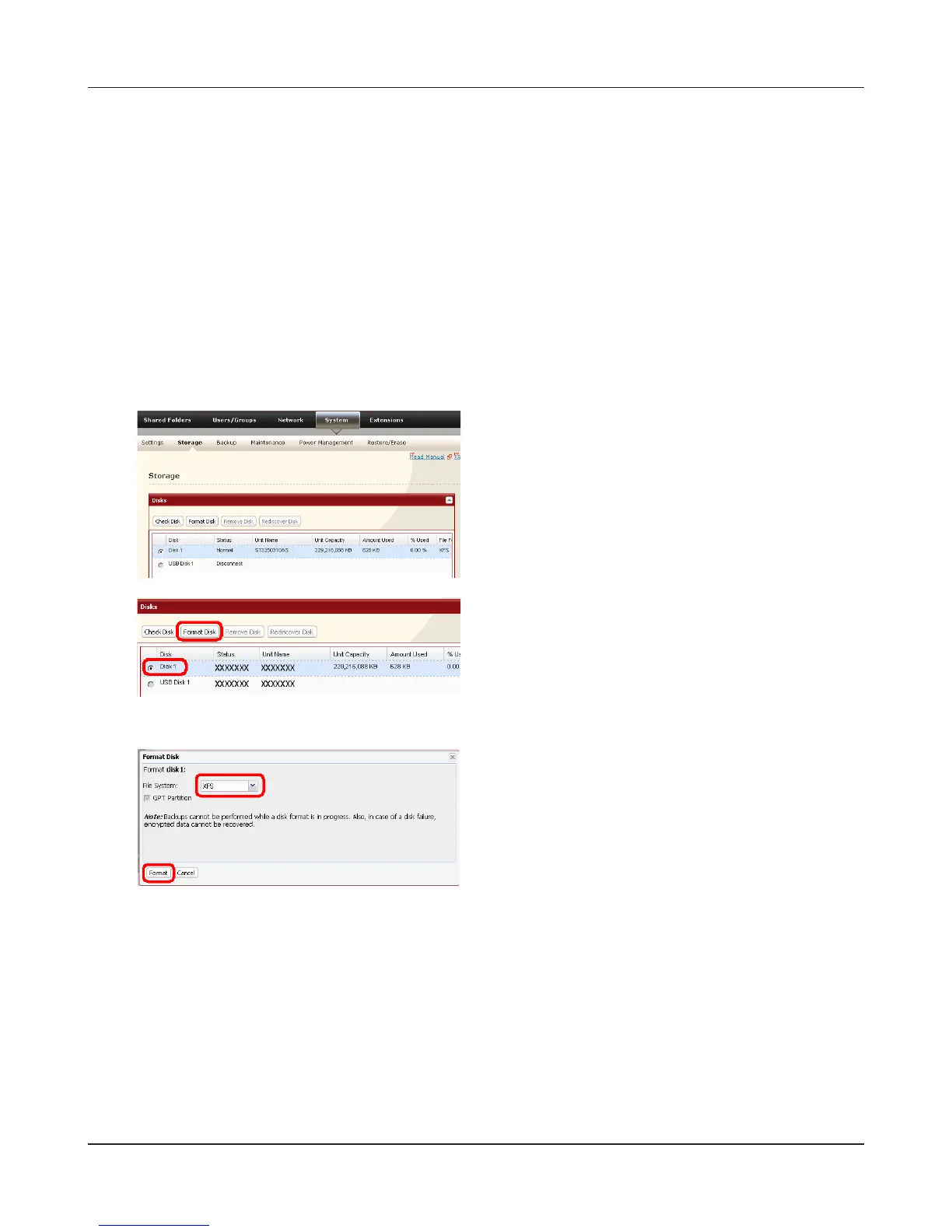
In the Web Admin interface, navigate to [System] -
[Storage].
1 Select the drive to format.
2 Click [Format Disk].
4
5
The [Conrm Operation] screen will be displayed. Type the displayed number into the
[Conrmation Number] eld within 60 seconds, then click [Apply].
Follow the instructions displayed on the screen.
1 Select format type.
2 Click [Format].











 To Next Page