Using your LinkStation
LinkStation User Manual 133
Troubleshooting:
Problem: The DLNA media player can’t see media les on the LinkStation
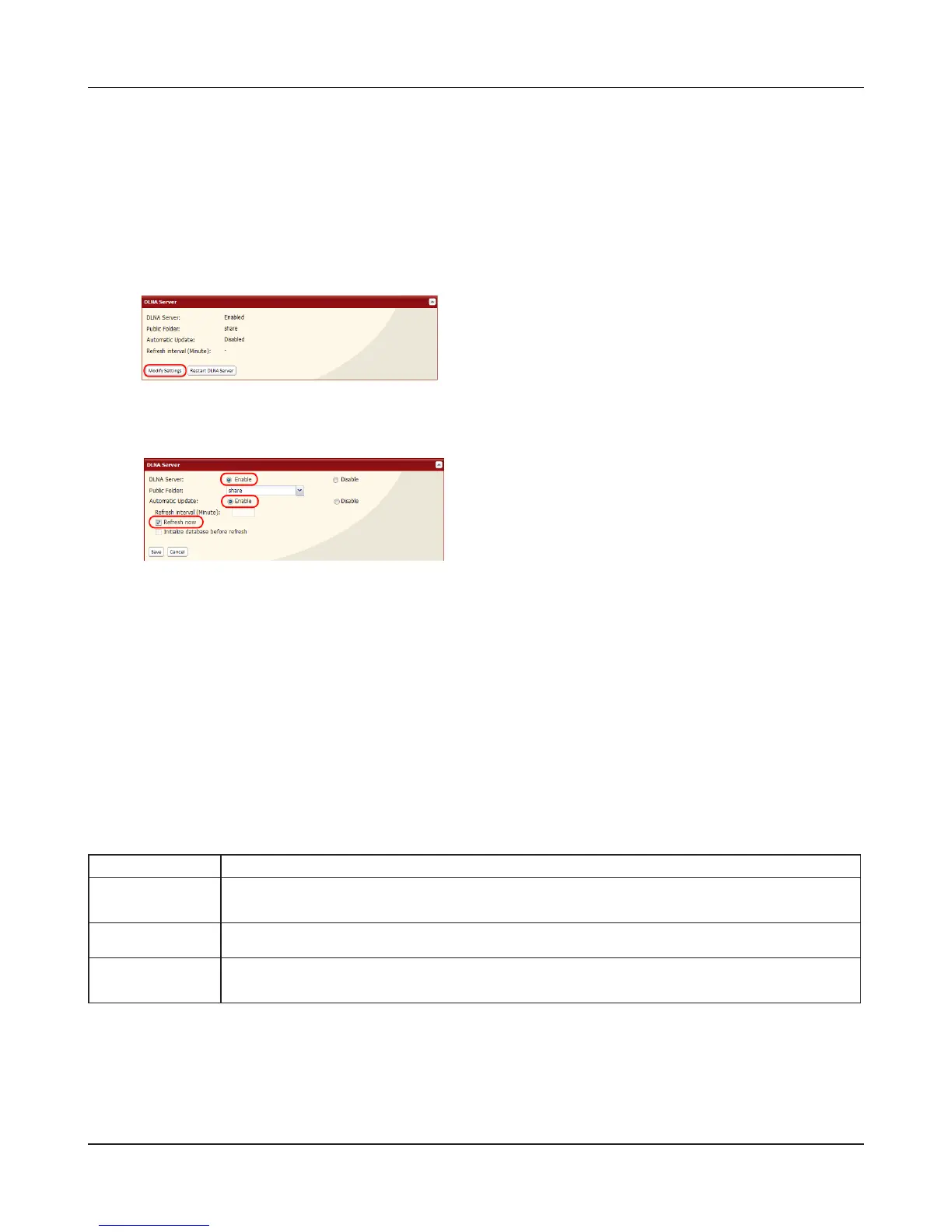
If your DLNA media players can’t access the media les on the LinkStation, then the list of available
media les should be updated. Try the following:
2
3
Select [Enable] for [Media Server] and [Automatic
Update]. Check [Refresh now].
Click [Save].
Your media player may not support all of these letypes. Files that your media player does not
support may not be visible from the media player. Check your media players documentation for a
list of the types of les that it can play.
If you cannot play certain les:
The LinkStation’s DLNA media server supports the following types of les. Only les of these types
will be available to DLNA media players on the network.
1
In the Web Admin interface, navigate to [Extensions]
- [MediaServer] - [DLNA Server] and click [Modify
Settings].
Types File Extensions
Video les
.avi, .divx, .asf, .mpg, .mpe, .m1v, .vcb, .mts, .m2ts, .m2t, .mpeg, .mpeg2,
.vdr, .spts, .tp, .ts, .3gp, .mov, .m4v, .wmv, .dvr-ms, .xvid, .mp4, .m4v
Picture les
.jpg, .jpeg, .gif, .png, .tif, .ti, .yuv, .bmp
Music les
.mp3, .mpa, .wma, .aac, .apl, .ac3, .lpcm, .pcm, .wav, .m3u, .m4a,
.mp4, .3gp, .m4b, .aif, .ai, .ac, .ogg, .mp2, .mp1, .mp4











 To Next Page