Using your LinkStation
LinkStation User Manual 79
System Backup
Time Machine
Time Machine is a backup program included with Mac OS X 10.5 and later version. It can back up to
your LinkStation if you congure the LinkStation as follows:
Notes:
• Not all LinkStations support Time Machine. Check the LinkStation Function List on page 35 to see
if your LinkStation supports Time Machine.
• LinkStations using version 1.43 or earlier rmware created an image le during Time Machine
setup. Newer versions of the rmware don’t require this. For best results, update your LinkStation
to the latest rmware. Updated rmware can be downloaded from www.bualotech.com.
• If your LinkStation with version 1.43 or earlier rmware is already congured to work with Time
Machine, the rmware can still be updated to the latest version.
3
1
2
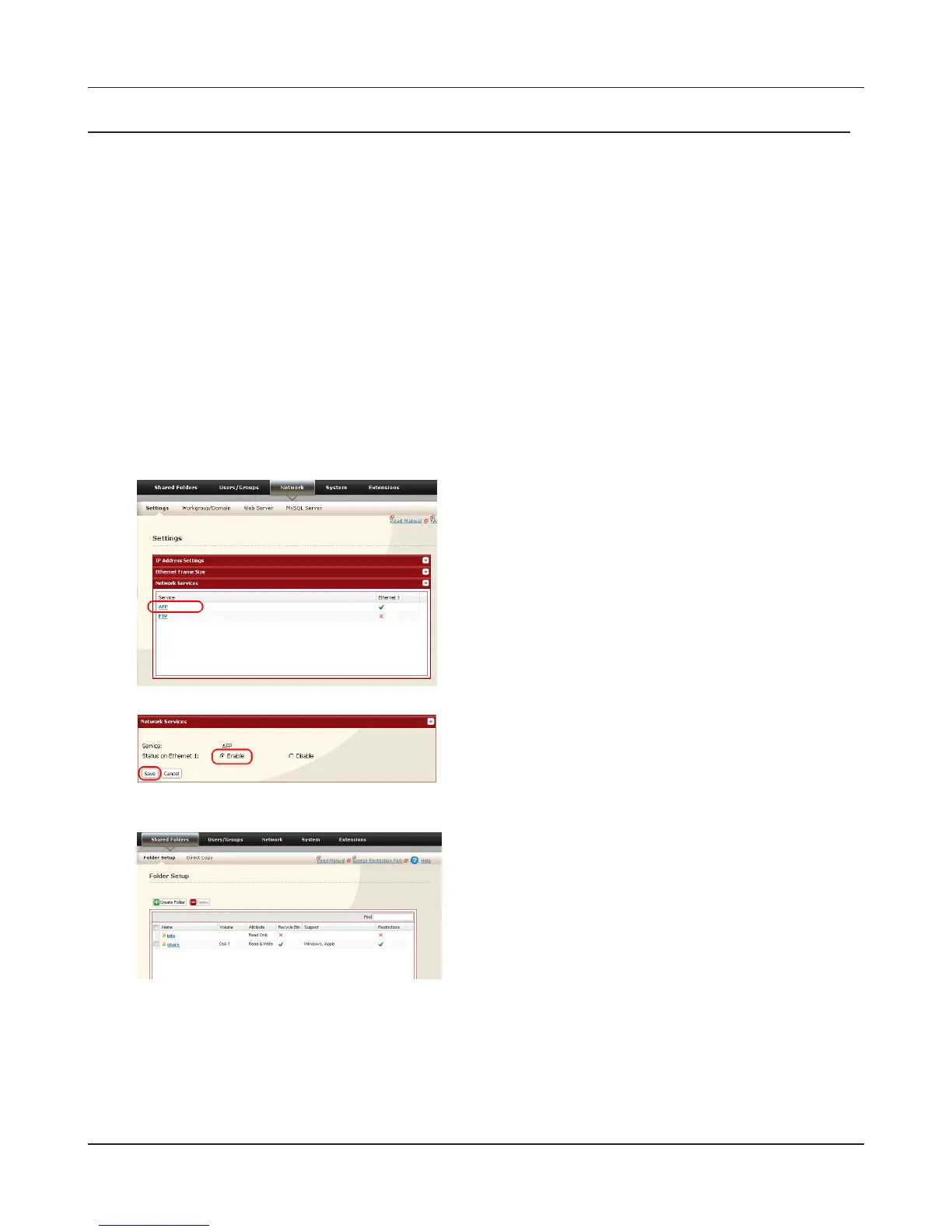
Select [Enable] and click [Save].
1 Click [Shared Folders].
2 Select a shared folder to use as the backup
destination for Time Machine, or create a new
share and then select it.
1 In the Web Admin interface,navigate to
[Network] - [Settings] - [Network Services].
2 Click [AFP].











 To Next Page