Using your LinkStation
LinkStation User Manual 63
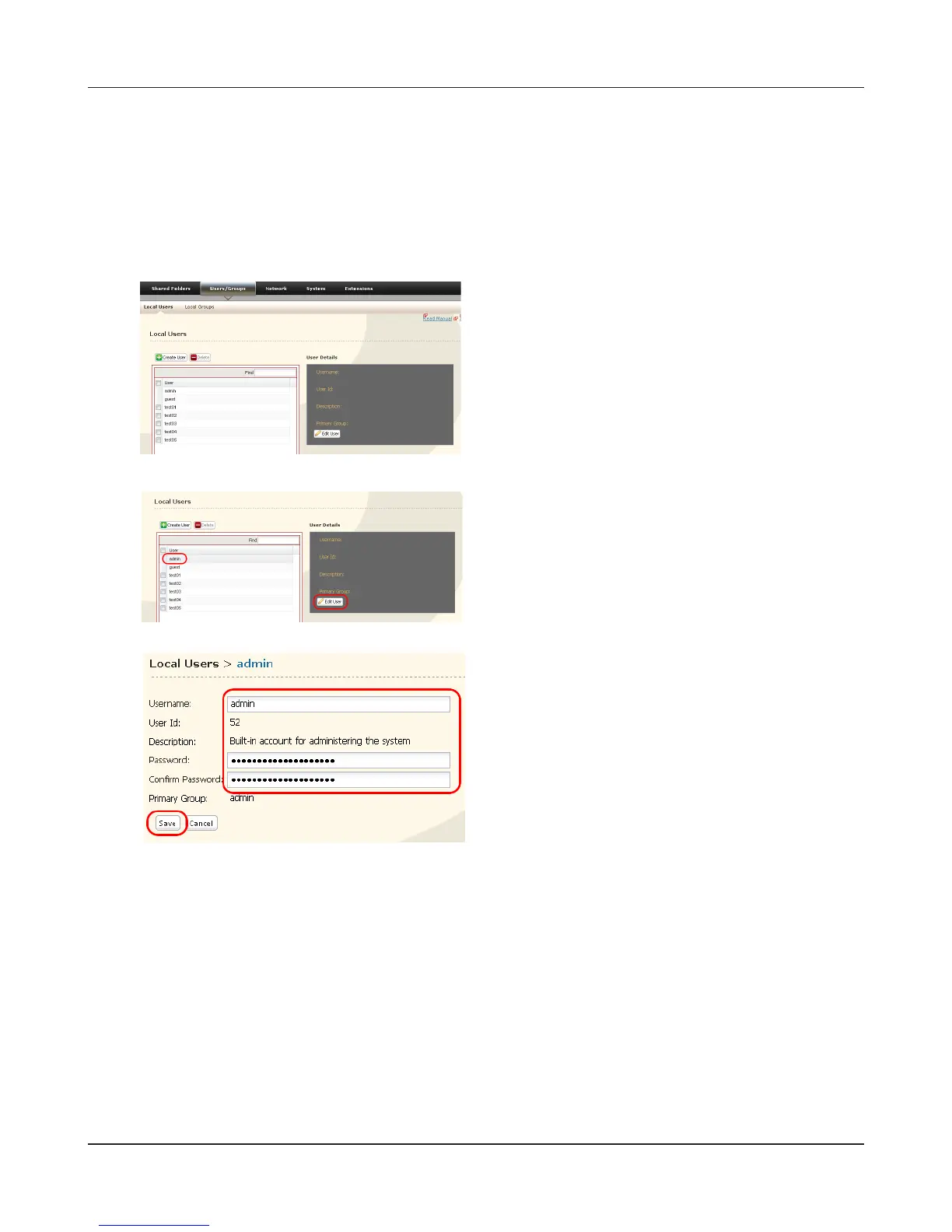
In the Web Admin interface, navigate to [Users/
Groups] - [Local Users].
3
Select [admin] and click [Edit User].
1 Enter a [Username] and [Password].
2 Click [Save].
1
2
You have now changed the admin password.
Note:
You cannot set access restrictions or use WebAccess with the admin account. Use the admin
account only to log in to the Web Admin interface.
You may change the admin password as follows.
Admin Password











 To Next Page