LinkStation User Manual 187
Appendix
Mac OS X
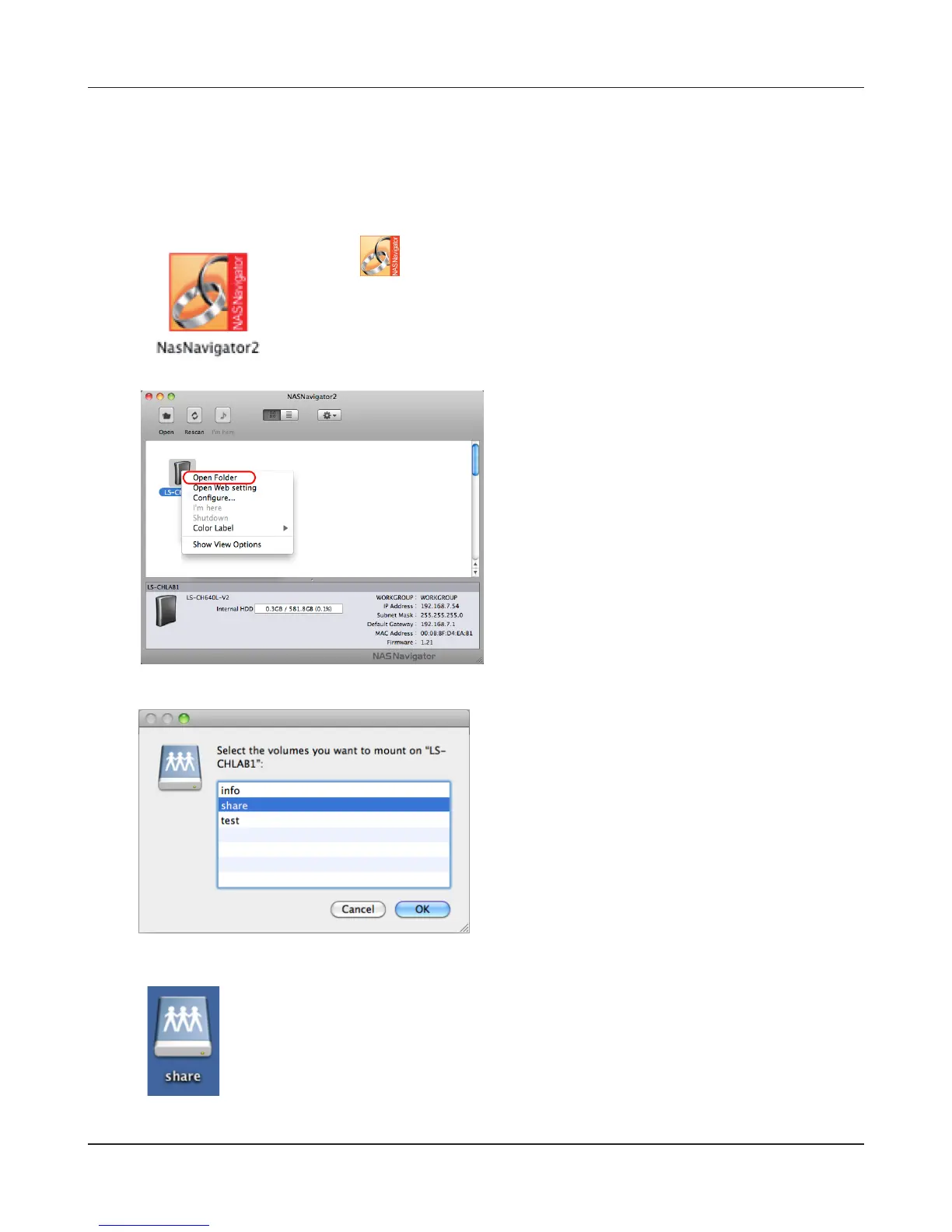
With Mac OS X 10.3 or later, use NAS Navigator2 to mount a share from the LinkStation as a drive on
the Mac.
3
Click the icon in the Dock. NAS Navigator2 will launch.
1
2
Select the folder that you want to mount and
click [OK].
Hold the control key, click on your LinkStation’s
icon, then choose [Open Folder].
A drive icon will appear on the desktop. The shared folder is now mounted as
a network drive. To dismount the share, drag and drop the share icon to the
Trash.
4











 To Next Page