Using your LinkStation
LinkStation User Manual 62
Adding Groups
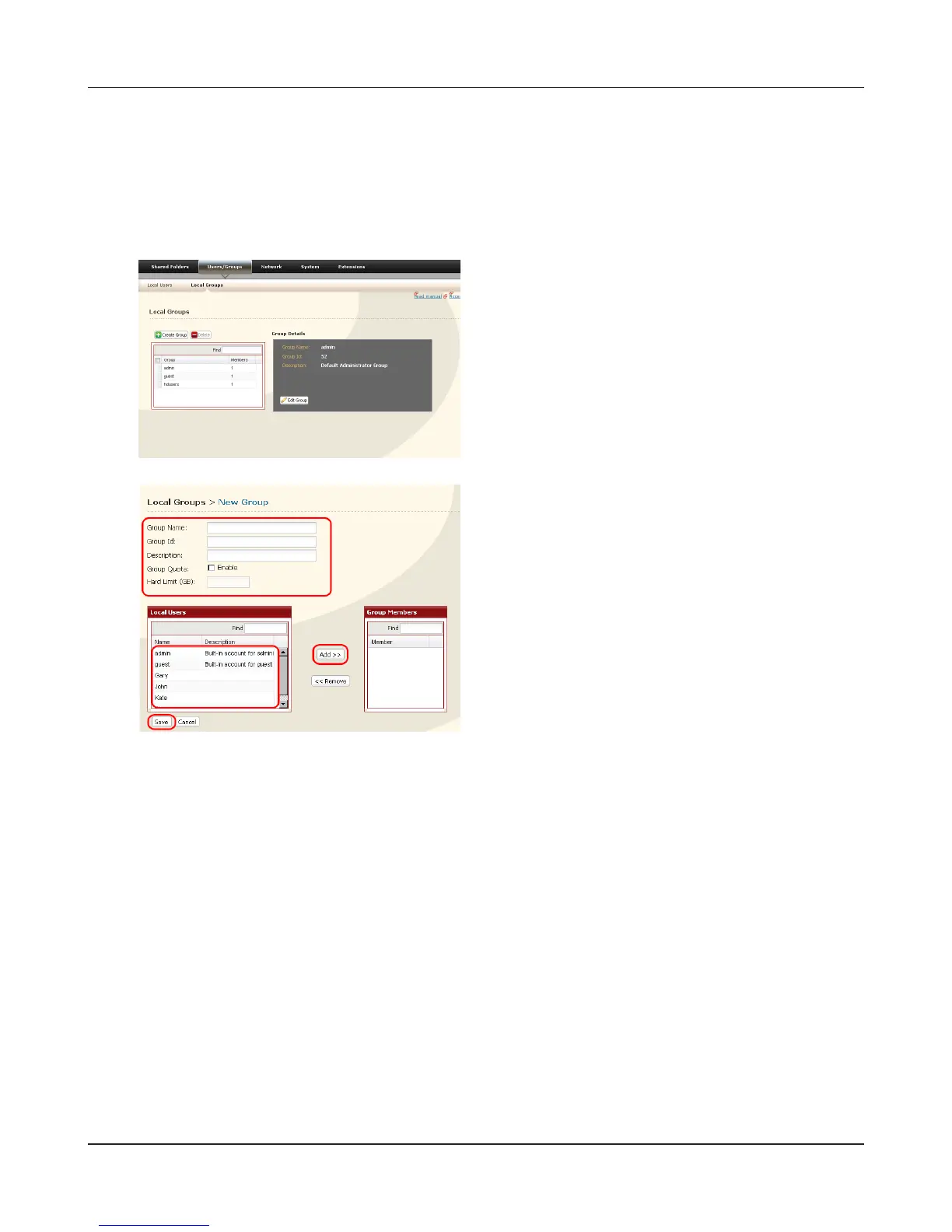
Add groups as shown below:
1 Enter [Group Name] and [Description].
2 Select users to include in the group.
3 Click [Add], then [Save].
You have added a group.
1
2
1 In the Web Admin interface, navigate to [Users/
Groups] - [Local Groups].
2 Click [Create Group].
Please do not use any of the following words as a group name:
root, bin, daemon, sys, adm, tty, disk, lp, sync, shutdown, halt, operator,
nobody, mail, news, uucp, ftp, kmem, utmp, shadow, users, nogroup, all,
none, hdusers, admin, guest, man, www, sshd, administrator, ftpuser, apache, mysql











 To Next Page