Using your LinkStation
LinkStation User Manual 136
Flickr Support
Note:
Not all LinkStations include Flickr support. Check the LinkStation Function List on page 35 to see if
your LinkStation supports Flickr.
Flickr (www.ickr.com) is a photo sharing website operated by Yahoo! Inc.
After linking your LinkStation’s shared folder to Flickr, you can use the features below.
• Your Flickr image data is synchronized with your LinkStation shared folder. Images saved
to the LinkStation’s shared folder can be viewed in Flickr, and images uploaded to Flickr can
be viewed in the LinkStation’s shared folder.
• View images from your Flickr account as a slideshow on your DLNA-compatible device.
• Your friends can access your photos through Flickr share.
• Mac OS X 10.5 and earlier versions do not support the uploading of les to the LinkStation.
Browsing is supported however.
1
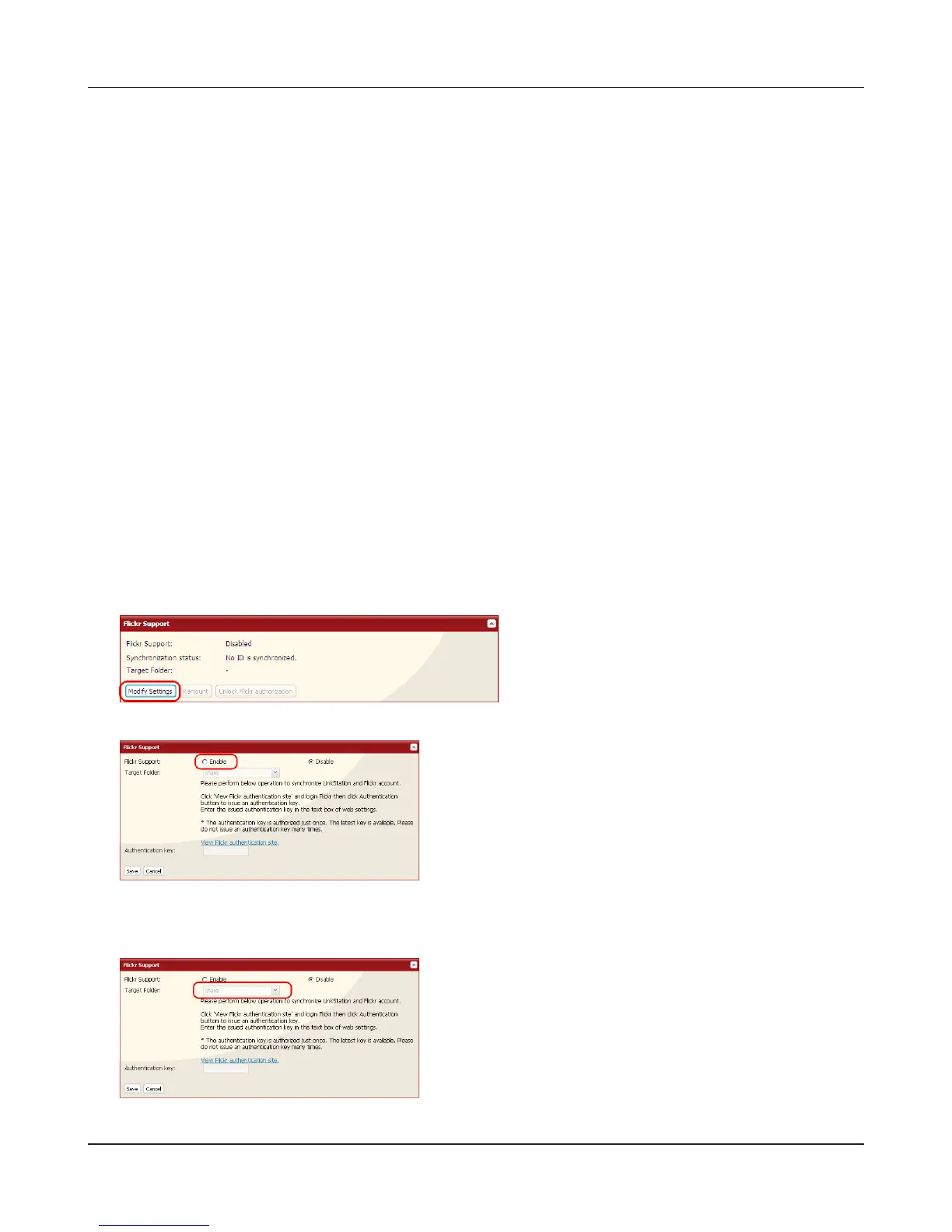
In the LinkStation Web Admin interface, navigate to [Extensions] – [Web Service Support].
2
3
4
Select [Enable].
In the [Target Folder] eld, select the folder to link.
Click [Modify Settings] .











 To Next Page