Using your LinkStation
LinkStation User Manual 121
Setting up a printer on Windows 2000
2
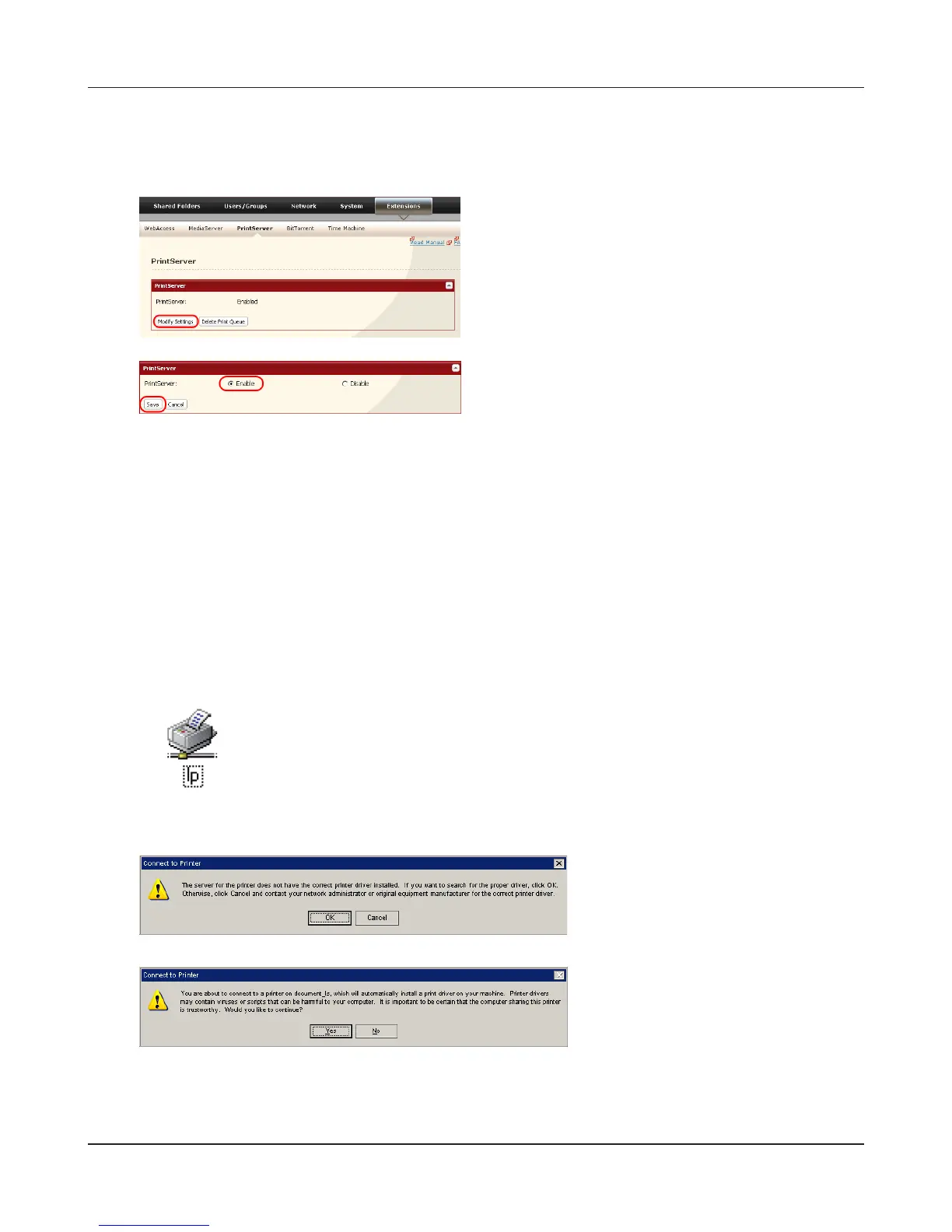
1 Click [Enable].
2 Click [Save].
3
Refer to your printer's manual to install the printer driver.
4
Double-click [My Network Places (*)] -[Entire Network] - (the LinkStation Server Name).
* On Windows NT 4.0 this is [Network].
5
Double-click on the LinkStation’s printer icon
(“lp”).
6
Click [OK].
7
Click [Yes].
1
In the Web Admin interface, navigate to
[Extensions] - [PrintServer] and click [Modify
Settings].











 To Next Page