Using your LinkStation
LinkStation User Manual 142
5
6
Notes:
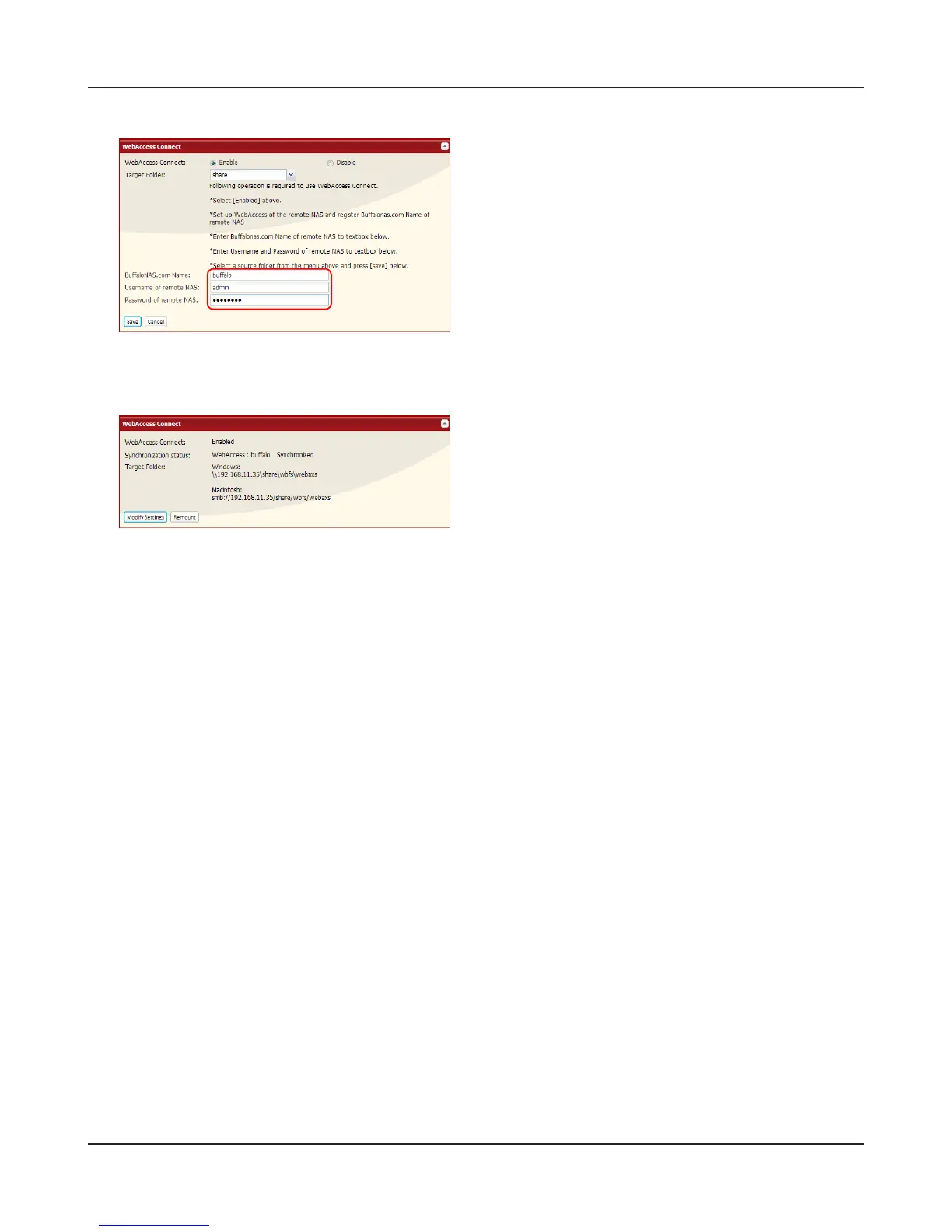
• If using after the network has been temporarily disconnected, click [Remount].
• To disable WebAccess Connect, click [Modify Settings] > [Disable] > [Save].
This completes the WebAccess Connect settings.
1 In [BualoNAS.com Name], enter the
BualoNAS.com name that is set for the
remote LinkStation’s WebAccess.
2 Enter the remote LinkStation’s WebAccess
username and password.
3 Click [Save].
You can directly access the shared folder in
the remote LinkStation by entering the path
displayed in [Target Folder] into the address box
in Explorer, My Computer, or other le manager.











 To Next Page