Using your LinkStation
LinkStation User Manual 37
Notes:
• File and folder names should contain 255 single-byte characters or less (UTF-8). DBCS characters
(such as Japanese) count as two characters (2 bytes) each. File and folder names should contain
255 bytes of data or less. You may not be able to copy a folder or le whose name contains more
than 255 bytes of information.
• You cannot set hidden or read-only attributes to subfolders or les on the LinkStation.
• If non-Roman alphabetical folder names or workgroup names do not display properly, rename the
folder or workgroup with Roman alphabetical characters.
• Do not use any of the following words as a Username or Group Name:
root, bin, daemon, sys, adm, tty, disk, lp, sync, shutdown, halt, operator, nobody, mail, news, uucp,
ftp, kmem, utmp, shadow, users, nogroup, all, none, hdusers, admin, guest, man, www, sshd,
administrator, ftpuser, apache, mysql
• Please do not use any of the following words as the name of a shared folder. These words are
reserved for internal use by the LinkStation:
info, spool, usbdisk1, usbdisk2, usbdisk3, usbdisk4, lost+found, global, printers, homes, lp, auth,
test, ram, disk1, disk2, disk3, disk4, disk5, disk6, disk7, disk8, array1, array2, array3, array4, msdfs_
root, mt-daapd
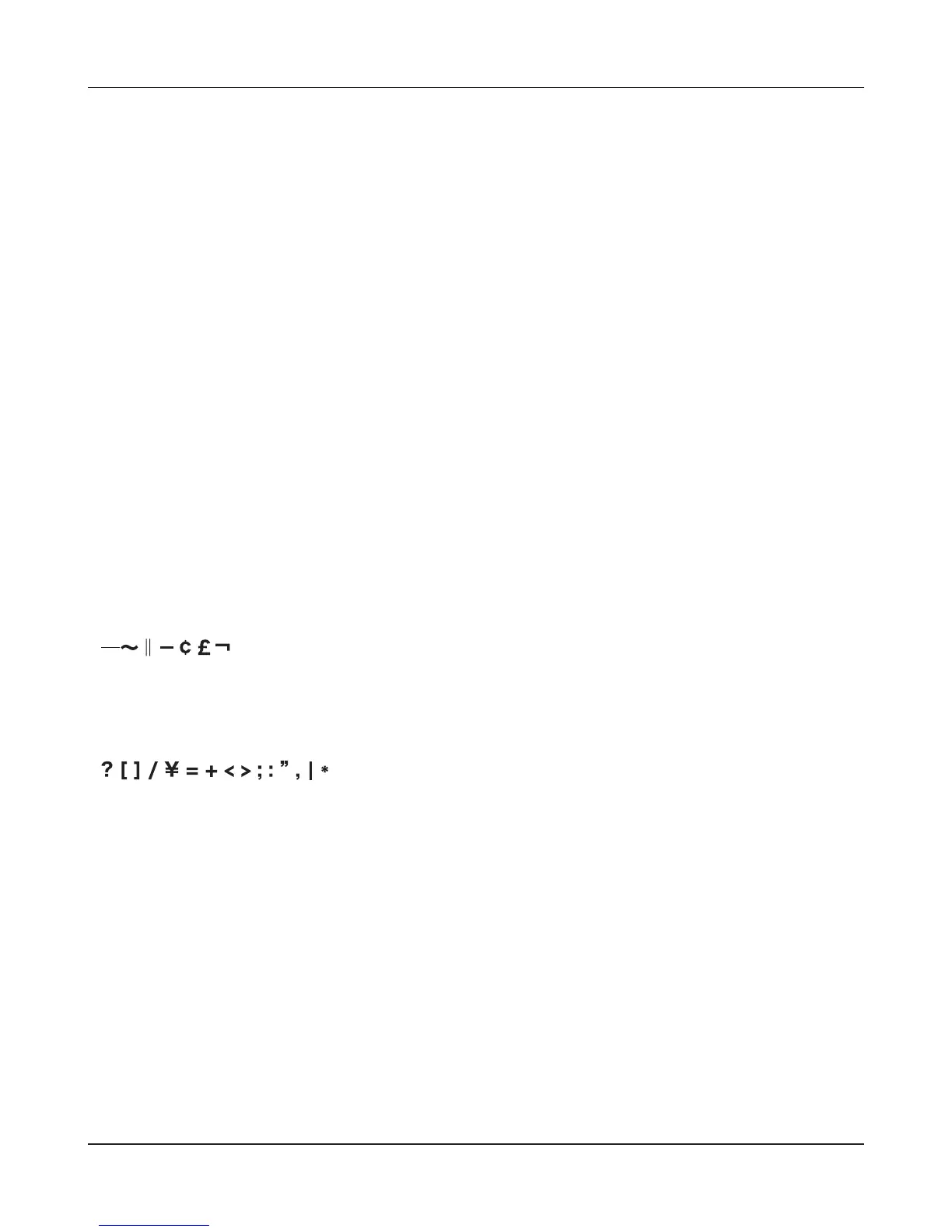
• The following characters are handled dierently by Mac OS X and Windows. Avoid using these
characters when sharing data between Mac OS X and Windows:
• Windows does not support some characters that Mac OS X and the LinkStation allow. If you create
a lename on a Mac with any of the following characters, it will not display correctly on a Windows
computer. With Mac OS X 10.2 or later, you may have to connect to the LinkStation via AFP in
order to display or copy any of the following characters.
• Never turn o the LinkStation or unplug its Ethernet cable while data is being written. Doing so
may result in an incomplete le that cannot be opened or deleted. If this happens, restart the
LinkStation, delete the le, then retry copying the le.
• File copying to the LinkStation is protected by a journaling le system, but if the copying process
is canceled while in progress or is ended before completion (such as by a disconnected Ethernet
cable or power outage), incomplete les may be copied, and it may not be possible to delete the
les. If this happens, restart the LinkStation, delete the les, and then perform the copying process
again.
• Even if the LinkStation’s hard drive is formatted, the [Amount Used] and [Percent Used] in the Web
Admin interface will not be 0. This is because some drive space is being used for the system area.











 To Next Page