Using your LinkStation
LinkStation User Manual 53
4
Note:
Deleting and adding groups repeatedly may cause quotas to not work properly.
5
6
7
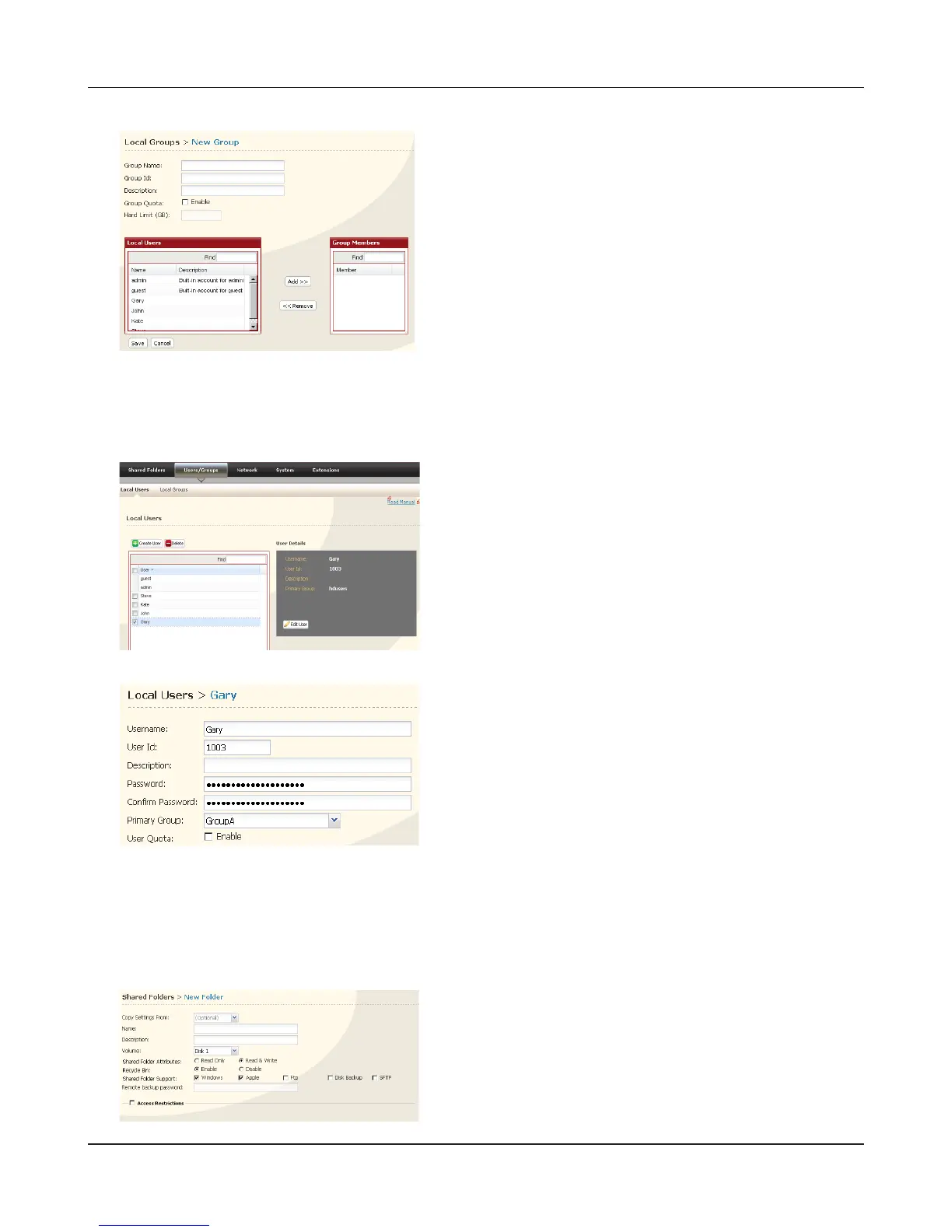
Click [Shared Folders] - [Folder Setup].
8
Click [Create Folder].
9
1 Click [Users/Groups] - [Local Users].
2 Select a user from step 2, and click [Edit User].
Select the group created in step 4 for [Primary Group]
and click [Save].
1 Enter [Group Name], [Group Id] and [Description].
Note:
The group ID may be any number from 1000 and
1999. Do not duplicate Group IDs.
2 Click [Enable] for [Group Quota].
3 Enter the total space that the group can use in the
Hard Limit (GB) eld.
4 Select users from step 2 in [Local Users], and click
[Add] for each.
5 Click [Save].
1 Congure the desired settings.
2 Click [Access Restrictions].











 To Next Page