Using your LinkStation
LinkStation User Manual 65
Notes:
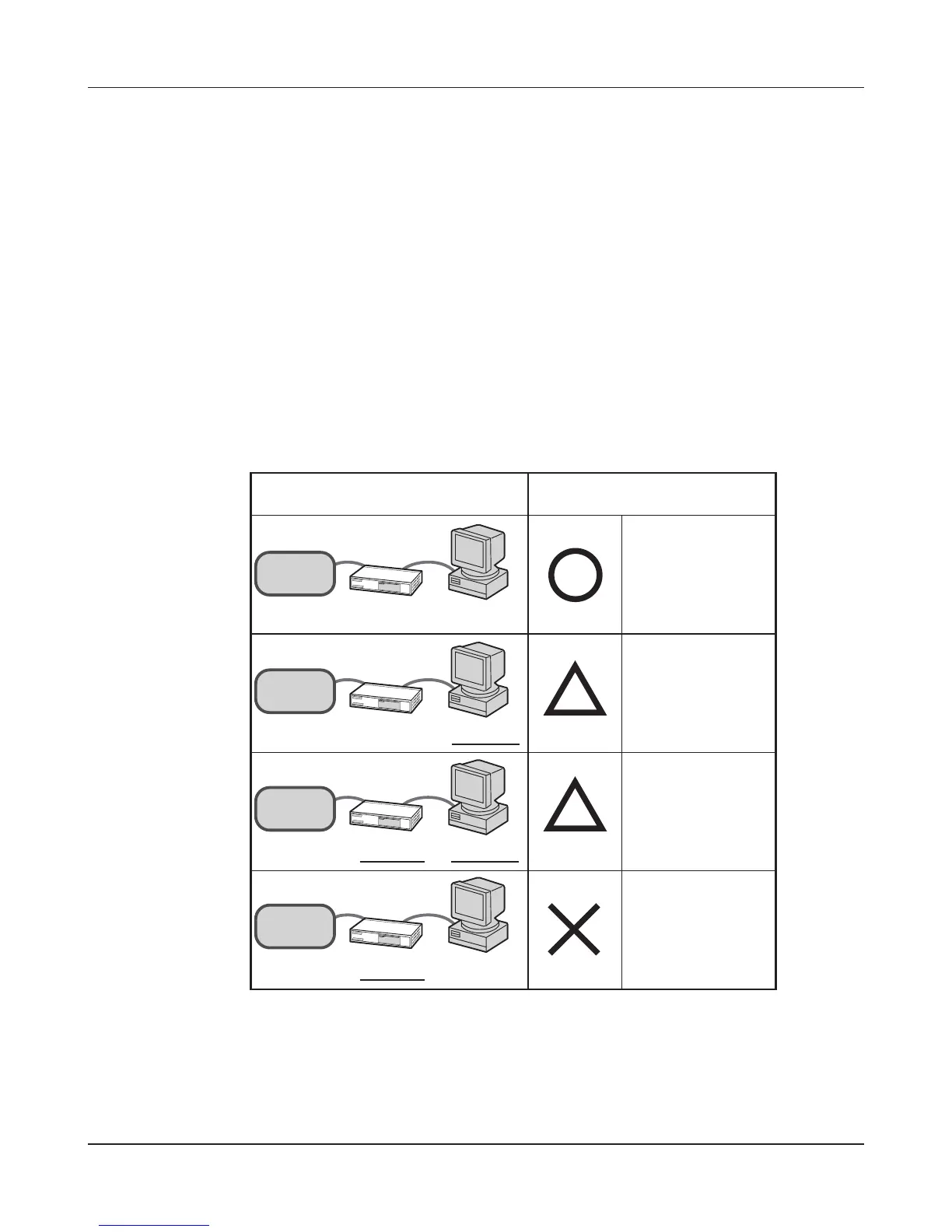
• To use the LinkStation with Jumbo Frame, your router/switch/hub must support Jumbo Frame.
• To use Jumbo Frame (4102/7422/9694 bytes), your computer’s NICs and all switches, hubs, and
routers on the transmission route need to support Jumbo Frame. If any device on the route does
not support Jumbo Frame, use standard transmission (1518 bytes) instead.
• If you are using Jumbo Frame and back up data from a LinkStation/TeraStation to another
LinkStation/TeraStation, set the Ethernet frame sizes of the LinkStations/TeraStations to the same
settings (or the closest available). If the Ethernet frame sizes are signicantly dierent, the backup
job may fail. If you have problems with backup jobs, select the default frame size (1518 bytes).
Connection Transmission
Transmit
Jumbo Frame
(4102/7422/9694)
LinkStation
Jumbo F r a me
(4102/7 4 2 2/9694)
Jumbo F r a me
supported
Jumbo F r a me
supported
LinkStation
Jumbo F r a me
(4102/7 4 2 2/9694)
Jumbo F r a me
Supported
Jumbo F r a me
not supported
LinkStation
Jumbo F r a me
(4102/7 4 2 2/9694)
Jumbo F r a me
not supported
Jumbo F r a me
not supported
LinkStation
Jumbo F r a me
(4102/7 4 2 2/9694)
Jumbo F r a me
not supported
Jumbo F r a me
supported
Transmit
normally(15 18)
Transmit
normally(15 18)
No transmission











 To Next Page