Using your LinkStation
LinkStation User Manual 75
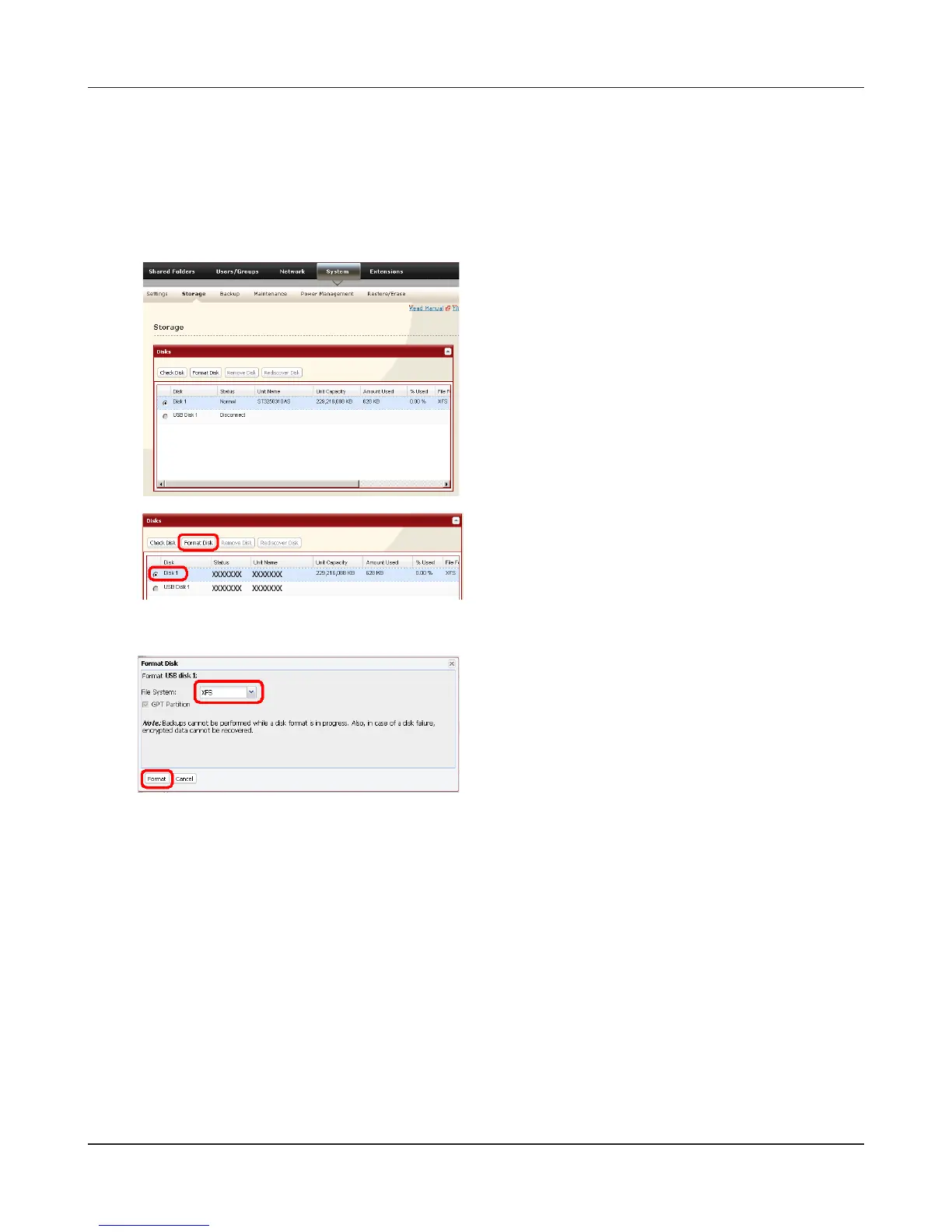
To format a USB hard drive
For best results with the LinkStation, reformat the external USB drive from the Web Admin
interface. Formatting will delete all data on the drive. Back up any important data before
formatting.
1
In the Web Admin interface, navigate to [System]
- [Storage].
2
1 Select the USB hard drive.
2 Click [Format Disk].
3
1 Select a format type (see next page).
2 Click [Format].
4
5
The [Conrm Operation] screen will be displayed.
Enter the number shown in the [Conrmation Number] eld within 60 seconds, and click
[Apply].
Follow the instructions on the screen.
When the format is complete, create a shared folder on the drive.











 To Next Page