Using your LinkStation
LinkStation User Manual 84
2 Setting up the backup destination folder on LinkStation # 1
You may congure a destination folder on a LinkStation for backup jobs from a TeraStation or
another LinkStation.
1
2
3
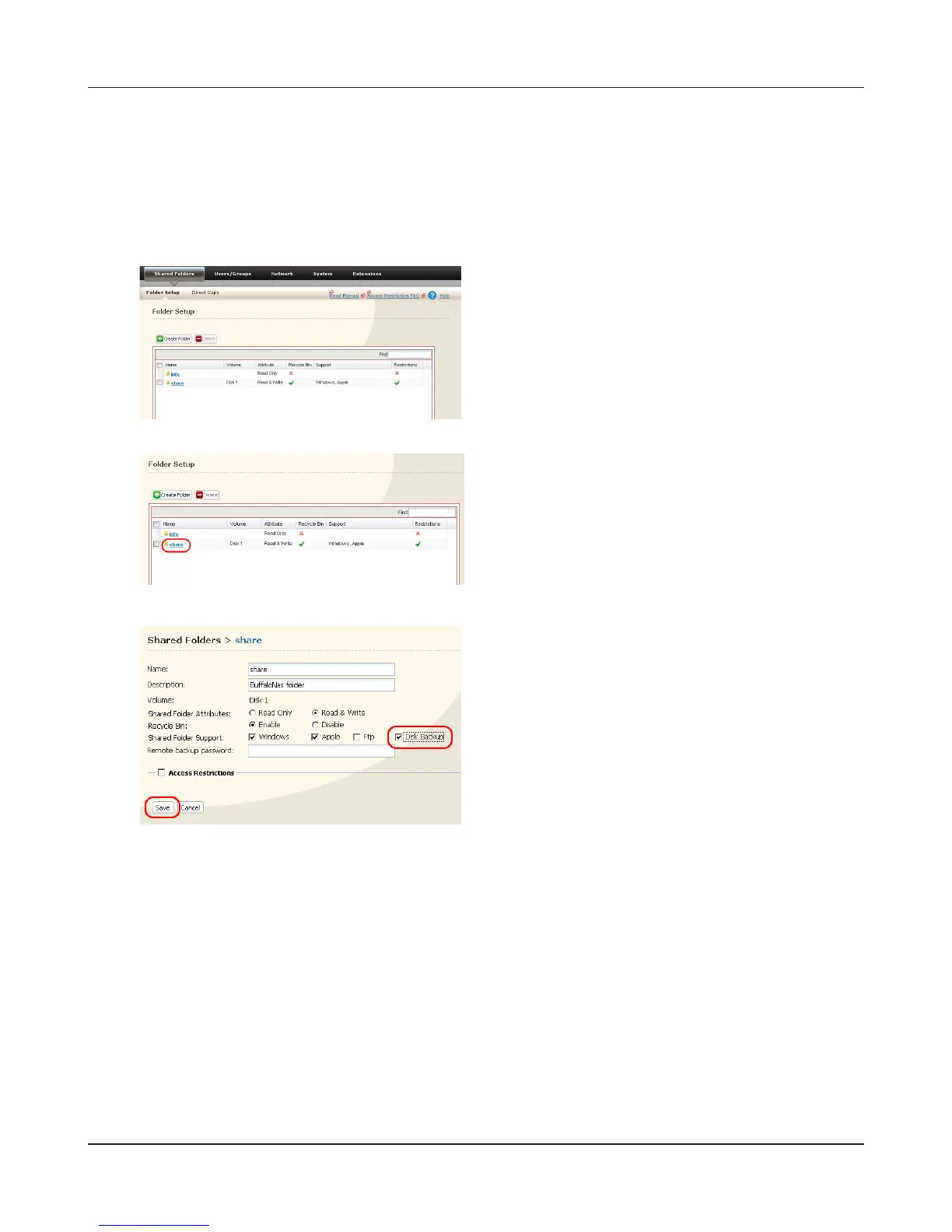
Click the shared folder you want to set as a
backup destination.
In the Web Admin interface, click on [Shared
Folders].
1 Check [Disk Backup].
Note:
If you enter a backup password, users of other
LinkStations (and TeraStations) will have to enter
the password before using this LinkStation as a
backup destination.
2 Click [Save].











 To Next Page