User Manual – Rev AJ California Instruments
4.2.11.3 INITIAL SETUP menu
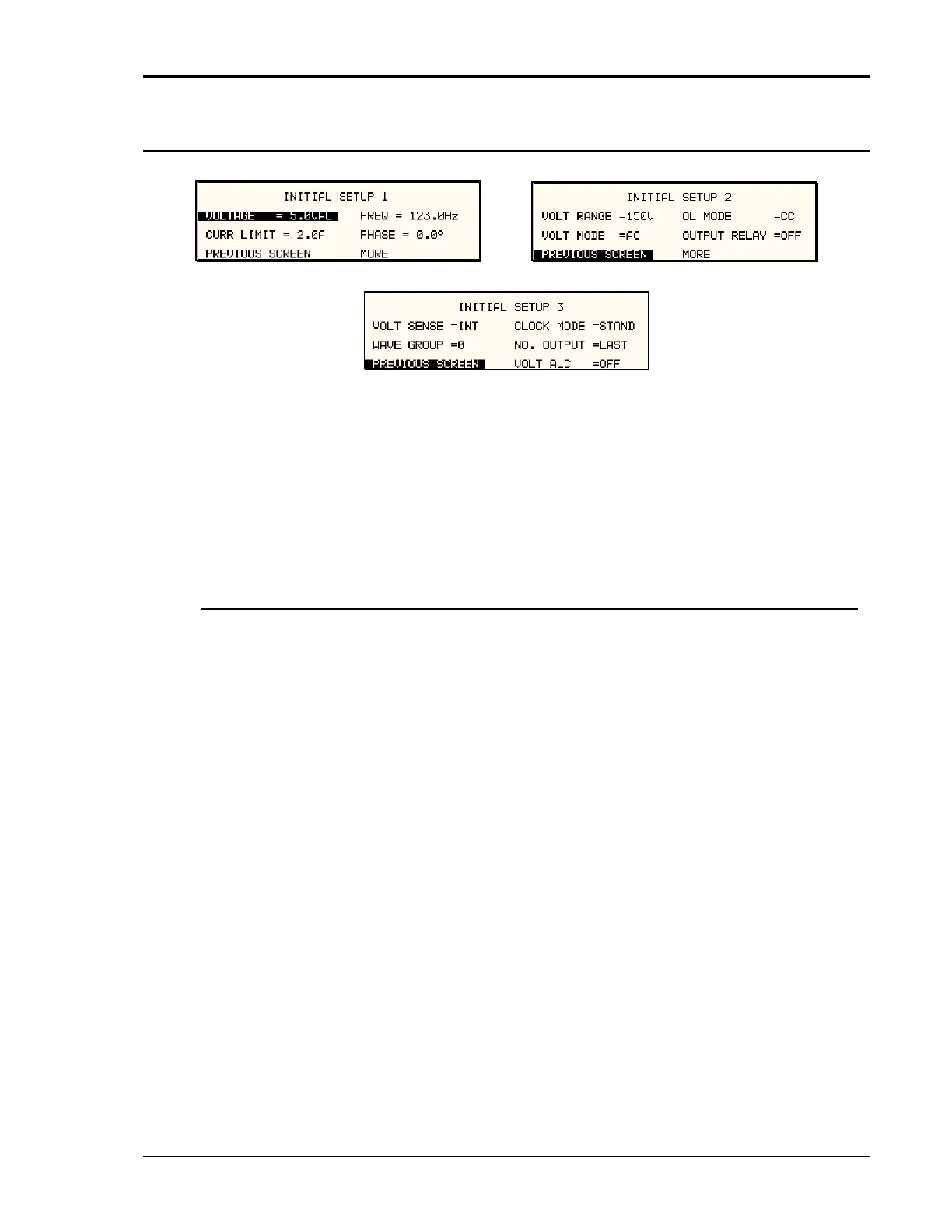
Figure 4-23: INITIAL SETUP Menus
Any time the power source is powered up, the output will reflect the values stored as the INITIA
setup values. This allows the unit to be powered up in a known state at all times. The INITIAL
L
voltage present at the output. For commended due to the
output relay be programmed to O
The following fields are provided in the INITIAL SETUP menus:
values can be set in the INITIAL SETUP menus.
The initial setup can be used to power up the power source with the output on and a high
normal situations, this is not re
potential danger to the operator. It is recommended that the initial voltage be set low and/or the
FF for most situations.
Entry Description
INITIAL SETUP 1
Sets the power-on AC voltage for AC and AC+DC m
DC voltage for DC mode.
VOLTAGE odes or the
IMIT
FREQ
GE
VOLT MODE
ilable
settings are Internal (INT) or External (EXT).
CURR L Sets the power-on current limit value.
Sets the power-on frequency value.
PHASE Sets the power-on frequency for phase A with respect to an
external sync signal. If the internal oscillator is used (default)
this setting has no effect.
INITIAL SETUP 2
VOLT RAN Sets the power-on voltage range value.
Sets the power-on voltage mode. Available settings are AC
mode, DC mode or AC+DC mode.
OL MODE Sets the power-on overload mode. Available settings are
Constant Current (CC) or Constant Voltage (CV) mode.
OUTPUT RELAY Sets the power-on state of the output relay. Available settings
are ON or OFF.
INITIAL SETUP 3
VOLT SENSE Sets the power-on state of the voltage sense mode. Ava
MX Series 111



 To Next Page