User Manual - Rev AJ California Instruments
9.6.1.7.2 TRANSIENT TEST
to the TRANSIENT AC entry using the up and
s. Press the ENTER key to select the TRANSIENT screens. The screen will
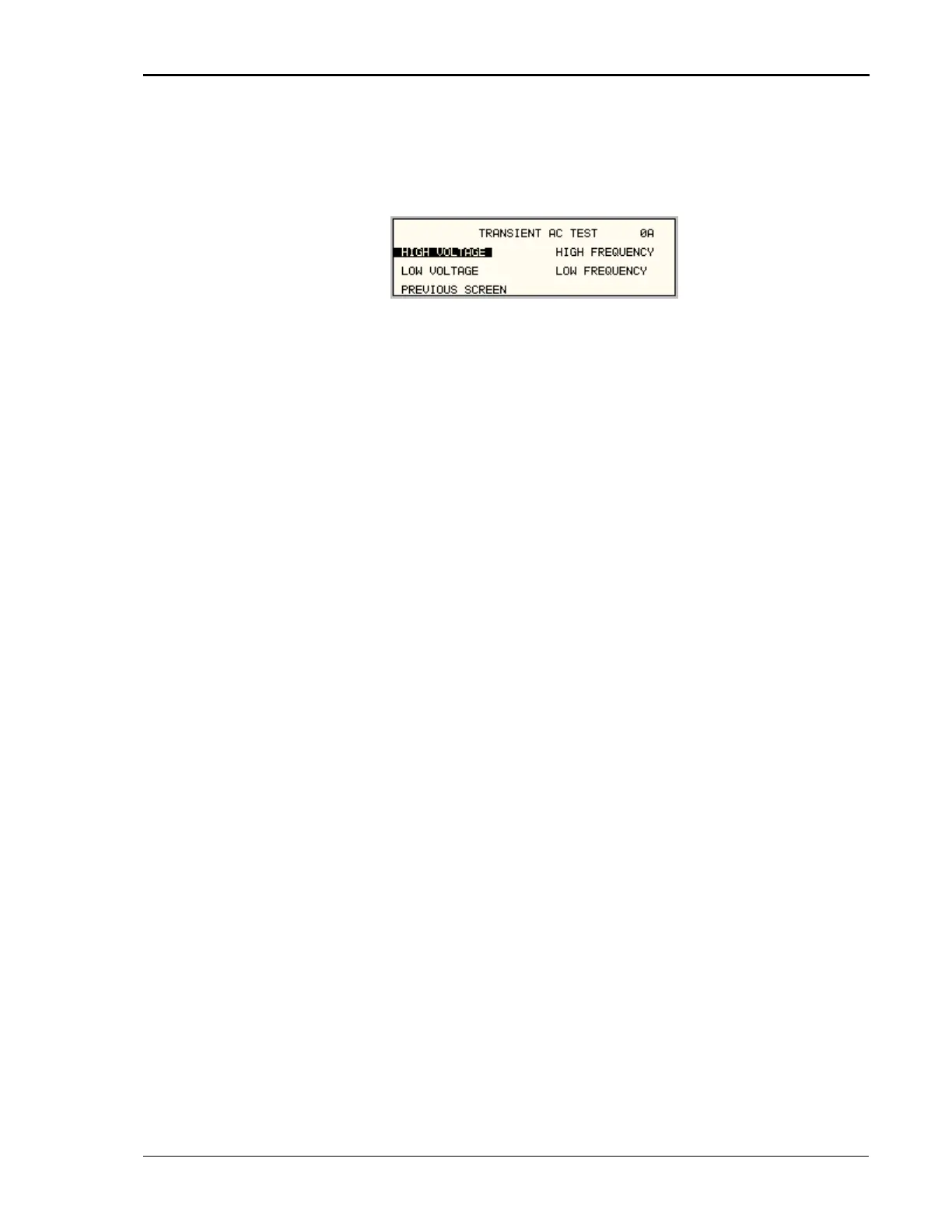
p ure 9-35.
From the MIL704 main menu (Figure 9-33) scroll
down cursor key
ap ear as shown in Fig
Figure 9-35: Transient Menu
e wing tests:
1 HIGH VOLTAGE
2 LOW VOLTAGE
FREQUENCY
HIGH VOLTAGE
This test will change the output voltage for the selected phase in the following sequence:
180V for 10 msec.
Linearly reduced to118V in 78msec.
Stay at 118V for 87msec before returning to 115V.
Prior to the test, a range change may take place if the power source is set for the low voltage
range.
The
key (backspace) will terminate the test at any time.
all times.
LOW VOLTAGE
to 115V.
e
HIGH F
is e output frequency in the following sequence:
Th MIL704 Transient screen has the follo
3 HIGH FREQUENCY
4 LOW
The above tests can be selected by scrolling to the highlighted selection using the up and down
key and the ENTER key to start the selected test.
Note: A range change will result in momentary loss of power to the EUT. If this is not
acceptable, the power source must be left in high range at
This test will change the output voltage for the selected phase only in the following sequence:
80V for 10 msec.
Linearly increase to108V in 70msec.
Stay at 108V for 95msec before returning
Th
key (backspace) will terminate the test at any time.
REQUENCY
Th test will change th
425Hz for 1 sec.
420Hz for 4 sec.
MX Series 229



 To Next Page