User Manual – Rev AJ California Instruments
When selecting this trigger source, the field below the TRIG
SOURCE field changed to “TRIG PHASE =“. Use this field to
enter the desired voltage phase angle to trigger the
measurement on.
This mode is appropriate when capturing analyzing events at a
e.
he
,
lue
When selecting this trigger source, the field below the TRIG
SOURCE field changed to “SET VOLT =“. Use this field to enter
the desired voltage to program the output to and trigger the
e phase system is
med. If all
ill be
hase
ows an example of using the SET
e
was set to 90° in the PROGRAM 2 screen.
specific phase angle such as the zero crossing of the voltag
Note that the phase angle of the current with respect to the
voltage is determined by the load, so triggering at a specific
phase current angle is not possible as it is not controlled by t
AC source. However, when capturing current waveform data
the phase relationship to the voltage can be determined easily
by triggering at the 0° point on the voltage.
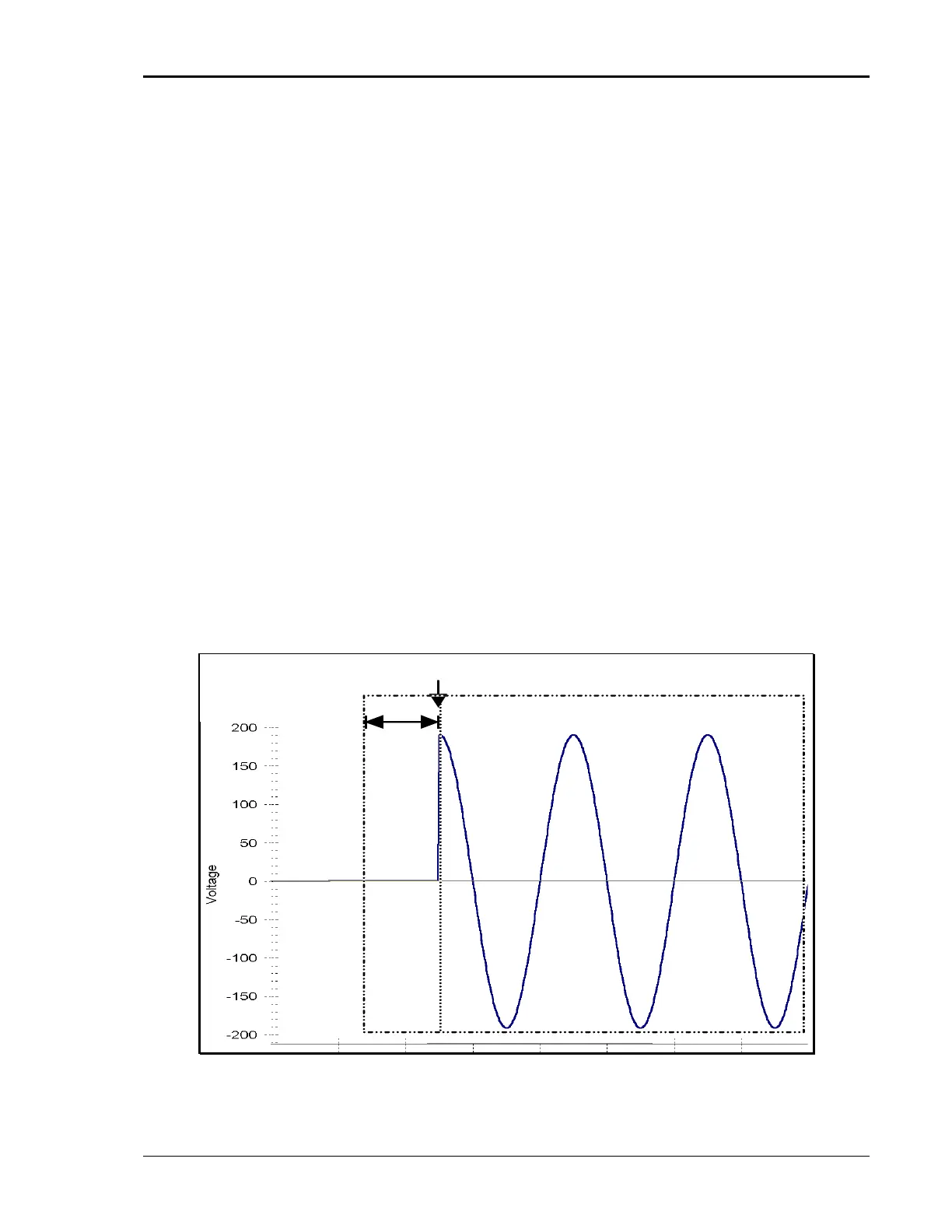
Voltage step (SET VOLT) This mode performs two functions. It programs the output
voltage for the selected phase or phases to the rms or DC va
specified and it triggers the measurement acquisition at the
same moment in time.
measurement on. If only one phase in a thre
selected, only that phase’s output will be program
phases are selected, all three phases’ outputs w
programmed. Use the PHASE key to select the desired p
or all phases. Figure 4-39 sh
VOLT trigger source to capture the turn-on of the voltage. In
this case, a negative trigger delay was specified and the voltag
start phase angle
TRIGGER
DELAY
TRIGGER =
SET VOLT 120
ACQUISITION WINDOW
START
[ENTER]
Figure 4-39: SET VOLT Trigger Source Acquisition
MX Series 133



 To Next Page