User Manual - Rev AJ California Instruments
9.10 Option –WHM: Watt Hour Measurement
9.10.1 General
This section describes the WHM option available for the MX Series Power Source.
9.10.2 Specification
All specifications are the same as the standard MX Power Source specifications in addition to
the following specifications:
Watt-hour
0-6.000KW 0.2%FS +0.1%R <100 H
0.5%FS +0.1%R 100-819
6.00 Times three of the above specifi
9.10.3 Local Operati
z
Hz
> 0KW cation
on
From Menu screen 2, select the A 2 s
as shown in Figure 9-43. Use the up th
field. Press the Enter Key.
the PPLICATIONS SETUP
and down key to position
creen. The screen will appear
e cursor to the WH METER
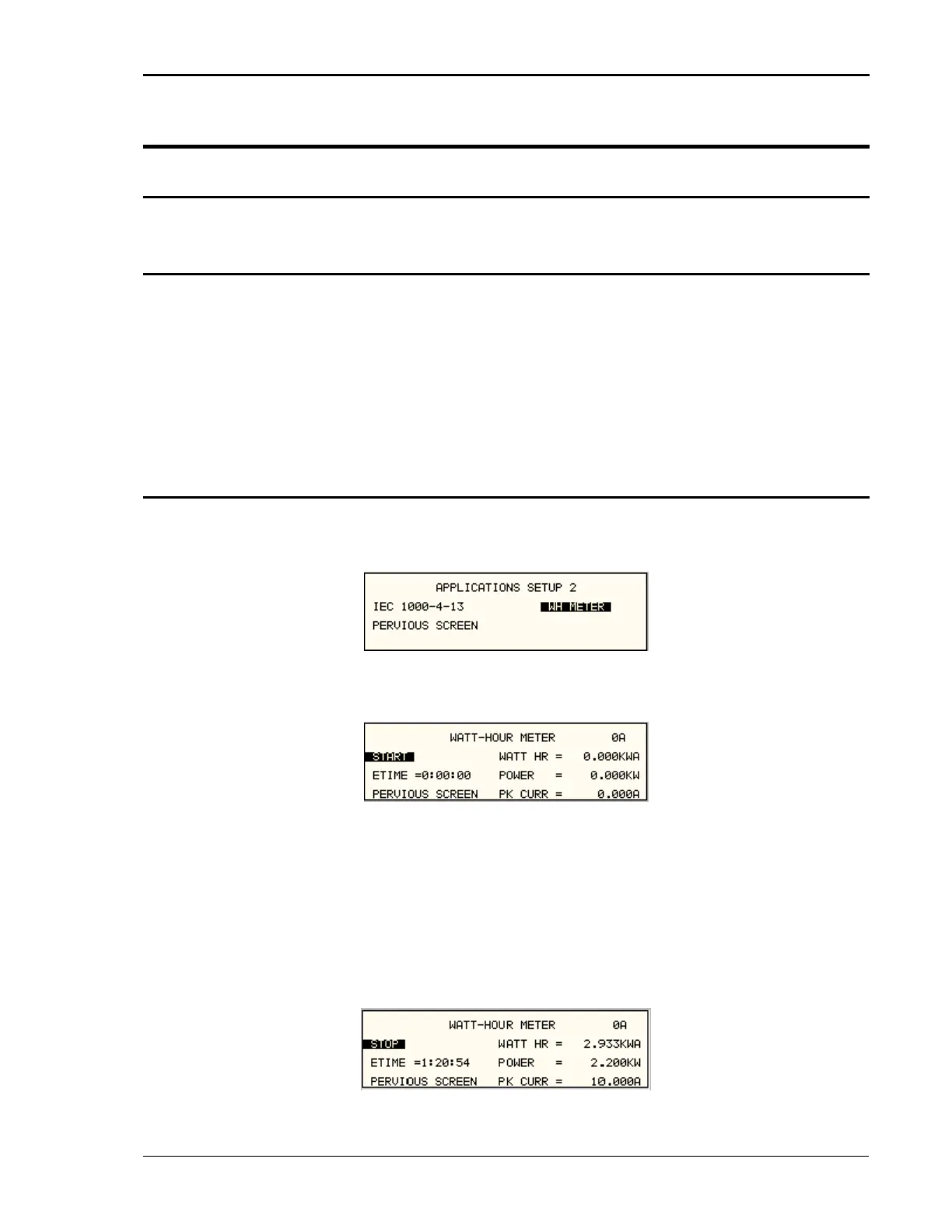
Figure 9-43: Application Screen
The W T-HOURS METER screen s s thAT hown in Figure 9-44 ha e following fields:
Figure 9-44 ur Meter Screen
1. START: T field -h g the
field is highlighted will activate the watt-hour func
Figure .
2. ETIME: T field time in hours, minutes and sec
3. WATT HR: This field will accumulate the watt-hour in KWH.
4. POWER: This field will report the instantaneous power in KW.
5. PK CURR: This field will report the peak current and will hold the maximum reading.
: Watt-Ho
his will activate the watt our measurements. Movin
tion and the field will change to STOP as shown in
the shuttle clockwise when
his will accumulate the onds.
Figure 9-45: WH-M ceter Screen with Function A tive
MX Series 237



 To Next Page