User Manual - Rev AJ California Instruments
Click on the “Init Port” button. If the selected port can be initialized, the “Flash
Update” button will
b ck the s OM port and make su is the one connected to the
U
be ena
MX.
led. If not, che elected C re it
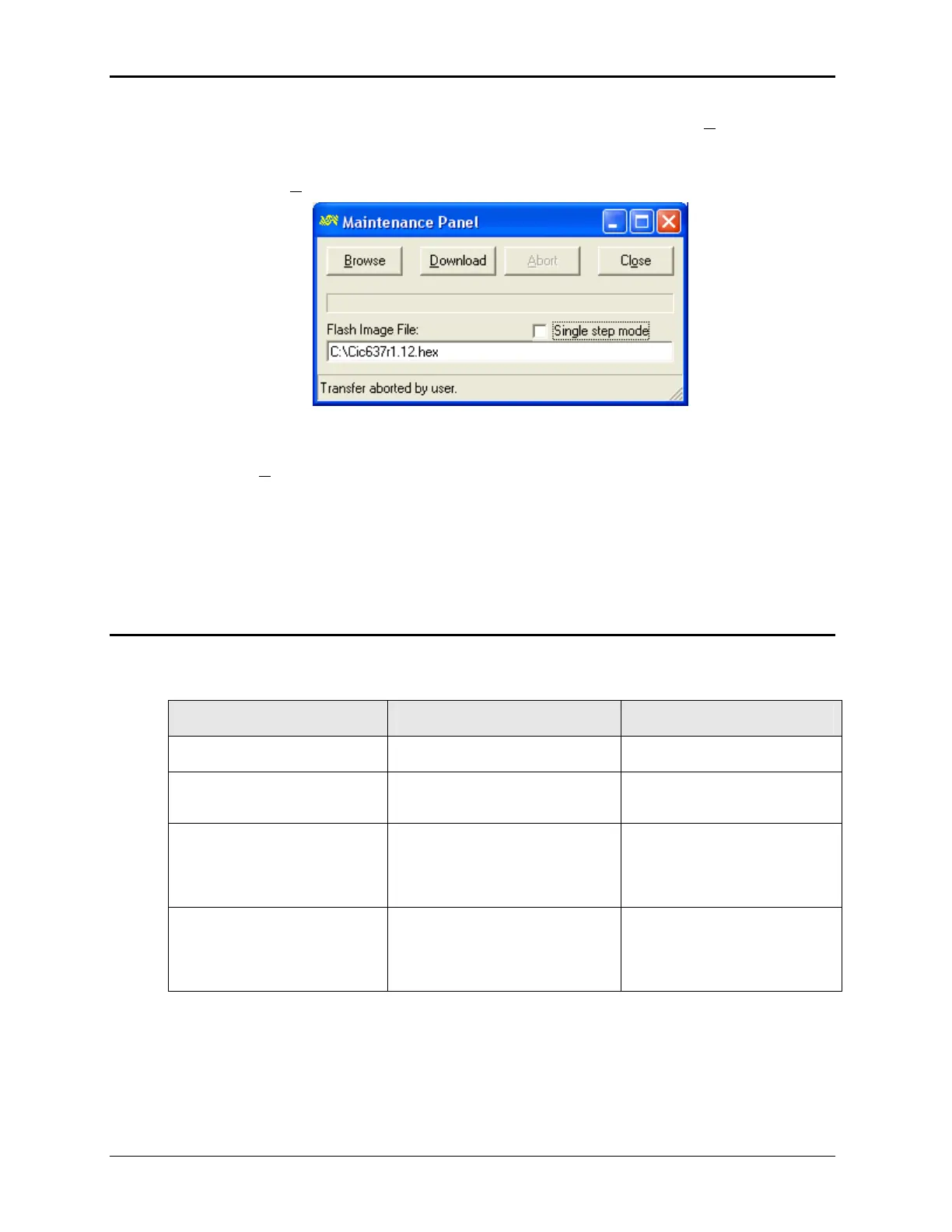
Press the “Flash
pdate” button. This will display the file download screen shown below.
Select Browse a he PC where you stored it
.
n the “
D
nd locate the file Cic637rn.nn.hex at the location on t
before
Click o
ownload” button
for the AC source will d
Erasing Flash” first, followed by “Flash
erase complete
” and ll be completed in about 5 to 10
s depending on
e s er source ill initialize with th w
firmware. Observe the LCD display for the firmware revision displayed during initialization to
confirm the new firmw
7.7.3 o
. This will start the firmware update procedure. The front panel
isplay the message “display
“Programming Flash”. The down load wi
the sizeminute of the .hex file.
After th download complete successfully, the pow w e ne
are is now installed.
Flash d wn load Messages
One or more messages may a
possible ir m
ppear during this process. The table below shows some of the
message and the eaning.
Message Description Remedy
Flash e rase complete Erase operation successful.
Flash erase fail Firmware download capability not
supported by CPU board..
Refer to Service Bulletin SB-
0043
Flash write fail Unable to write to flash. This
message is unlikely as it generally
is preceded by the Flash Erase
Fail message.
Refer to Service Bulletin SB-
0043
Firmware down load fail Data error. Incorrect checksum
read-back from Flash block.
Communication interrupted or
problem with RS232 interface.
1. Check cable connection.
2. Try setting CmdDelay in Flash
loader program to 100 msec and
try again.
Table 7-3: Flash Down load Messages
MX Series
184



 To Next Page