User Manual - Rev AJ California Instruments
Po C ff switch. A message will appear on the LC once
power comes on:
wer up the A source using its on/o D the
Please wait…
After 0 se nges t
about 3 conds, this message cha o:
Loading Program…
When this “Loading Program…” message appears on the LCD of the MX front panel, press the
ENTER key on the keypad of the MX unit once
. If you wait too long, you may have missed the
window and you will have to recycle power on the AC source and try again.
This will put the source controller into the Flash down load mode. Wait until the screen shown
below appears. This screen shows the RS232 setup parameters that are used in the boot loader
mode.
Firmware Down Load Mode
User Entry
Serial Port Setup
Baud 38400,Bits 8,Stop 1,No Parity
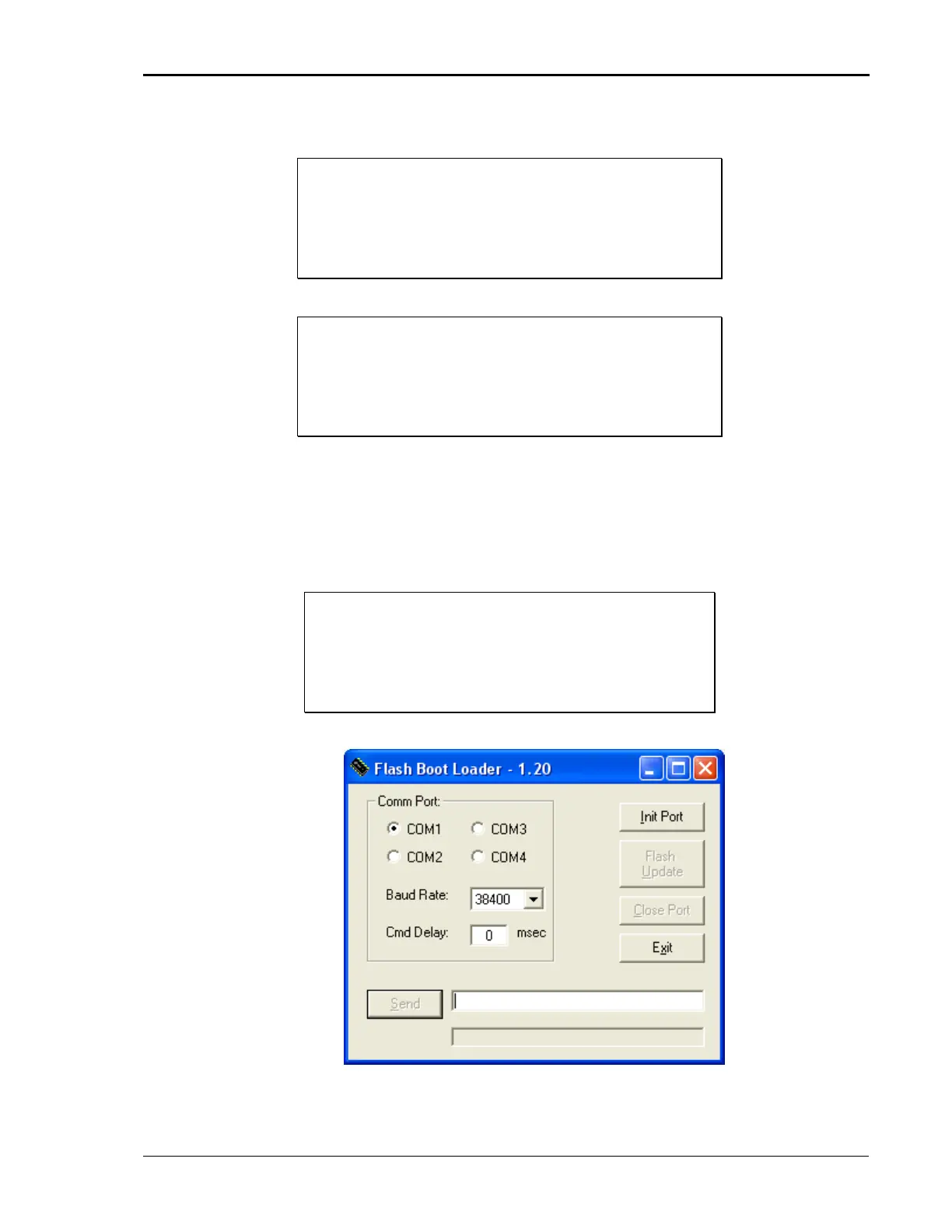
Now launch the Flash Loader utility program “FlashLoaderComm.exe”.
Select the COM port to be used (default is COM1). Leave “Baud rate” and “Cmd Delay” set to
their default values of 38400 baud and 0 msec.
MX Series 183



 To Next Page