User Manual – Rev AJ California Instruments
the PHASE key on the front pa
corner of the WAVEFORMS dis
nel. The selected phase is always shown in the top right hand
play.
4.4.3 C
To select the same wave shape for all three phases in a three-phase configuration, press the
PHASE key until the “øABC” enunciator appears in the top right corner of the WAVEFORMS
menu. Waveform selections made in this mode will apply to all three phases.
reating Custom Waveforms
The 3Pi controller provides four groups of 50 custom defined waveforms each for a total of 200
ctive at
Custom waveforms cannot be created from the front panel of the MX Series. Rather, they have
to be downloaded through one of the remote control interfaces. A Windows based program is
included with the MX Series that allow ted and downloaded easily. This
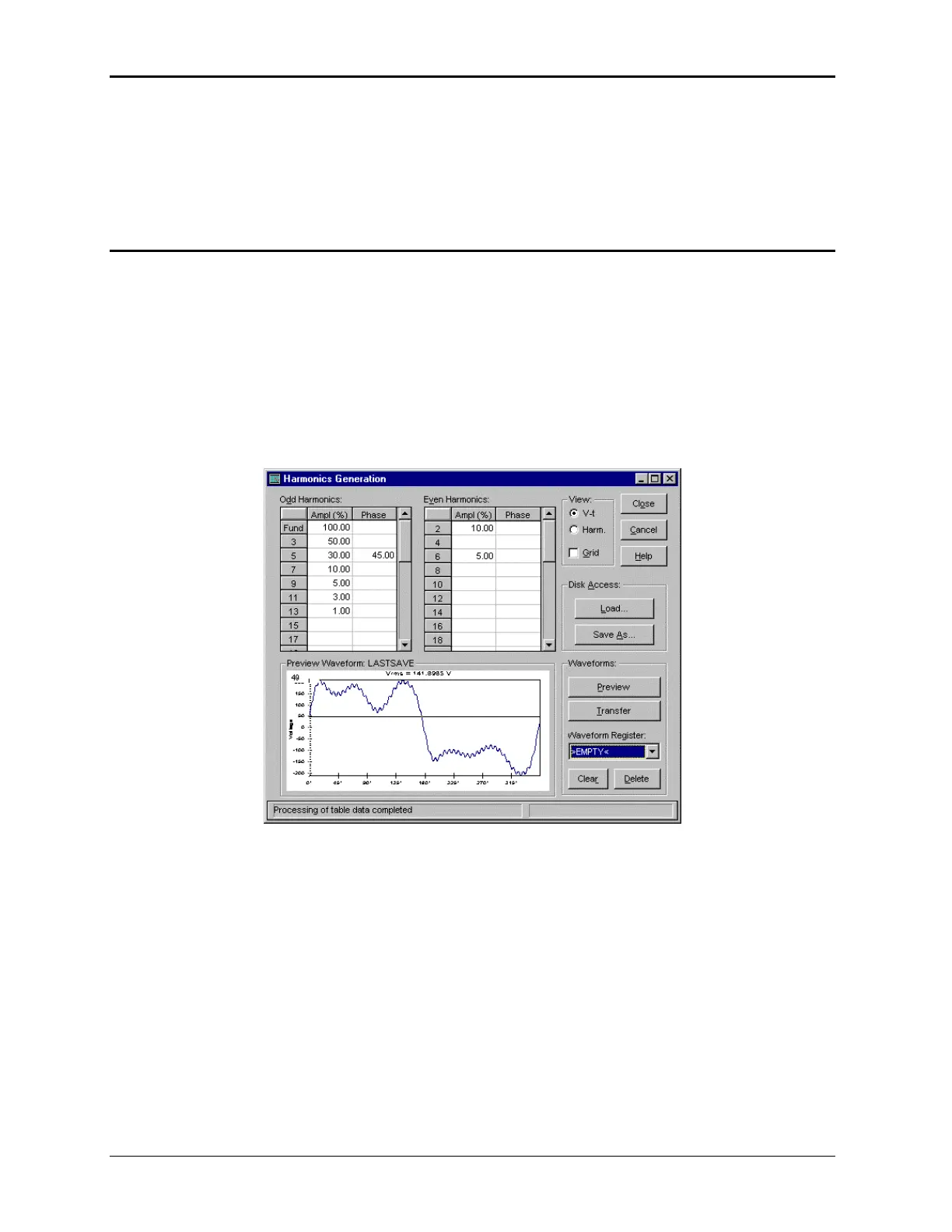
G er Interface prog orms to be ecifying harmonic
a d phase angles e fundamen ers an arbitrary
w ntry mode tha l data points fied.
waveforms in addition to the 3 standard waveforms. Of these four groups, one may be a
a time. The active group is selected in the INITIAL SETUP menu.
s waveforms to be crea
raphical Us ram allows wavef created by sp
mplitudes an with respect to th
t allo
tal. It also off
to be saveform data e ws individua peci
Figure 4-33: Custom Waveform Creation with GUI Program
Once downloaded, waveforms remain in non-volatile memory and will be visible in the
WAVEFORMS menu for selection. The user can assign a 12-character name to each custom
waveform. Avoid using any of the standard waveform names (SINE, SQUARE or CLIPPED) as
these names will not be accepted.
Waveforms may be deleted using the remote control interface as well. Custom waveforms
cannot be deleted from the front panel however to avoid accidental erasure.
122 MX Series



 To Next Page