User Manual – Rev AJ California Instruments
4.2.11.5 CONFIGURATION SETUP screens
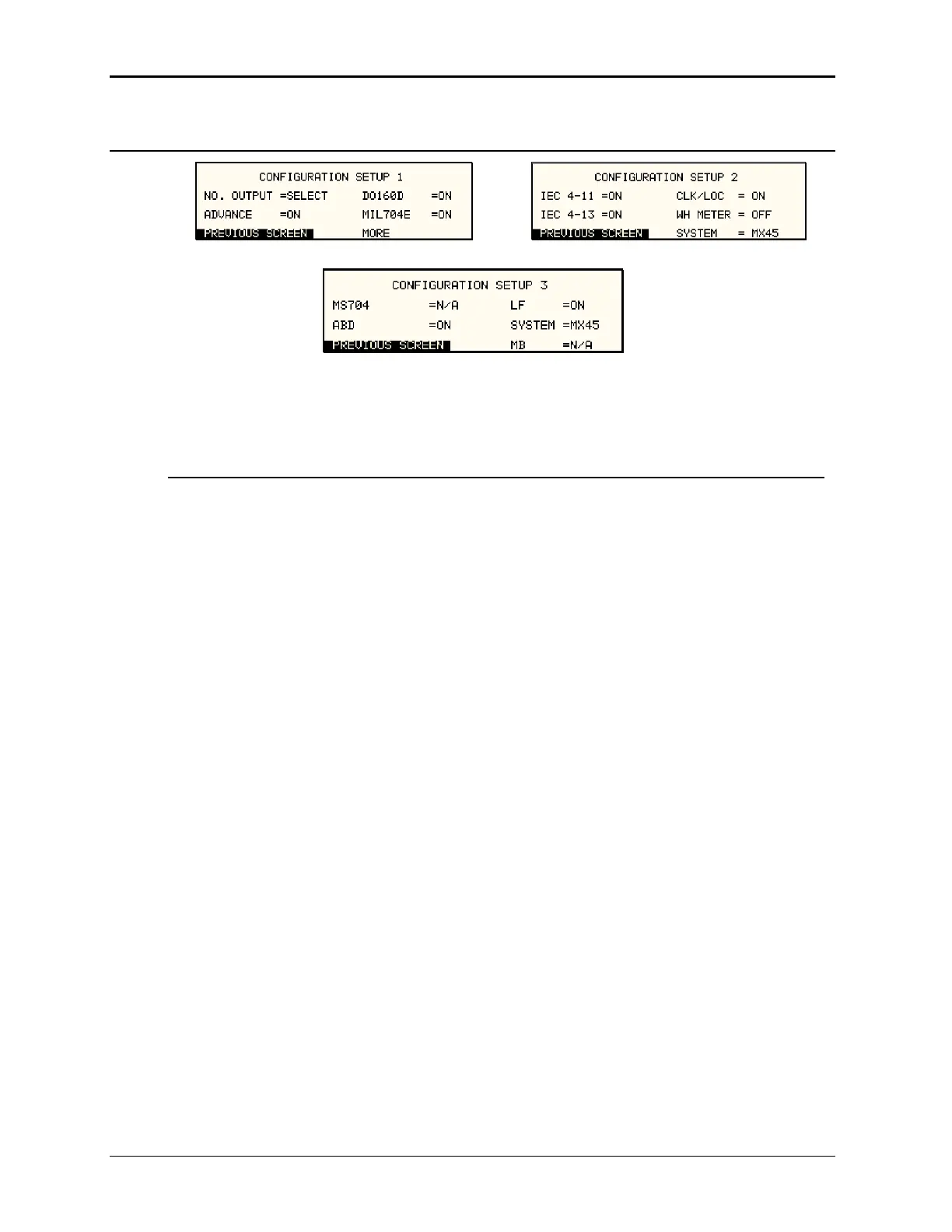
Figure 4-25: CONFIGURATION SETUP Menus
The configuration setup screens are not menus but only serve to inform the user of the software
options insta lds in this screen lled in the AC source. The cursor can be moved to any of the fie
but none of these fields can be changed. The following information is provided on this screen:
Entry Description
mode option is installed and the user can select between single
y
single phase or three phase mode of operation is possible.
he presence of
is installed, this field will show ON. If this option is not
MIL704
ld will show N/A (not
IEC 4-11 tes the presence of the IEC 1000-4-11 test option. If this
not available).
CLOCK/LOCK Indicates the presence of the -LKS clock and lock auxiliary
option. For units without -LKS, this field is set to N/A. For units
with the -LKS option installed, this field is set to ON. Note that
master unit (with -LKM) also has this field set to N/A.
WH METER Indicates the presence of the Watt Hour Meter option.
CONFIGURATION SETUP 1
NO. OUTPUT Displays7 the phase mode option. SELECT indicates the phase
and three phase modes of operation.
FIXED indicates the phase mode option is not installed and onl
ADVANCE [Pi Controllers only] This field indicates t
advanced capabilities for waveform generation and
measurement analysis are present.
DO160 Indicates the presence of the RTCA DO160 test option. If this
option
installed, this field will show N/A (not available).
Indicates the presence of the MIL/STD-704 Revision D and E
test option. If this option is installed, this field will show ON. If
this option is not installed, this fie
available).
CONFIGURATION SETUP 2
Indica
option is installed, this field will show ON. If this option is not
installed, this field will show N/A (not available).
IEC 4-13 Indicates the presence of the IEC 1000-4-13 test option. If this
option is installed, this field will show ON. If this option is not
installed, this field will show N/A (
114 MX Series



 To Next Page