331
3
Menu Function Settings
z5
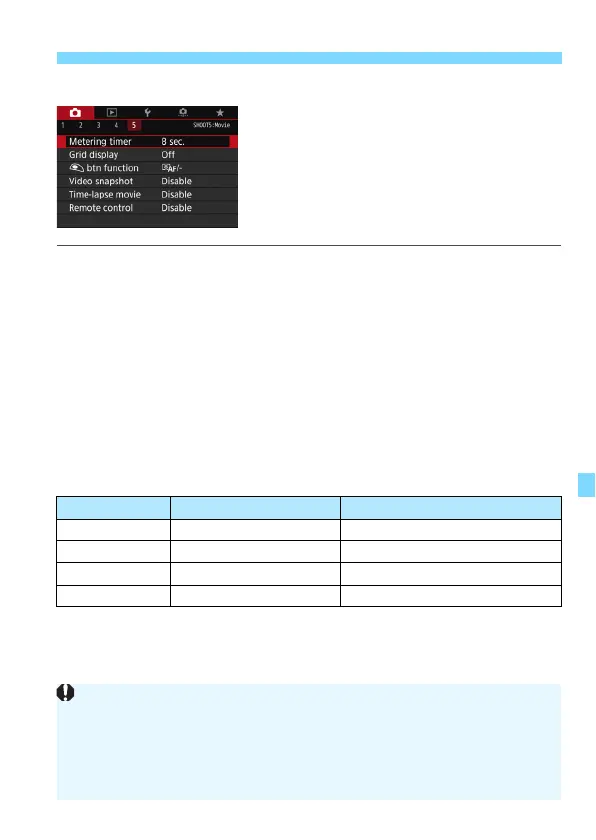
Metering timer
O
You can change how long the exposure setting is displayed (AE lock
time).
Grid display
With [
3x3
l
] or [
6x4
m
], you can display grid lines to help you
level the camera vertically or horizontally. Also, with [
3x3+diag
n
],
the grid is displayed together with diagonal lines to help you
compose with better balance by aligning the intersections over the
subject.
V
button function
You can set the functions performed by pressing the shutter button
halfway or completely during movie shooting.
If [
a
/
k
] or [
q
/
k
] is set, besides pressing the <
0
> button, you
can start/stop the movie shooting by pressing the shutter button
completely or by using Remote Switch RS-60E3 (sold separately, p.221).
Setting Pressed Halfway Pressed Completely
a/- Metering and AF No function (disabled)
q/- Metering only No function (disabled)
a/k Metering and AF Starts/stops movie shooting
q/k Metering only Starts/stops movie shooting
Even if you set [V btn function] to [q/-] or [q/k], AF will be
performed when you press the shutter button halfway during time-lapse
movie shooting.
During movie shooting, the [V btn function] setting overrides any
function assigned to the shutter button with [8C.Fn III-4: Custom
Controls].



 To Next Page