COPYRIGHT
©
2000 CANON INC. 2000 2000 2000 2000 CANON iR5000/iR6000 REV.0 JULY 2000
CHAPTER 9 SHIFT TRAY
9-11 P
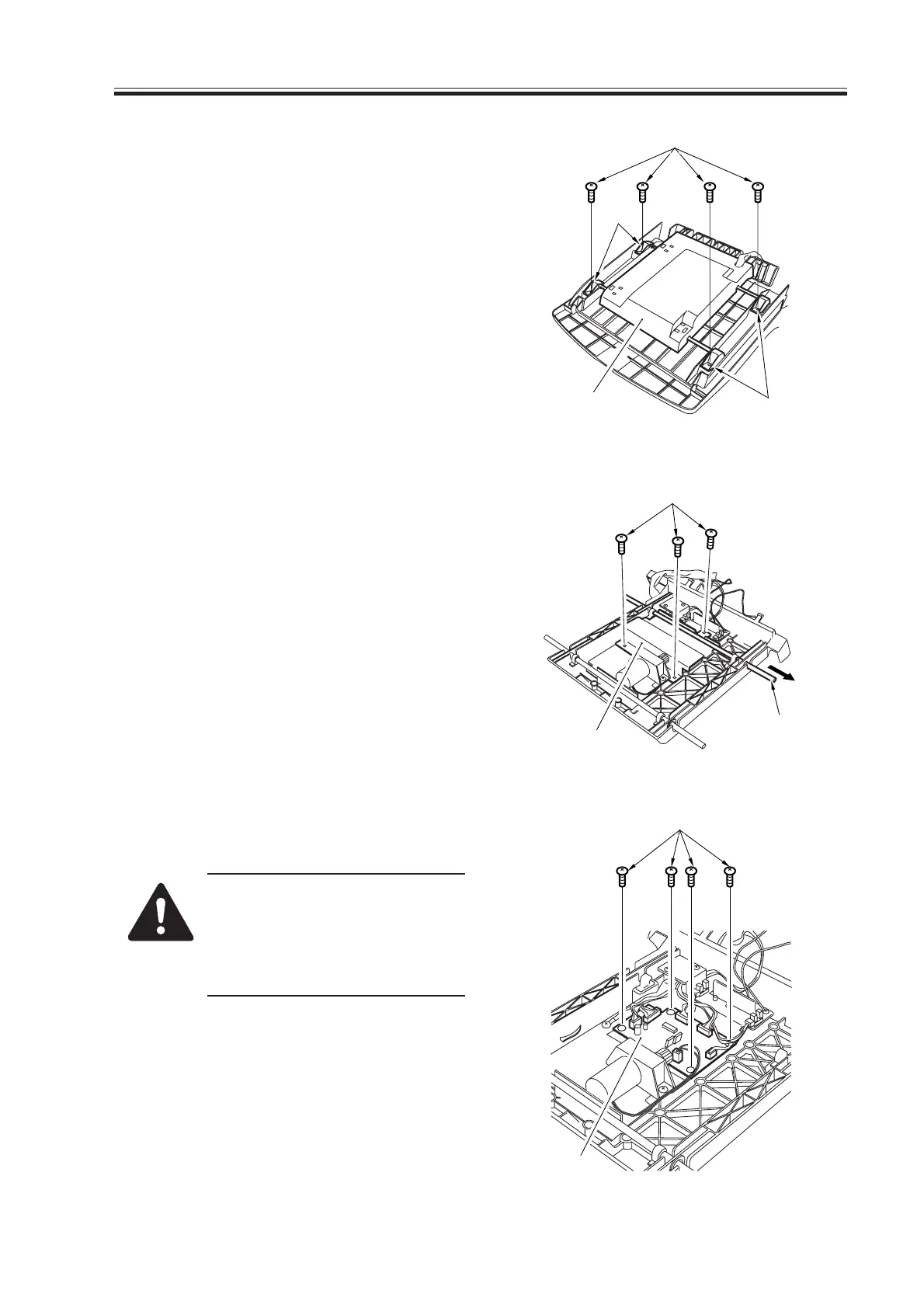
5) Remove the four screws [7] from the
back of the shift tray, and remove the
four shaft retainers [8]; then, detach the
tray drive assembly [9].
F09-601-03
6) Pull off the shaft [10] from the tray
drive assembly, and remove the three
screws [11]; then, detach the shielding
cover [12].
F09-601-04
7) Remove the four screws [13], and de-
tach the shift tray driver PCB [14].
Points to Note When Mounting
Be sure to adjust the position of
the limit sensor (front, rear; see
5.1 “Adjusting the Limit sensor
Position.”)
F09-601-05
[7]
[8]
[8]
[9]
[11]
[12]
[10]
[13]
[14]
Download Free Service Manual at http://printer1.blogspot.com



 To Next Page