2
2
2-13
2-13
Technology > Stack Tray Unit > Shutter Operation
Technology > Stack Tray Unit > Shutter Operation
Tray 1
Paper surface sensor (PI114)
Edge
Tray 2
Tray 2 paper surface
sensor (PI115)
Edge
Paper surface sensor flag
Paper surface
sensor flag
Detected items Tray 1 shift area sensor PCB
Area sensor 1 Area sensor 2 Area sensor 3
(PCB4) (PCB4) (PCB4)
Tray 1 upper limit
OFF OFF OFF
Stack count 500 sheet limit exceeded
ON ON OFF
Stack count 1000 sheet limit
exceeded
ON OFF OFF
Tray 1 lower limit
ON OFF ON
Detected items Tray 2 shift area sensor PCB
Area sensor 1 Area sensor 2 Area sensor 3
(PCB5) (PCB5) (PCB5)
Tray 2 upper limit
OFF ON OFF
Stack count 500 sheet limit
exceeded
ON ON OFF
Stack count 1000 sheet limit
exceeded
ON OFF OFF
Tray 2 lower limit (nisher)
OFF OFF OFF
Tray 2 lower limit (saddle nisher)
OFF OFF ON
* The symbol for the area sensor of each PCB is same because tray 1/tray 2 shift area sensor
PCBs are the same board.
F-2-20
T-2-2
T-2-3
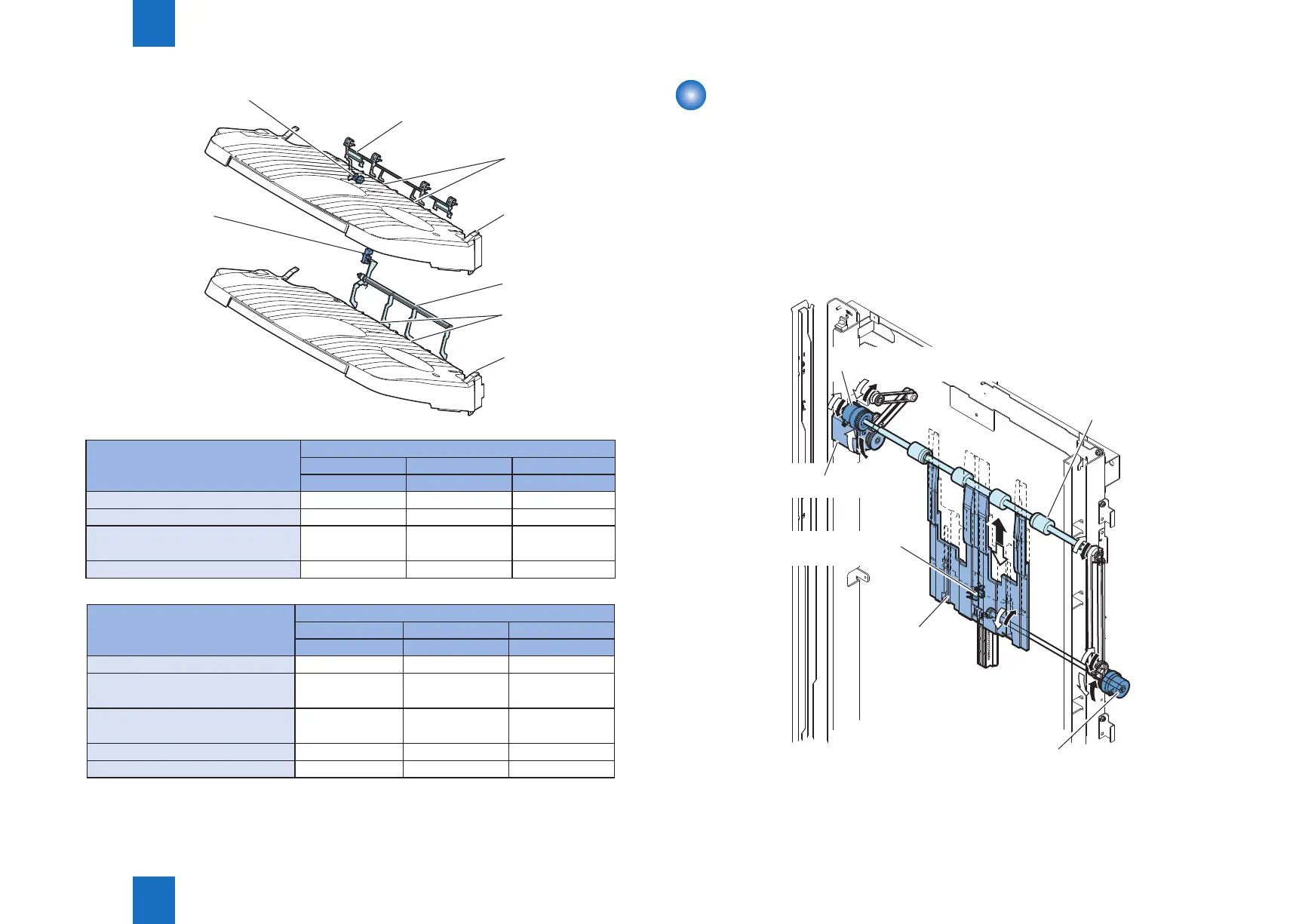
Shutter Operation
When tray 1 passes the delivery section with paper already stacked, the stacked paper may
get caught by the delivery section.
A shutter is provided at the delivery section to prevent this.
The shutter closes when tray 1 passes the delivery section.
This is performed even when no paper is stacked.
When the shutter clutch (CL101) and stack ejection lower roller clutch (CL102) are ON, the
shutter moves up (close) when the stack ejection motor (M102) turns forward and moves
down (open, delivery enabled) when the motor turns backward.
The open/close of the shutter is detected by the shutter home position sensor (PI113).
Shutter clutch (CL101)
Stack ejection motor (M102)
Shutter home position
sensor (PI113)
Stack ejection lower roller clutch (CL102)
Shutter
Stack ejection
roller (lower)
F-2-21



 To Next Page