2
2
2-16
2-16
Technology > Processing Tray Unit > Basic Operation > Staple Operation
Technology > Processing Tray Unit > Basic Operation > Staple Operation
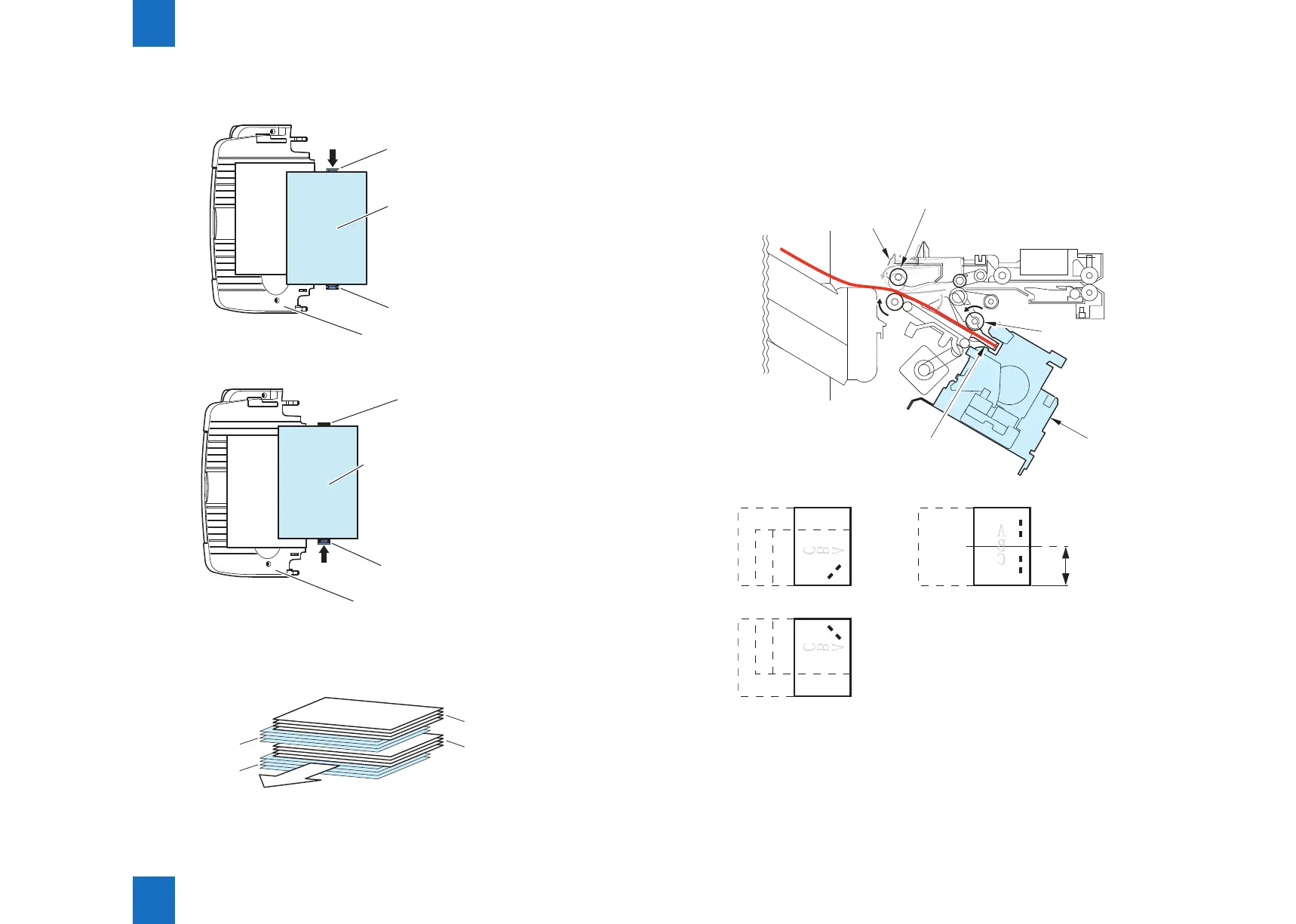
An example:4 sheets , 4 sets , A4 size ,(printing total :16 sheets)
1)From the 1 sheet to the 4 sheets, move it towards a board.
Rear aligning plate
Sheet to be offset
Front aligning plate
Tray
2)From the 5 sheets to the 8 sheets, move it towards a board.
Sheet to be offset
Front aligning plate
Tray
3)From the 9 sheets to the 12 sheets, move it towards a board.
4)From the 13 sheets to the 16 sheets, move it towards a board.
4rd set
Direction of delivery
Results Delivering 4 sets
2rd set
3rd set
1rd set
F-2-26
F-2-27
F-2-28
■
Staple Operation
This product is equipped with two Staplers.
While the Stapler unit of the Finisher unit provides 1-point front stapling, 1-point rear stapling,
and 2-point stapling, the Stitcher unit of the Saddle Stitcher unit provides 2-point center
stapling.
Return roller
Processing tray
Stapler
Swing guide
Front diagonal stapling
Rear diagonal stapling
2-point stapling
Paper width 1/2
F-2-29
F-2-30



 To Next Page