4
4
4-34
4-34
Parts Replacement and Cleaning Procedure > Consumable Parts and Cleaning Points > Removing the Inlet Static Charge Eliminator
Parts Replacement and Cleaning Procedure > Consumable Parts and Cleaning Points > Removing the Inlet Static Charge Eliminator
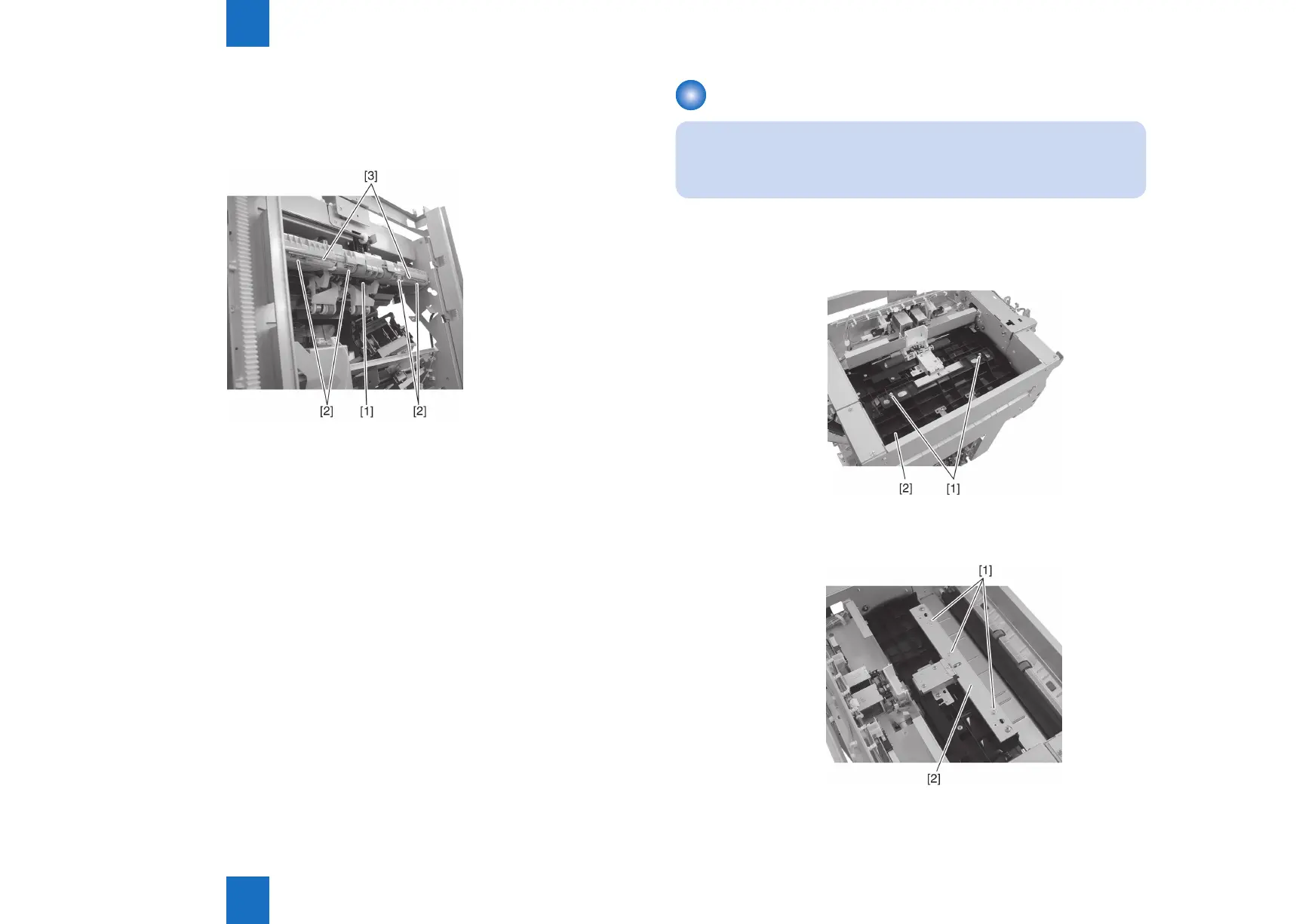
13) Pull out the static charge eliminator [1] at the center of the swing unit from the bottom.
14) Remove the four claws [2] securing the delivery side static charge eliminator and remove
the two static charge eliminators [3].
F-4-69
Removing the Inlet Static Charge Eliminator
NOTE:
When replacing the consumable parts, be sure to clear the parts counter.
(COPIER > COUNTER > DRBL-2 > ENT-STC)
1) Open the upper cover and unhook the hook linking the upper cover and inlet upper guide.
2) Remove two screws [1] and remove the right side section [2] of the inlet upper guide.
3) Remove three screws [1] and remove the inlet static charge eliminator [2].
F-4-70
F-4-71



 To Next Page