4
4
4-14
4-14
Parts Replacement and Cleaning Procedure > External Covers > Removing the Rear Cover
Parts Replacement and Cleaning Procedure > External Covers > Removing the Rear Cover
External Covers
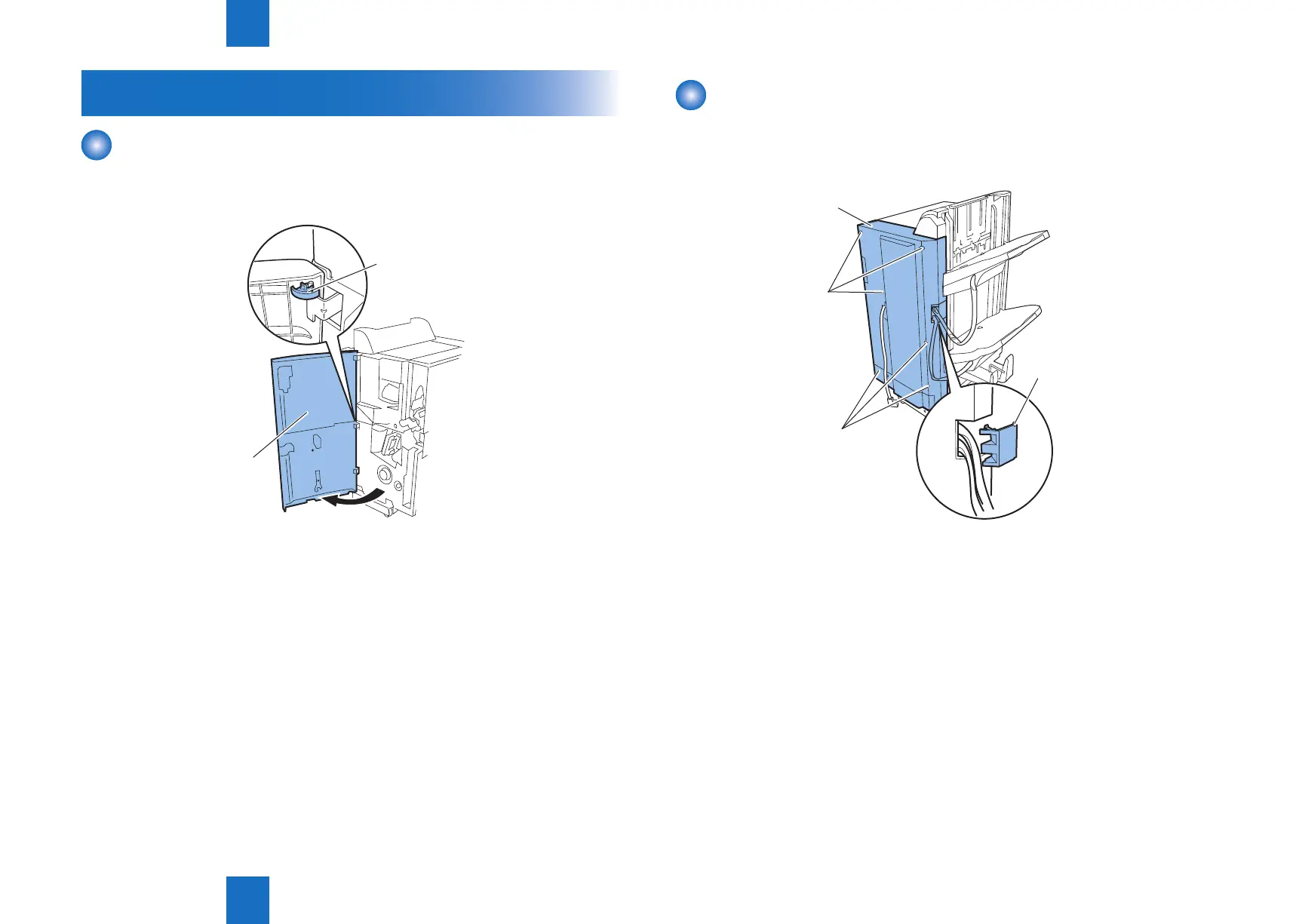
Removing the Front Cover
1) Open the front cover [1] and remove the clip [2].
2) Lift the front cover [1] to remove.
[1]
[2]
F-4-18
Removing the Rear Cover
1) Shift the tray cable cover [1] toward the tray side to remove.
2) In the case of the Booklet Finisher, remove six screws [2] and remove the rear cover [3].
In the case of the Staple Finisher, remove ve screws [2] and remove the rear cover [3].
[2]
[1]
[3]
[2]
F-4-19



 To Next Page