4
4
4-37
4-37
Parts Replacement and Cleaning Procedure > Other Parts > Removing the Paper Folding Roller
Parts Replacement and Cleaning Procedure > Other Parts > Removing the Paper Folding Roller
Other Parts
Removing the Paper Folding Roller
1) Remove the front cover.(Refer to page 4-14)
2) Remove the rear cover.(Refer to page 4-14)
3) Remove the front inside upper cover. (In the case of Staple Finisher, this procedure is
unnecessary.)(Refer to page 4-17)
4) Remove the left upper cover.(Refer to page 4-15)
5) Remove the grate-shaped upper guide.(Refer to page 4-16)
6) Remove the tray 1.(Refer to page 4-23)
7) Remove the tray 2.(Refer to page 4-24)
8) Remove the grate-shaped lower guide.(Refer to page 4-16)
9) Remove the upper delivery guide.(Refer to page 4-29)
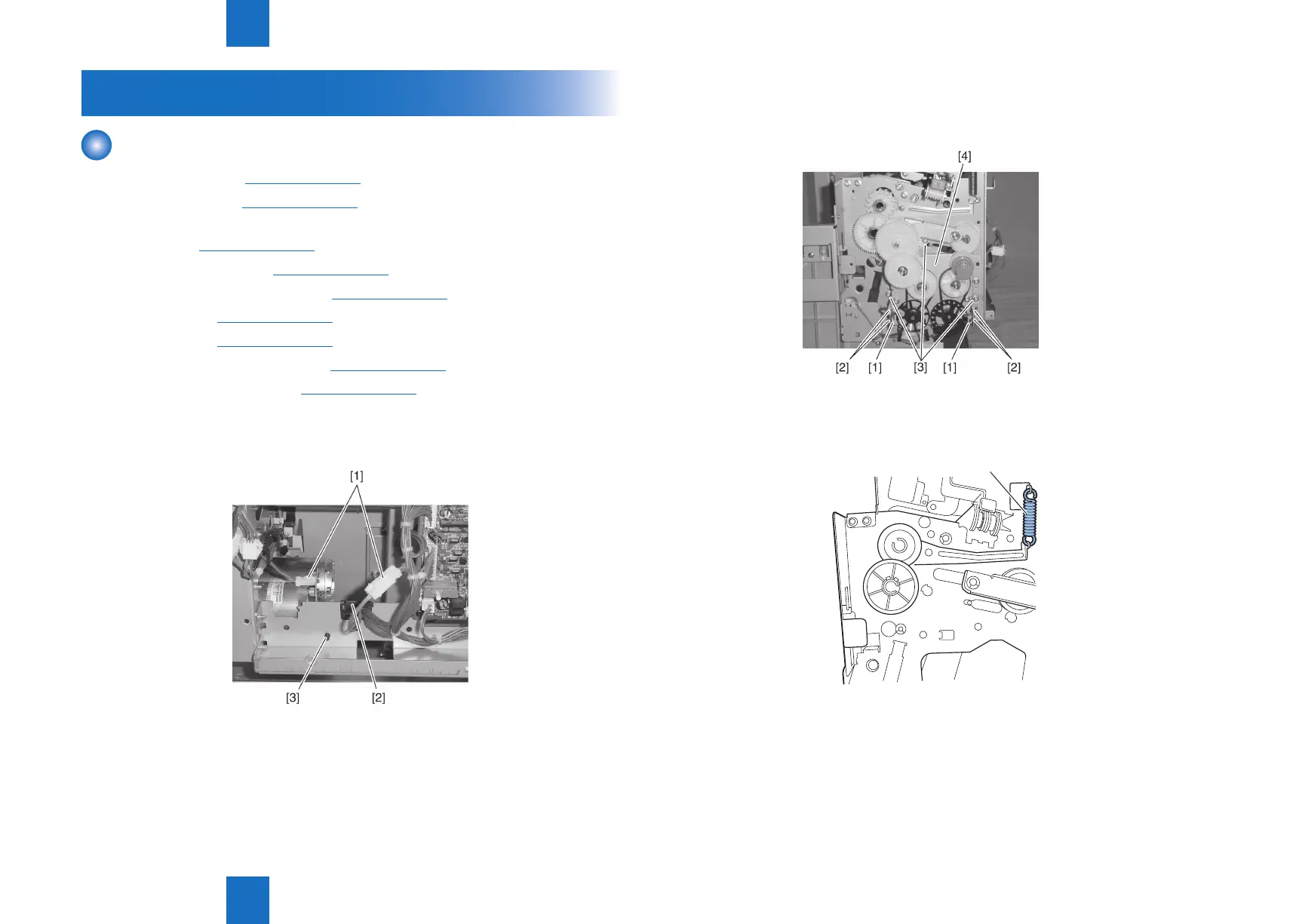
10) Disconnect two connectors [1] and remove the harness from edge saddle [2] and clamp
[3].
F-4-76
11) Disconnect two connectors [1] and remove the harness from four edge saddles [2].
12) Remove three screws [3] and remove the paper folding/paper pushing motor base [4].
13) Unhook the upper side of the front tension spring [1] and rear tension spring [2].
[1]
F-4-77
F-4-78



 To Next Page