2
2
2-23
2-23
Technology > Saddle Stitcher Unit > Controlling the Aligning the Sheets
Technology > Saddle Stitcher Unit > Controlling the Aligning the Sheets
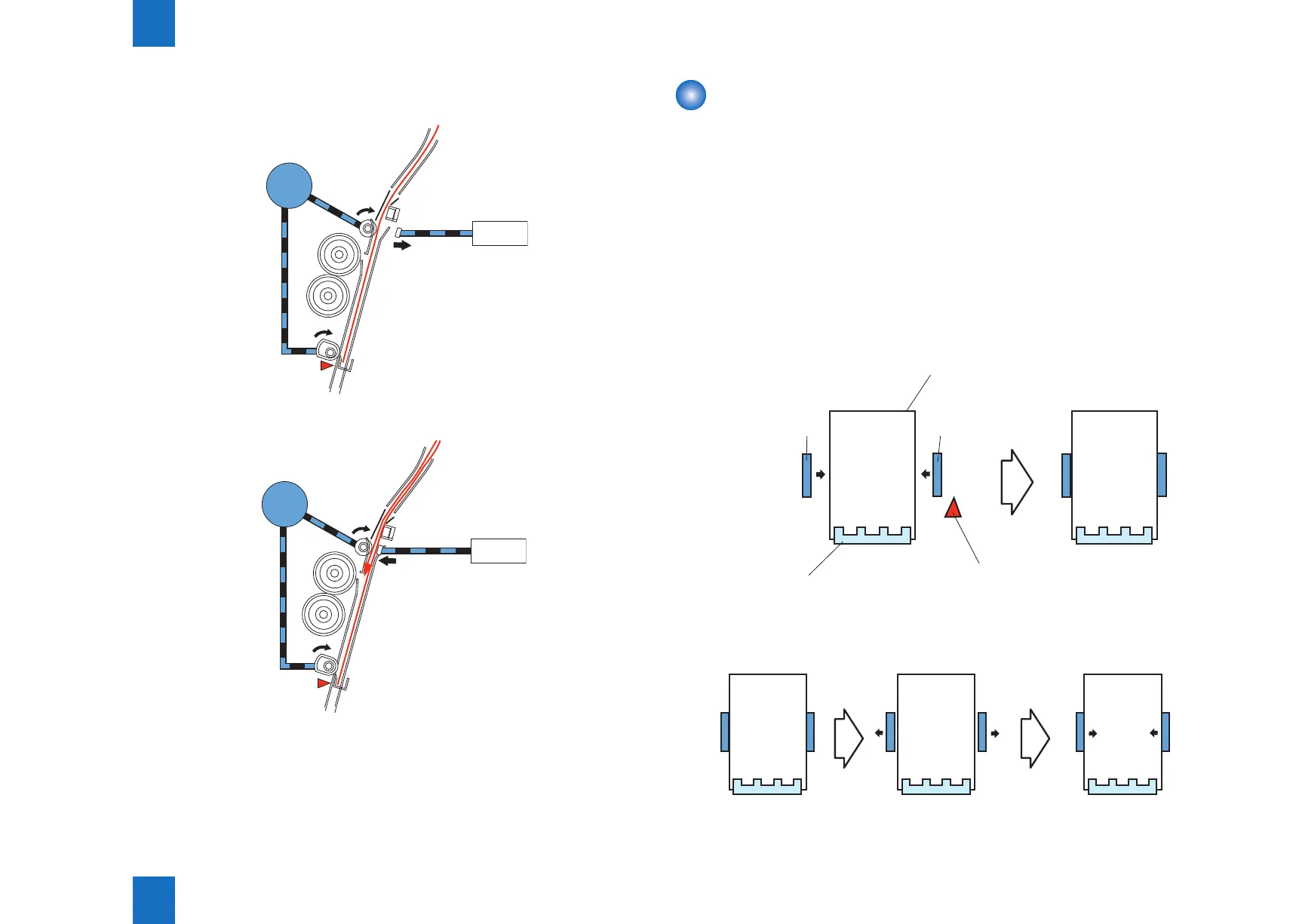
2) The solenoid turn OFF when the paper butts against the paper positioning plate.
The feed motor continues to rotate.
SL4
OFF
M1
Paper positioning plate
paper sensor(PI8)
3) The solenoid turns ON when the next sheet arrives, and the feed plate comes into contact.
SL4
ON
M1
Paper positioning plate
paper sensor(PI8)
F-2-41
F-2-42
Controlling the Aligning the Sheets
The alignment motor (M5) drives the alignment plates each time a sheet is output, putting
both left and right edges of the sheet in order.
The alignment plate motor is a 4-phase stepping motor.
The position of the alignment plate is identied in reference to the number of motor pulses
from the alignment plate home position sensor (PI5).
The following briey describes what takes place when the saddle stitching mechanism
operates on two sheets.
1) When the rst sheet has been output, the alignment plates butt against the left and right
edges of the stack (rst alignment).
The alignment plates leave the home position in advance and remain in wait at points 10
mm from the edges of the stack.
Sheets
Paper positioning
plate
Alignment
plate
Alignment
plate
Alignment plate home
position sensor(PI5)
2) The alignment plates move away from the edges of the stack over a short distance and
then butt against the edges once again (Second alignment).
F-2-43
F-2-44



 To Next Page