176
You can register up to 15 detection settings.
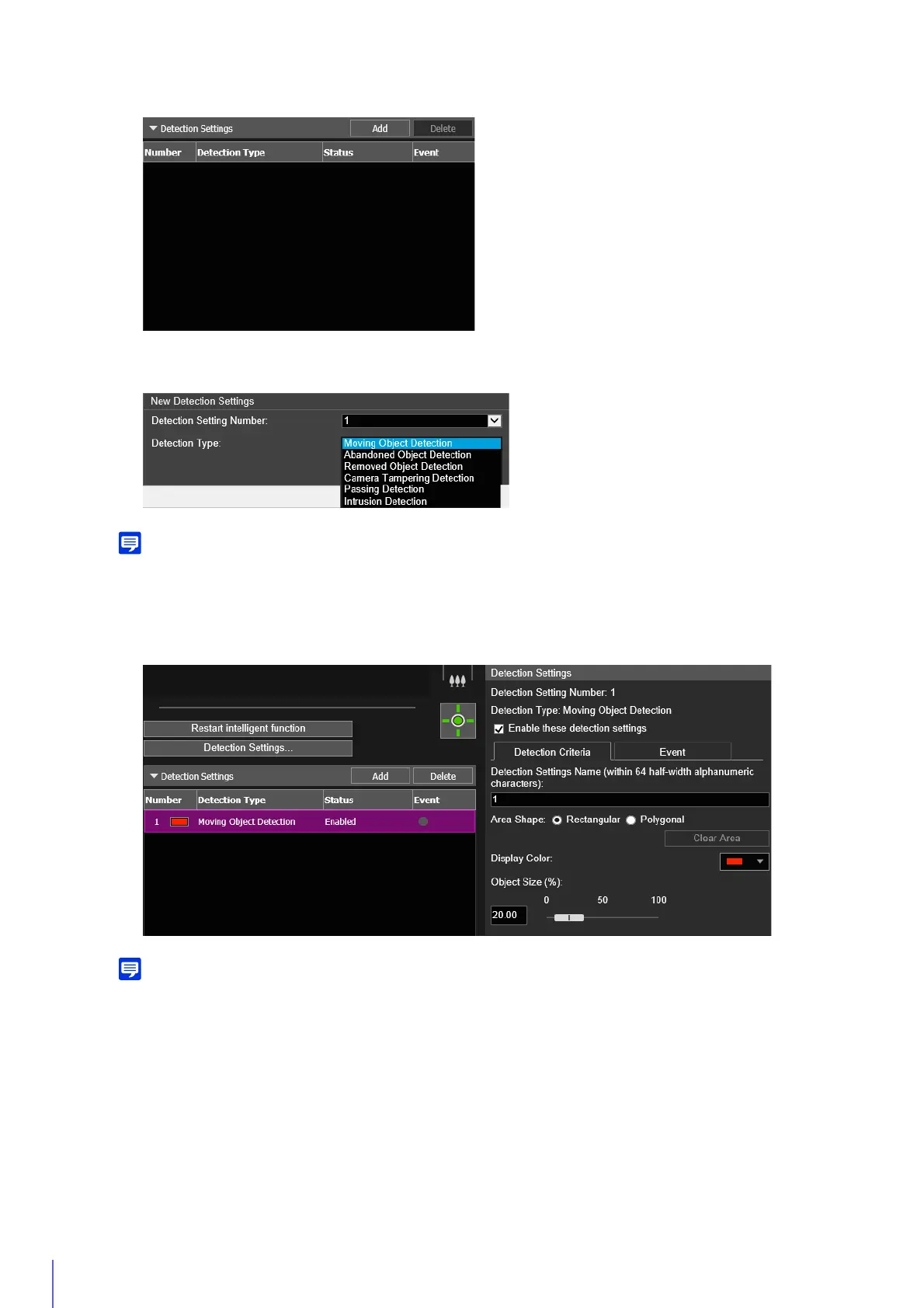
The detection settings added to [Detection Settings] are displayed and [Enable these detection settings] is
selected.
• To disable the detection settings, clear the [Enable these detection settings] checkbox.
• Enter the [Detection Settings Name (within 64 half-width alphanumeric characters)] if necessary (P. 180).
• To delete detection area settings, select the detection area settings to delete and click [Delete] in Detection Settings (List).
Set criteria in the video display area or [Detection Criteria] tab (P. 179). The detection criteria differ according to
2
Click [Add] in [Detection Settings].
3
Select [Detection Setting Number] (1 to 15) and [Detection Type] for the detection setting to be added.
4
Click [OK].
5
Configure the detection criteria.



 To Next Page