6-24T -296
1
2
3
4
5
6
7
8
9
10
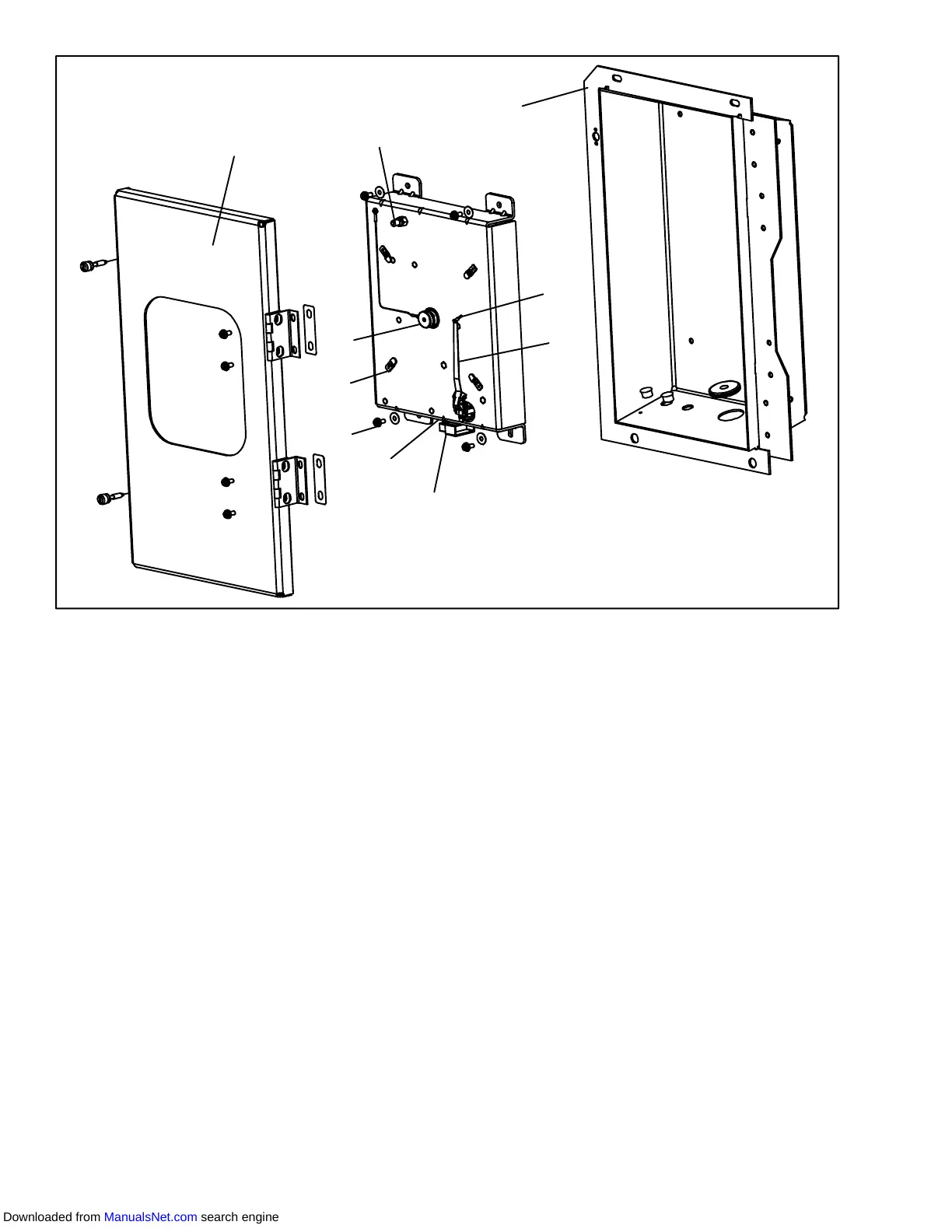
1. Recorder Door
2. Change Chart Button
3. Recorder Box
4. Pen Tip
5. Stylus Arm
6. Connector
7. Calibration Button (Located underneath)
8. Mounting Screws, #10-24 x 7/16 inches long
9. Hold Down Tab
10. Chart Retaining Nut
Figure 6-31. Electronic Partlow Temperature Recorder
6.22.3Adjusting the Recorder Stylus
Proper stylus force upon the chart paper is important.
Factory adjustment is 113 to 127 grams (4 to 4.5
ounces). To measure the force, use a spring type gage,
and attach it under the stylus asclose aspossible tothe
pen tip (item 4). Exert pull on the gage perpendicular to
the chart surface. The measured force should be noted
just as the pen tip leaves the surface.
NOTE
The two coil springs near the base of the stylus
are NOT involved in establishing chart contact
force. They serve only to hold the stylus in its
retracted position.
Correct adjustment is made by carefully bending the
portionofthe stylusarm between the bendnear thepen
tip, andthefirstbend towards thestylus arm base. If the
force is too low, the stylus trace will be light and difficult
to read. If the force is too great, wrinkling, or tearing of
the paper chart may occur.
6.22.4Rezeroing the Recording Thermometer
For Electronic Partlow Recorder CTD P/N
12-00464-00:
NOTE
Use chart CTD P/N 09-00128-00 (°F)
P/N 09-00128-01 (°C).
a. Press the “Calibration” button (item 7, Figure 6-31)
on the bottom of the recorder. The pen tip will drive
fullydownscale,thenmoveupscaletothechartring
at --29°C(--20°F), and stop.
b. If the tip of the pen (item 4) is on the --29°C(--20°F)
chart ring the recorder is in calibration, proceed to
step c. If the tip of the pen is NOT on the --29°C
(-- 20°F)chart ring, theoperatormustloosenthetwo
screws on the bottom of thestylus armto adjustthe
pen tip manually to the --29°C(--20°F) chart ring.
T ighten the screws when adjustment is complete.
c. Pressthecalibrationbuttonandthepenwillposition
itself to the correct temperature reading.
For Electronic Partlow Recorder CTD P/N
12-00464-01:
Downloaded from ManualsNet.com search engine











 To Next Page