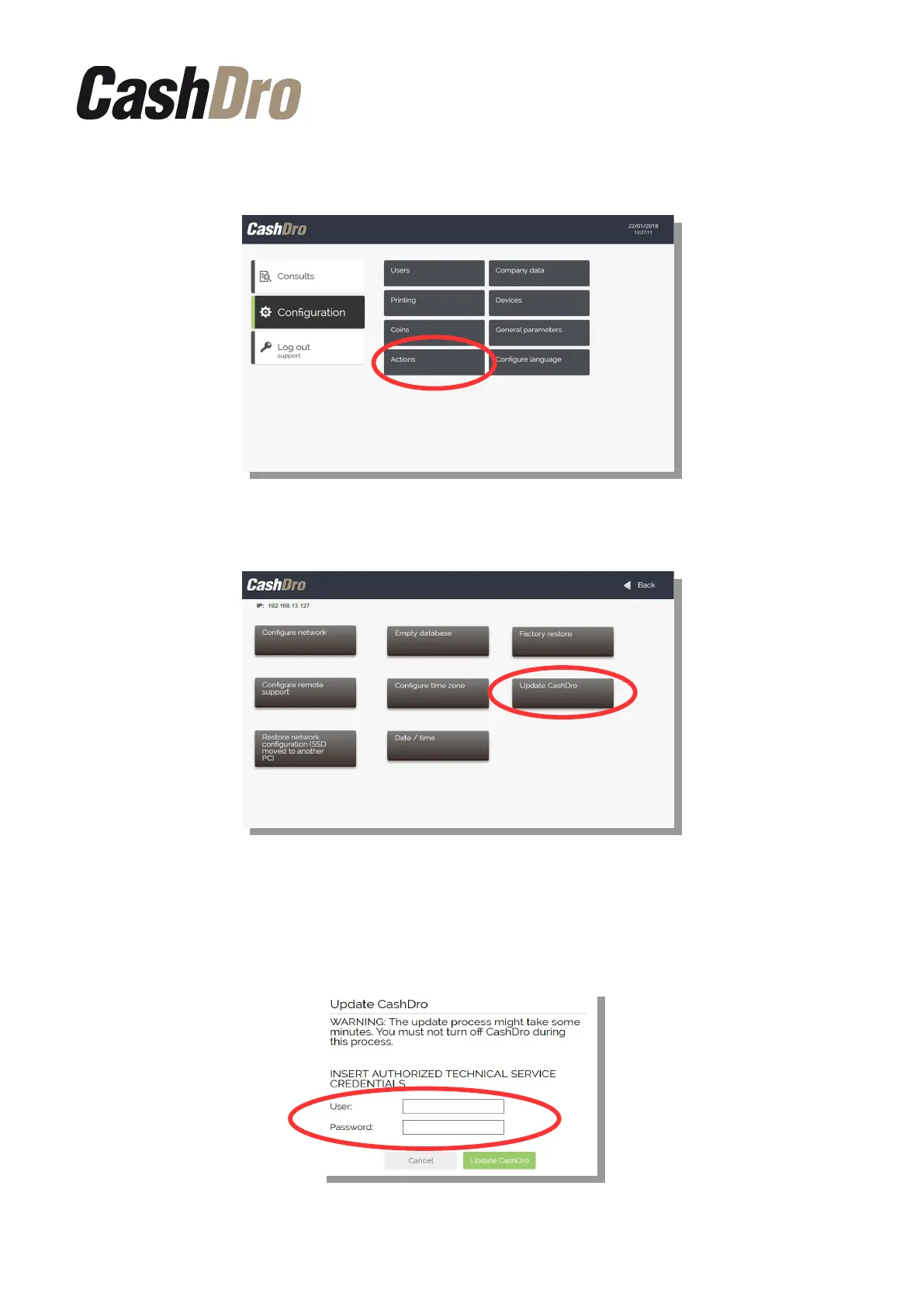
To run the update access to section “Configuration” of the main menu and then press
“Actions”.
Once inside press the option “Update CashDro”.
Note: This option is only shown when there is an enabled update.
When you press on this option the following screen is displayed to enter the Official ATS
credentials. If you do not know your credentials, contact with your wholesaler.
Software update | 10



 To Next Page