15
WELDING
PROCESS
TYPE OF
IGNITION
WELDING MODE
PULSED MODE
OFF PULSE
SYN PULSE
FAST PULSE
ULTRA FAST
PULSE
SLOW PULSE
DEFAULT ADVANCE
TIG DC LIFT TIG
2T 2T ADVANCE (*) X X X X X
4T X X X X X
4T AUTO
4T AUTO
ADVANCE (*)
X X X X X
CYCLE X X X X X
SPOT
TIG VALVE TORCH
(*) Advance welding mode can be activated as follows:
• CONFIGURATION menu
• WELDING section
• 2T-4T AUTO ADV line
• Choose ACTIVE
When the
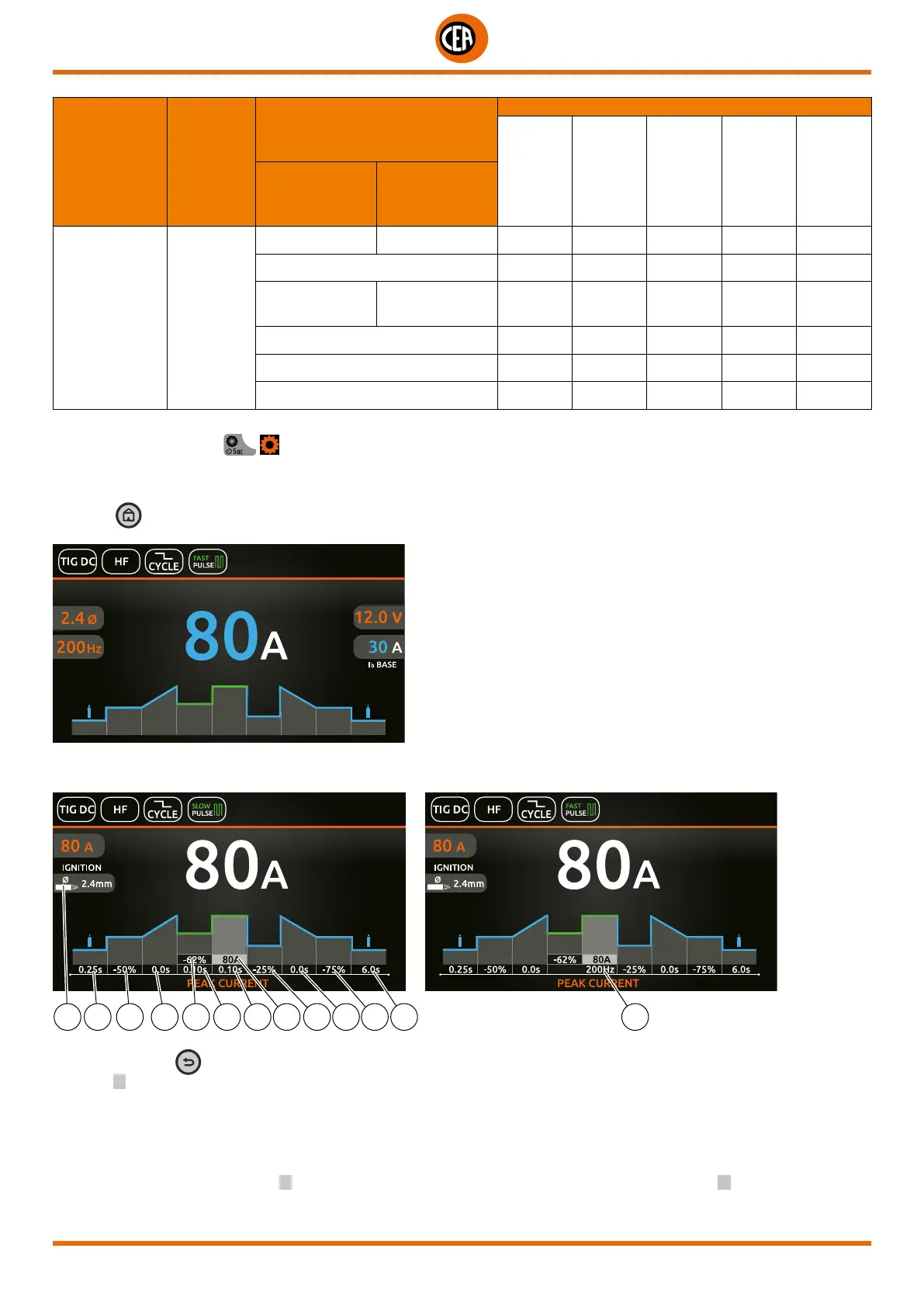
key is pushed, the welding page opens:
An example of complete configuration of all the parameters is shown below:
Push the knob to enter the SET page.
Push and rotate the knob to set the following parameters:
13 7 8 9 2 4 3 1 6 10 11 12 5
NOTE: If the BACK key is held down for 2 seconds, the parameter goes back to its default setting.
1. Main I
1 welding current (if OFF PULSE is set).
Peak current (if a pulse is set).
2. “Absolute” basic current value in Ampere (default) or as % of the peak current (if SLOW PULSE is set).
3. Duration of the peak current (if SLOW PULSE is set).
4. Duration of the basic current (if SLOW PULSE is set).
5. Pulsation frequency (if SYN-FAST-ULTRA FAST PULSE is set).
6. (When CYCLE is set) “Absolute” I
2
cycle current value in Ampere (default) or as % of the main current for I
1
welding, or of the peak
current when pulsation is set.













 To Next Page