Video Pattern Generator 2238 User’s Manual
B-18
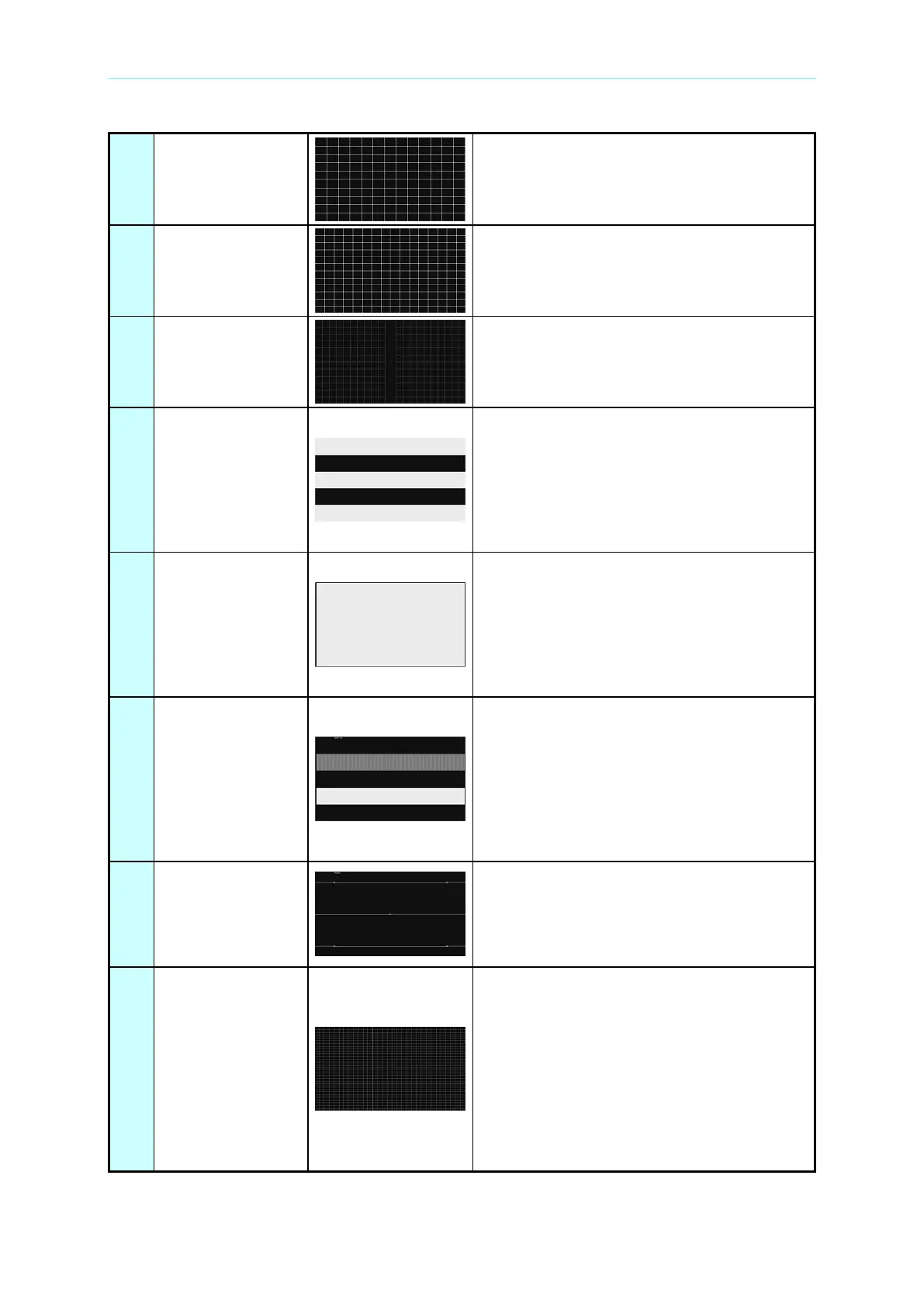
It is the same as pattern # 56 except it has
13 horizontal grids with 10 vertical grids.
It is the same as pattern # 56 except it has
16 horizontal grids with 12 vertical grids.
It is a crosshatch pattern with 16 horizontal
grids and 12 vertical grids. The remainders
are placed in the center. It has a symbol “”
in the central point.
The pattern has three bright and three dark
horizontal bars to check the high voltage
stability when the load changes. If the high
voltage is not stable, the lower part of the
bright bars will protrude from both left and
right, and not withdraw until they reach the
dark bars.
Two patterns are altered in turn to testing the
high voltage stability under different loads. If
the high voltage is not stable, the size of
these two patterns will not be the same. The
corresponding change of high voltage can
be measured through the change of
boundary lines.
This pattern uses the upper bar with dark
and bright interlaced lines and the lower
bright bar with high and low frequencies to
check if the monitor’s horizontal bias circuit
is affected by video. If the affection is in high
(or low) frequency, the frames on the video
two sides will be staggered with other frames
in the same direction.
The pattern has four consecutive vertical
lines inside the square. In Interlace mode,
the four lines belong to two different fields,
and should be divided to equal distance
(which can be seen using a magnifier).
It is a crosshatch pattern with moving grids.
Use Speed On parameter to determine the
horizontal grid number and Speed Off to
determine the vertical grid number. The first
parameter of Blink Draw determines the
pixel for moving horizontally while the
second parameter determines the pixel for
moving vertically. The third parameter of
Blink Draw sets the moving speed. The
larger the value the slower the speed.


 To Next Page