12-5
Cisco ASR 1000 Series Aggregation Services Routers Hardware Installation Guide
OL-13208-11
Chapter 12 Cisco ASR 1001 Router Overview and Installation
Cisco ASR 1001 Router Description
• IDC-4XGE
IDC-4XGE can support up to four small form-factor pluggable (SFP) transceivers, each of which
supports a 1-Gigabit Ethernet connection (see Figure 12-3).
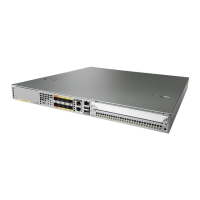
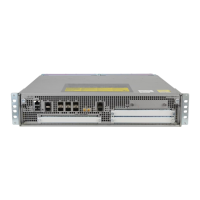
Figure 12-3 Cisco ASR 1001 Router with IDC-4XGE
1 GigabitEthernet—Port 0
This POS port is an SFP port.
8 LINK LED—Indicates MGMT Ethernet port
activity
2 GigabitEthernet—Port 1
This POS port is an SFP port.
9 BF—Internal bootflash LED that indicates
activity of the EUSB device
3 GigabitEthernet—Port 2
This POS port is an SFP port.
10 USB LED
4 GigabitEthernet—Port 3
This POS port is an SFP port.
11 USB port—USB high-speed (480 Mbps) port
used for secure key storage, VPN credentials
storage, or bulk flash storage of image and
configuration backup
This USB port is an A port.
5 AUX—RS-232 auxiliary port 12 STAT—Status LED
6 CON—RS-232 console port 13 PWR—Power LED
7 MGMT—RJ-45 10/100/1000 management
Ethernet port
— —
279782
ASR 1001
LINK LINK LINK LINK
LINK
IDC-4XGE
PWR
S TAT
CRIT
MAJ
MIN
USB
BF
MGMT CON AUX
0
1
2
3
3
1 2 4
7
8
10
9
11
5
6
12
13


 To Next Page
 Loading...