coatmaster Flex
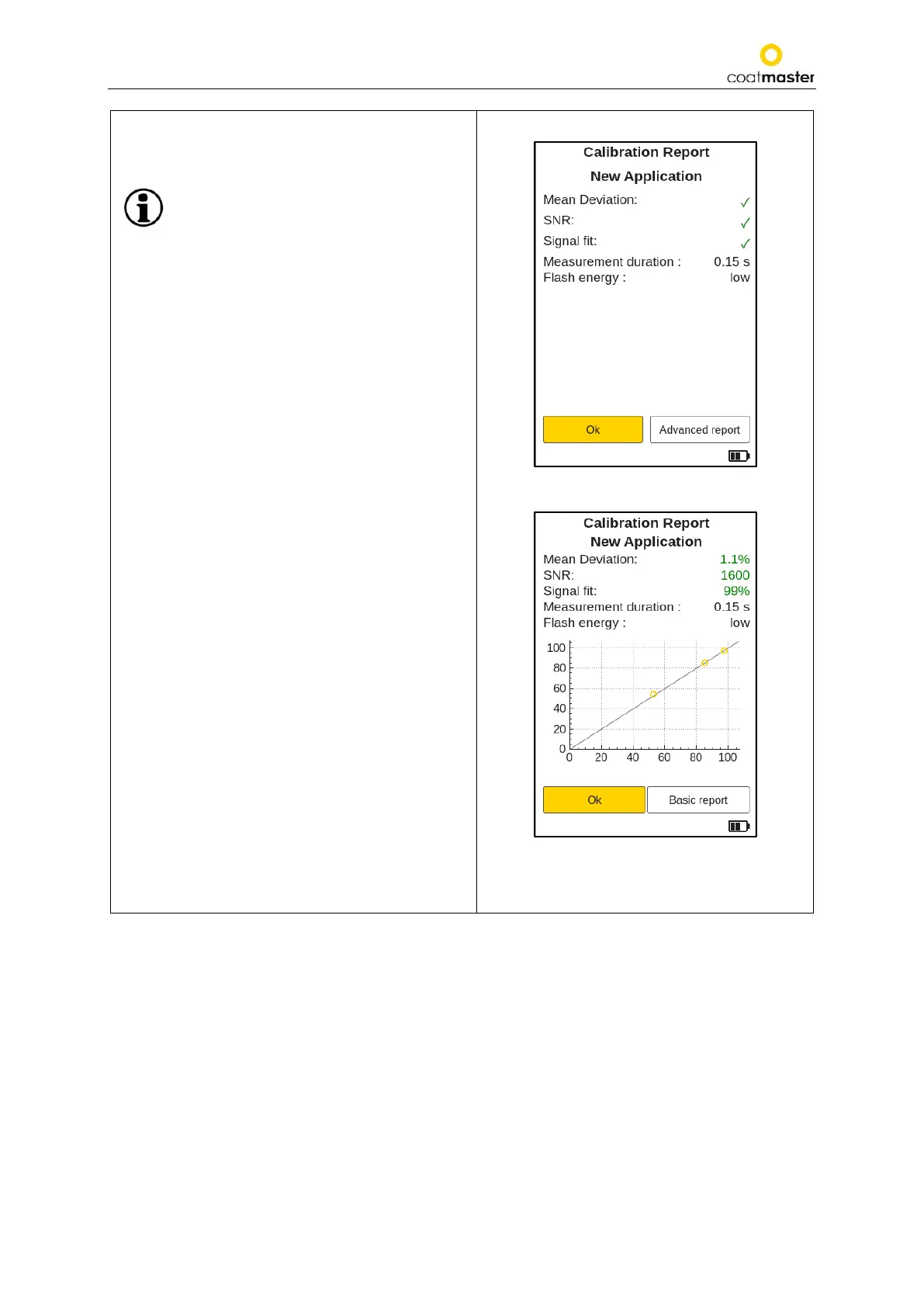
A calibration report as shown in Figure 43: Basic
Calibration R
eport will be generated by the
coatmaster® Flex software.
The software will automatically check the
results and will clearly display the status
of the calibration process.
Select ‘Ok’ to return to the main menu.
To get a more detailed information about the
calibration select ‘Advanced report‘ (see Figure 44:
Advanced Calibration Report).
A summary of the calibration parameters is
displayed in the advanced calibration report. If all
parameters are green, the calibration was
successful.
The default Basic report only shows a check mark
next to the label in green for ok or red for not ok.
No graph will be displayed.
Figure 43: Basic Calibration Report
Figure 44: Advanced Calibration Report



 To Next Page