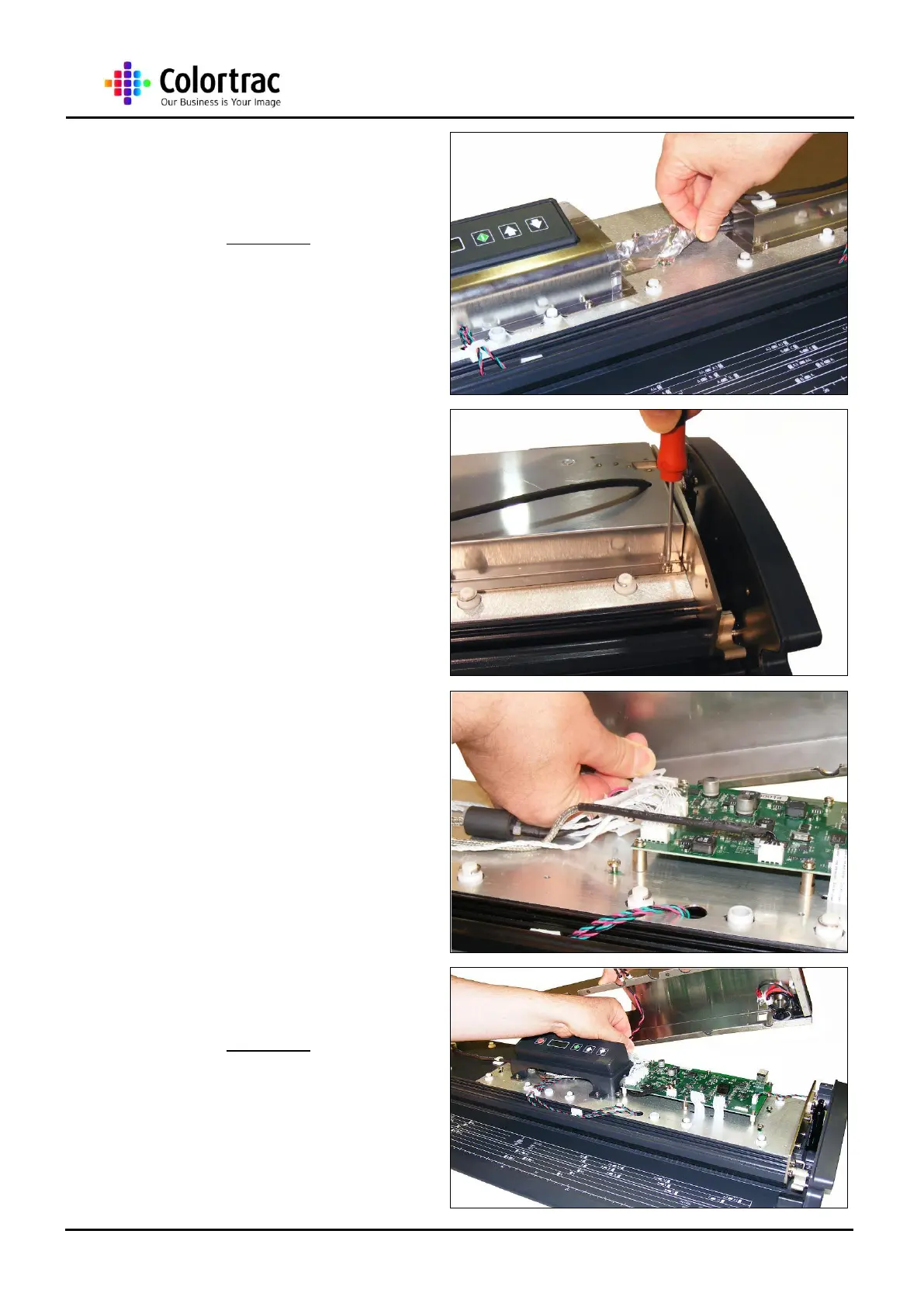
3. For the M40, remove the
Aluminium EMC Tape
covering the cables to the
Main Board.
4. Remove the 4 x M3 screws
holding the Main Board
Cover to the Lid Assembly.
5. WARNING: Gently lift the
Main Board Cover to reveal
the Mains Connector.
Release the Mains Connector
from the Main Board.
NOTE: Care needs to be taken with the
Suppressor leads on the Main Board cover as
they can be broken with repeated or excessive
movement.
6. For the M25, the Main Board
Cover extends over the
Control Board Bracket
Assembly. The method for
removal is exactly the same
as shown here.












 To Next Page