UT-4500 Series C- and Ku-Band Up Converters MN/UT4500.IOM
Ethernet Interface Operation Revision 3
7–14
7.5.2 Admin (Administration) Pages
The ‘Admin’ pages are available only to users who have logged in using
the Administrator Name and Password.
Click the Admin tab, and then select the Access or SNMP hyperlink to continue.
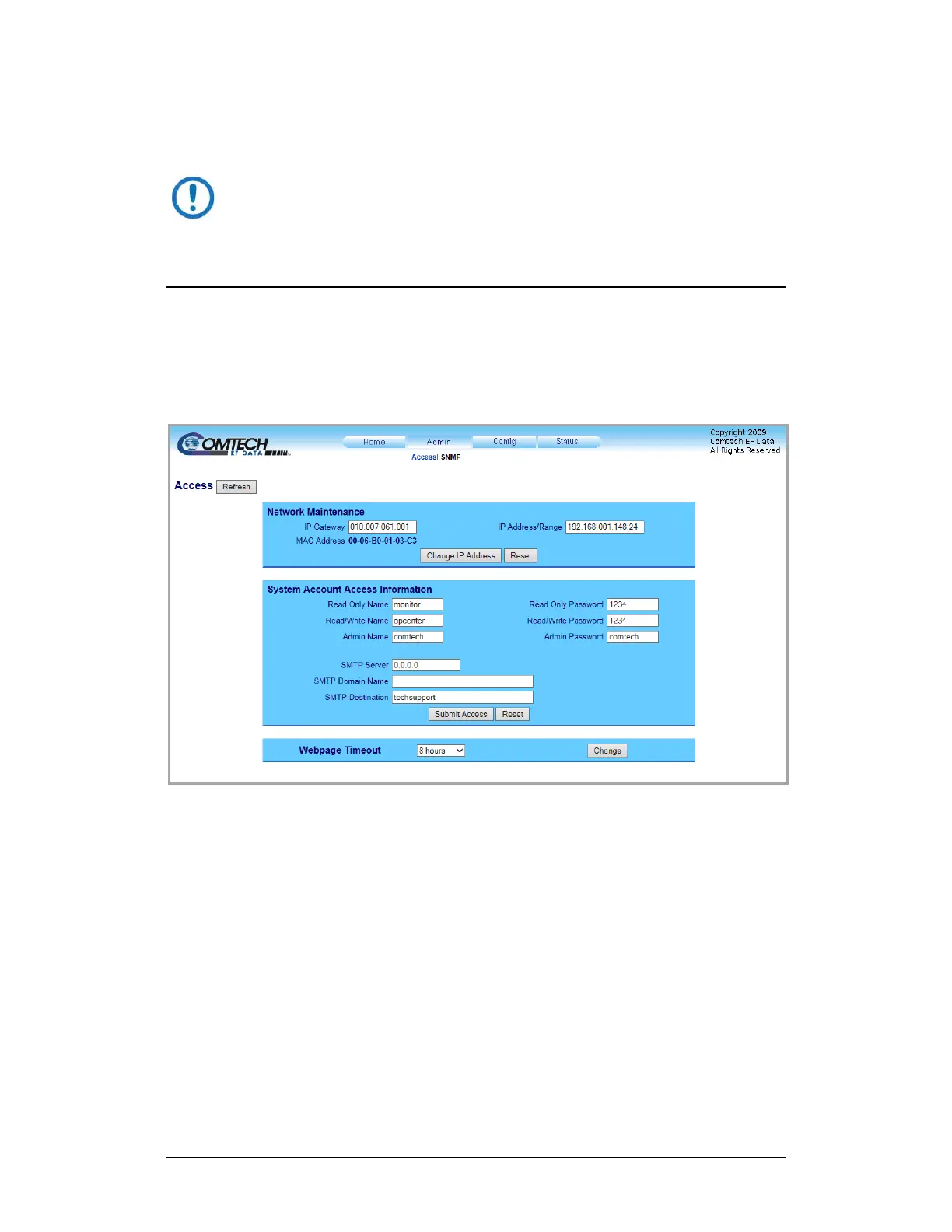
7.5.2.1 Admin | Access
The Administrator must use this page as the means to set up user names,
passwords, the E-mail server, and the host IP addresses as needed to facilitate
communication with the HTTP Interface.
Figure 7-9. ‘Admin | Access’ Page
Network Maintenance
IP Gateway, IP Address/Range – Enter the desired IP Gateway Address and
Management IP Address/ Range in these text boxes.
MAC Address – The MAC Address is read-only. It is set at the factory to a
guaranteed unique address. It cannot be changed.



 To Next Page